> ## Documentation Index
> Fetch the complete documentation index at: https://promptwatch.com/docs/llms.txt
> Use this file to discover all available pages before exploring further.
# Ads Radar
> Ads Radar surfaces the sponsored ads appearing inside ChatGPT answers to your tracked prompts, showing which advertisers are paying to appear where you want to be cited organically.
### What is Ads Radar?
Ads Radar tracks the sponsored ads that ChatGPT inserts into its answers. When ChatGPT Search responds to one of your tracked prompts and includes an ad, Promptwatch captures it: the ad's title, description, and image, the advertiser behind it, and the prompt that triggered it.
This is a new layer of AI search that classic ad intelligence tools don't see. Ads inside AI answers sit directly next to the organic citations you're working to earn, and they change the economics of your prompts: a question where you're the top organic answer is worth less if a competitor's ad sits above you. Ads Radar tells you where that's already happening.
You'll find it in the sidebar under **Monitoring → Ads Radar**.
### Where the data comes from
Ads are extracted from the responses your [monitors](/docs/academy/what-is-a-monitor) already collect, no extra setup needed. When a response arrives carrying sponsored content, Promptwatch pulls out each ad with its creative, advertiser name, advertiser domain, and target URL, and links it to the prompt and response it appeared in. Coverage is ChatGPT Search only, the model Promptwatch extracts ads from today; a prompt with no ads simply means none appeared in those tracked ChatGPT Search responses yet.
Because the data rides on your existing prompt set, the radar is exactly as wide as your monitors. Commercial prompts, the "best X" and "X vs Y" questions, are where ads concentrate, one more reason to [track the right prompts](/docs/academy/right-prompts-to-track).
### Reading the page
The charts at the top give you the trend and the players:
* **Ads per day**: a stacked daily count for your top advertisers, so you see who is buying space on your prompts and whether that pressure is rising.
* **Top advertisers**: who buys the most ads across your prompts. A competitor climbing this chart is spending money on the exact questions you track.
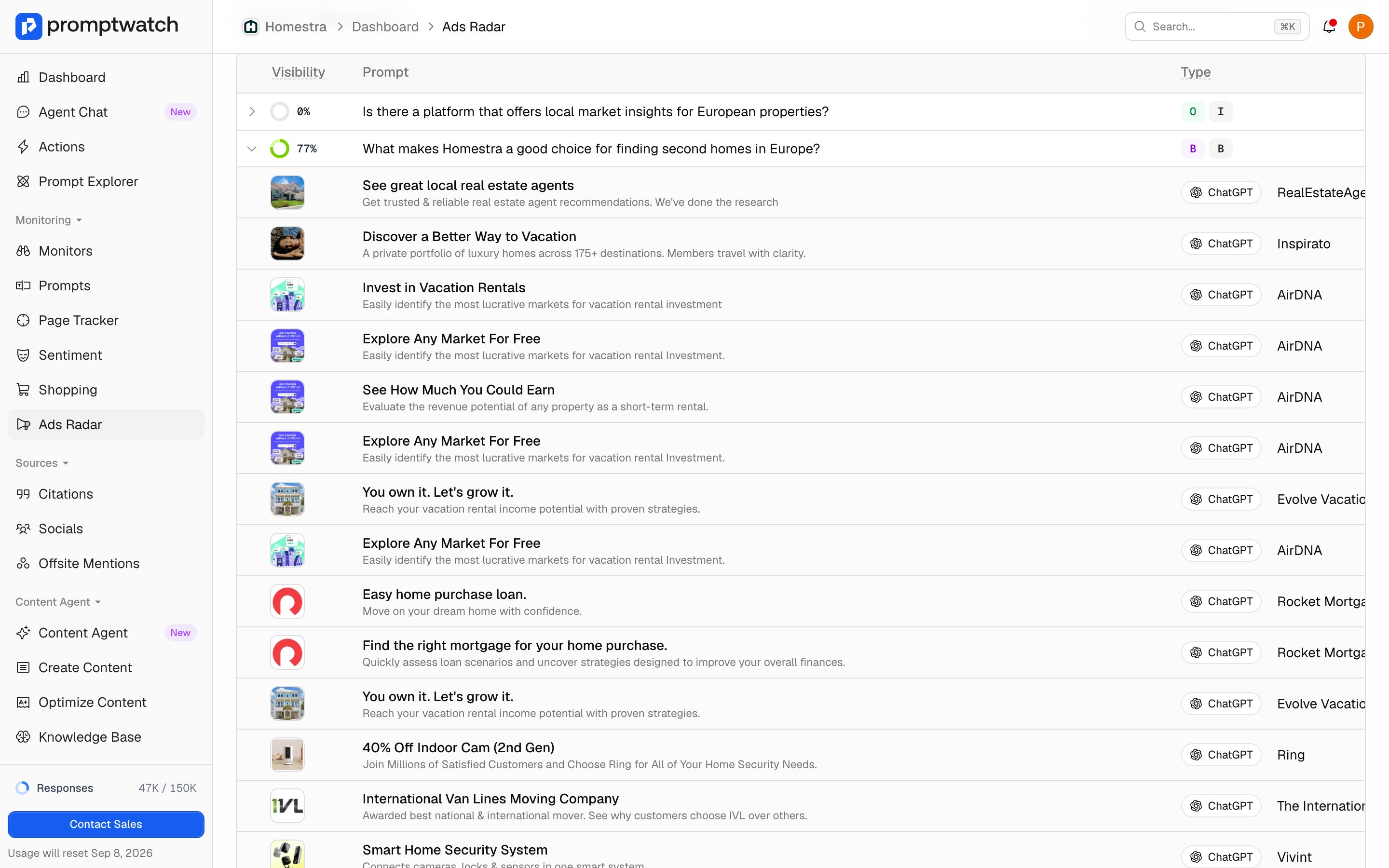
Below, the table has two views:
* **By Ad**: every captured ad as the user saw it, with its image, title, and description, plus the model, advertiser, advertiser domain, and date. This is where you study the creatives: what competitors promise, which pages they send clicks to.
* **By Prompt**: each prompt that attracted ads, listed newest-ad first, with its ad count, your all-time average visibility, and the date of the latest ad. This view answers the strategic question: which of your prompts are being monetized? A prompt with high ad count and low visibility for you is contested ground; high ad count and high visibility means advertisers are paying for space you hold organically.
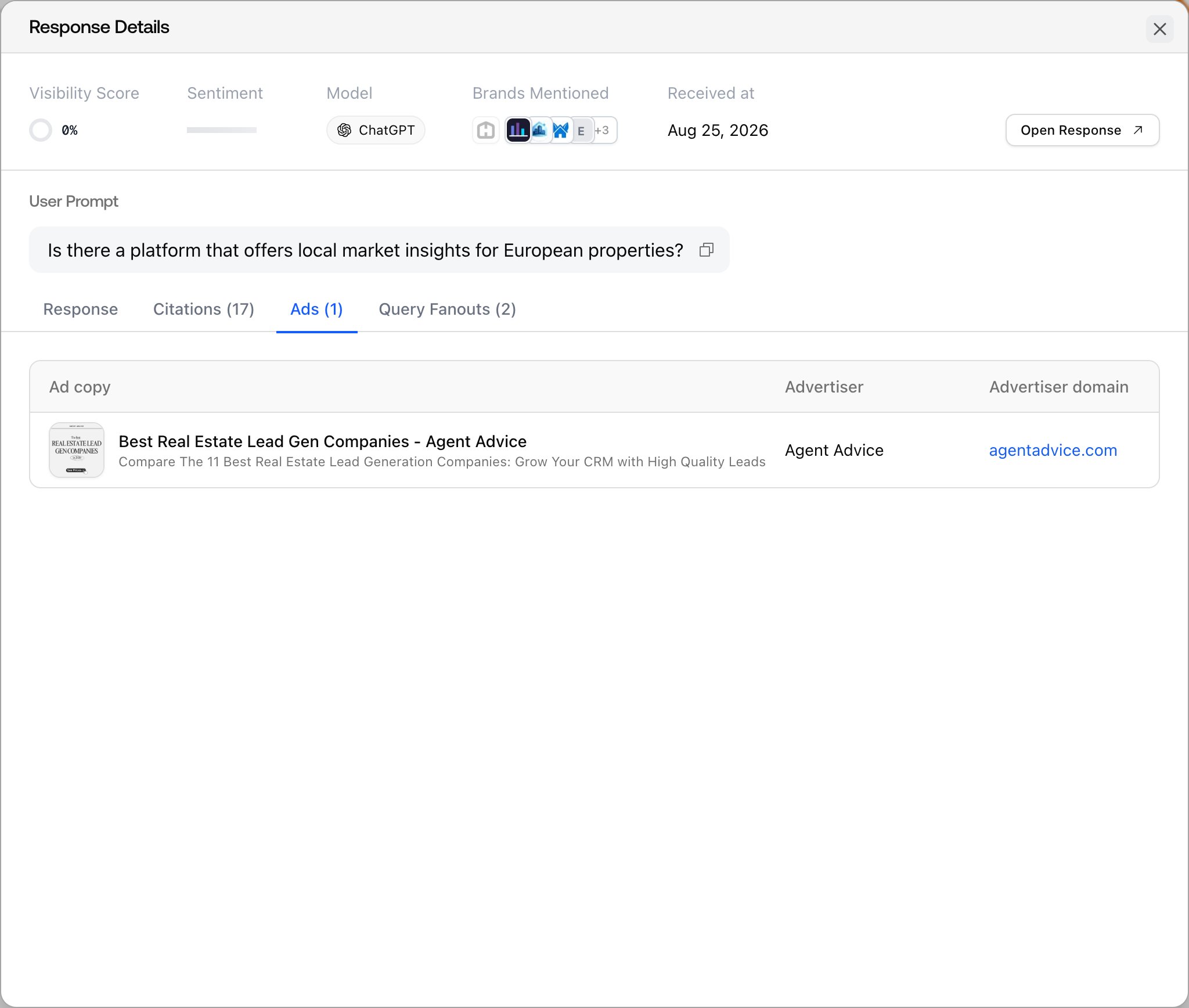
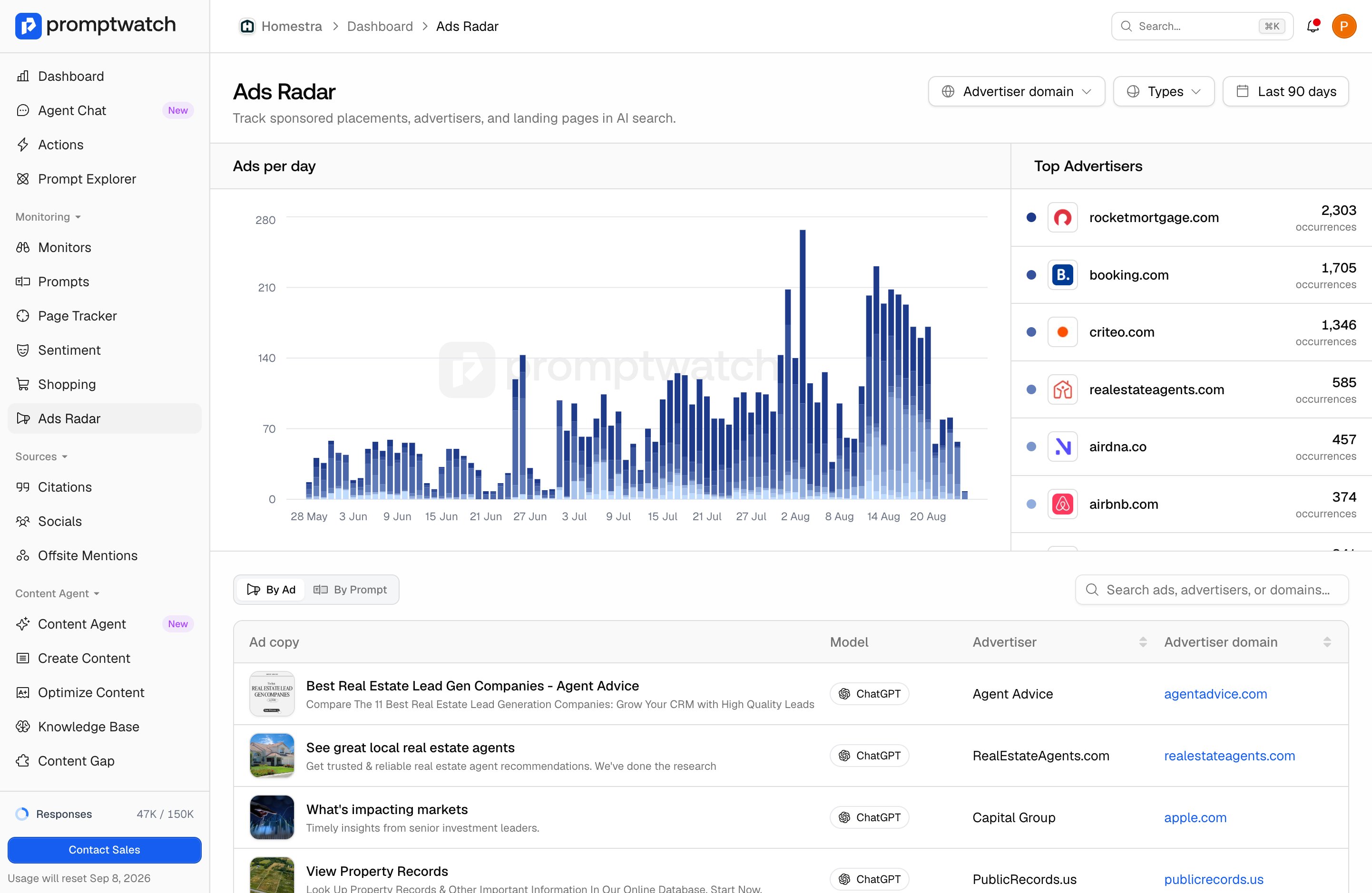 Both views filter by advertiser domain, prompt type, and date range. Click any ad row to open the response: the Response tab shows the answer as the user saw it, and the Ads and Citations tabs list the captured ads and sources separately.
 ### What to do with it
Three checks worth repeating monthly:
* **Scan Top advertisers for competitors**: a rival buying ads on your prompts is telling you which questions they think drive revenue. That's free market research.
* **Cross-check your best prompts**: for prompts where you hold strong visibility, check the By Prompt view for ad pressure. Rising ads on a prompt you win organically is an early warning that the answer real users see is shifting.
* **Read the creatives**: ad copy shows how competitors position themselves for a question, often more sharply than their website does.
### What to do with it
Three checks worth repeating monthly:
* **Scan Top advertisers for competitors**: a rival buying ads on your prompts is telling you which questions they think drive revenue. That's free market research.
* **Cross-check your best prompts**: for prompts where you hold strong visibility, check the By Prompt view for ad pressure. Rising ads on a prompt you win organically is an early warning that the answer real users see is shifting.
* **Read the creatives**: ad copy shows how competitors position themselves for a question, often more sharply than their website does.
 ### Availability
Ads Radar is available on Business and higher brand plans, and on all agency plans. On plans without access, the page displays sample data behind an upgrade overlay so you can see how it works before upgrading.
### Availability
Ads Radar is available on Business and higher brand plans, and on all agency plans. On plans without access, the page displays sample data behind an upgrade overlay so you can see how it works before upgrading.