> ## Documentation Index
> Fetch the complete documentation index at: https://promptwatch.com/docs/llms.txt
> Use this file to discover all available pages before exploring further.
# How can I delete a project when I have multiple projects?
> To delete a project, first switch to a different project. Then open the project dropdown, hover over the project, and click the trash icon.
If you have multiple projects and want to delete one of them, you can do so easily.
**Important note:** You cannot delete a project while you are currently active in it. To delete a project, you must first switch to a different one. Please also note that deletion will remove all associated data, including monitors, prompts, responses, and analytics.
**Step 1: Open the project menu**
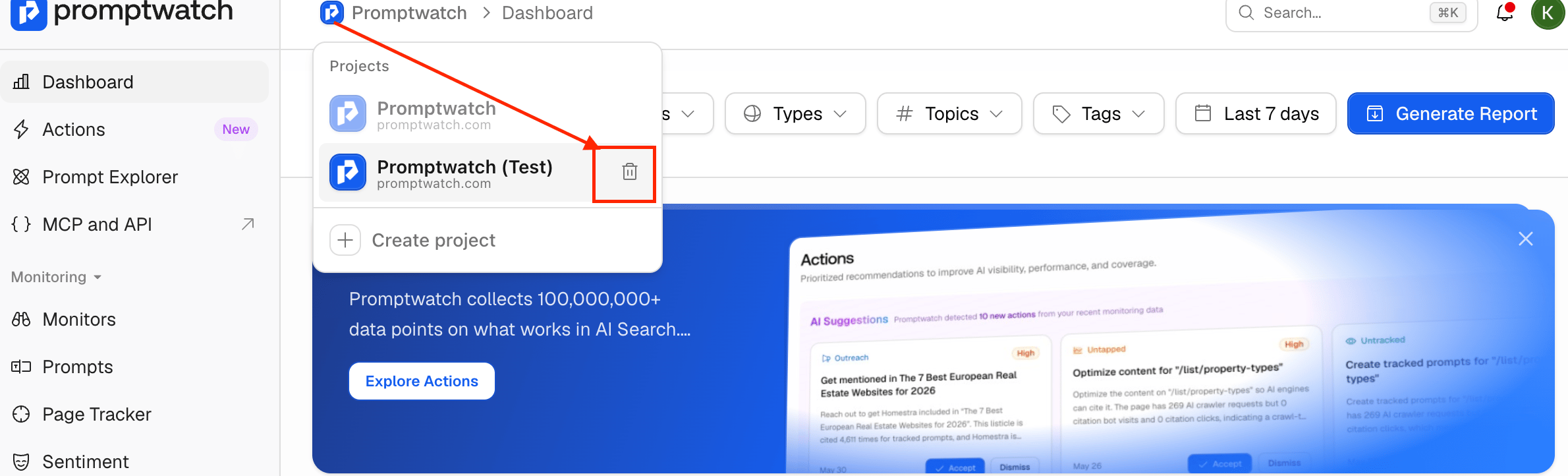
Click the project dropdown in the top-left corner of your dashboard, next to the Promptwatch logo. This will display all projects linked to your account.
 **Step 2: Switch to another project**
If you are currently inside the project you want to delete, select a different project from the list to switch over.
For example, if you want to delete “Promptwatch (Test)”, first switch to the main “Promptwatch” project or any other available project.
**Step 3: Delete the project**
Hover over the project you want to remove and click the trash can icon that appears next to its name.
**Step 4: Confirm deletion**
When you click the delete icon, a confirmation page will appear.
**Step 2: Switch to another project**
If you are currently inside the project you want to delete, select a different project from the list to switch over.
For example, if you want to delete “Promptwatch (Test)”, first switch to the main “Promptwatch” project or any other available project.
**Step 3: Delete the project**
Hover over the project you want to remove and click the trash can icon that appears next to its name.
**Step 4: Confirm deletion**
When you click the delete icon, a confirmation page will appear.
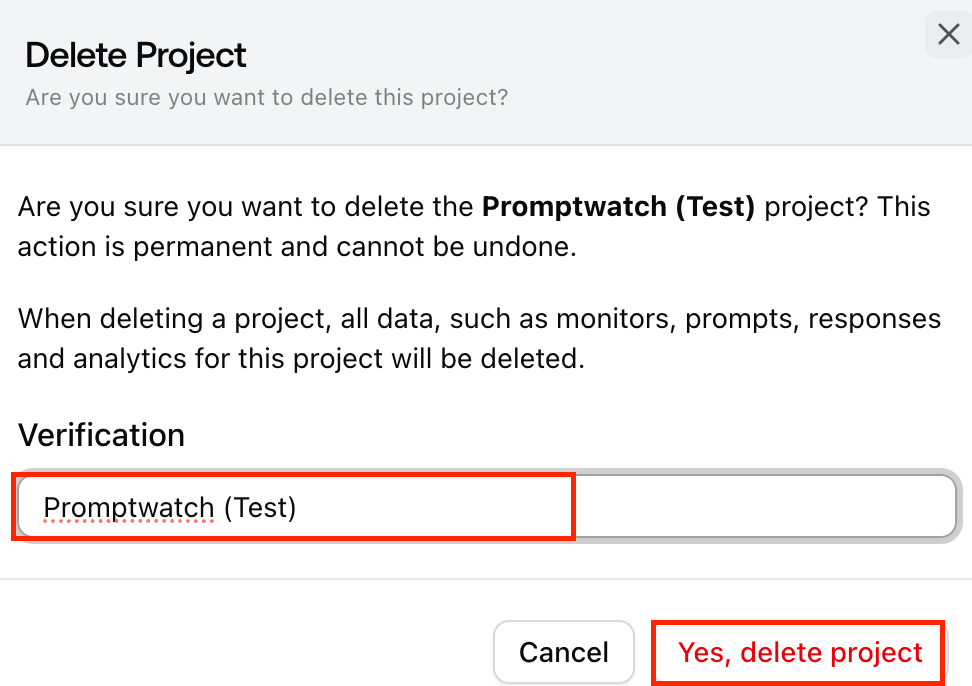 * Enter the exact project name \[e.g.,“Promptwatch (Test)”] in the confirmation field.
* Once confirmed, Click on the Yes, delete project button
* Enter the exact project name \[e.g.,“Promptwatch (Test)”] in the confirmation field.
* Once confirmed, Click on the Yes, delete project button