> ## Documentation Index
> Fetch the complete documentation index at: https://promptwatch.com/docs/llms.txt
> Use this file to discover all available pages before exploring further.
# Plans and billing
> Promptwatch plans come in a brand track and an agency track, scaling on response volume, seats, projects, and feature access, with billing managed by organization owners under Settings.
### The plan tracks
Promptwatch has two self-serve plan ladders plus a custom tier, because a brand tracking itself and an agency managing many clients scale on different axes:
* **Brand track**: Explore, Essential, Professional, and Business. Built around one or a few of your own projects, with content and analytics features deepening at each tier.
* **Agency track**: Kick-off, Growth, and Scale. Built around unlimited projects and pitch projects with shared team seats, trading brand-specific extras (like the 360 dashboard and shopping insights) for breadth across clients.
* **Enterprise**: custom pricing and a bespoke feature set configured per organization, outside both ladders.
Explore is the entry tier: it runs a small prompt set on a single AI model so you can see the product working. Every paid tier unlocks all available models, see [Choosing your models](/docs/academy/choosing-your-models).
### What scales between tiers
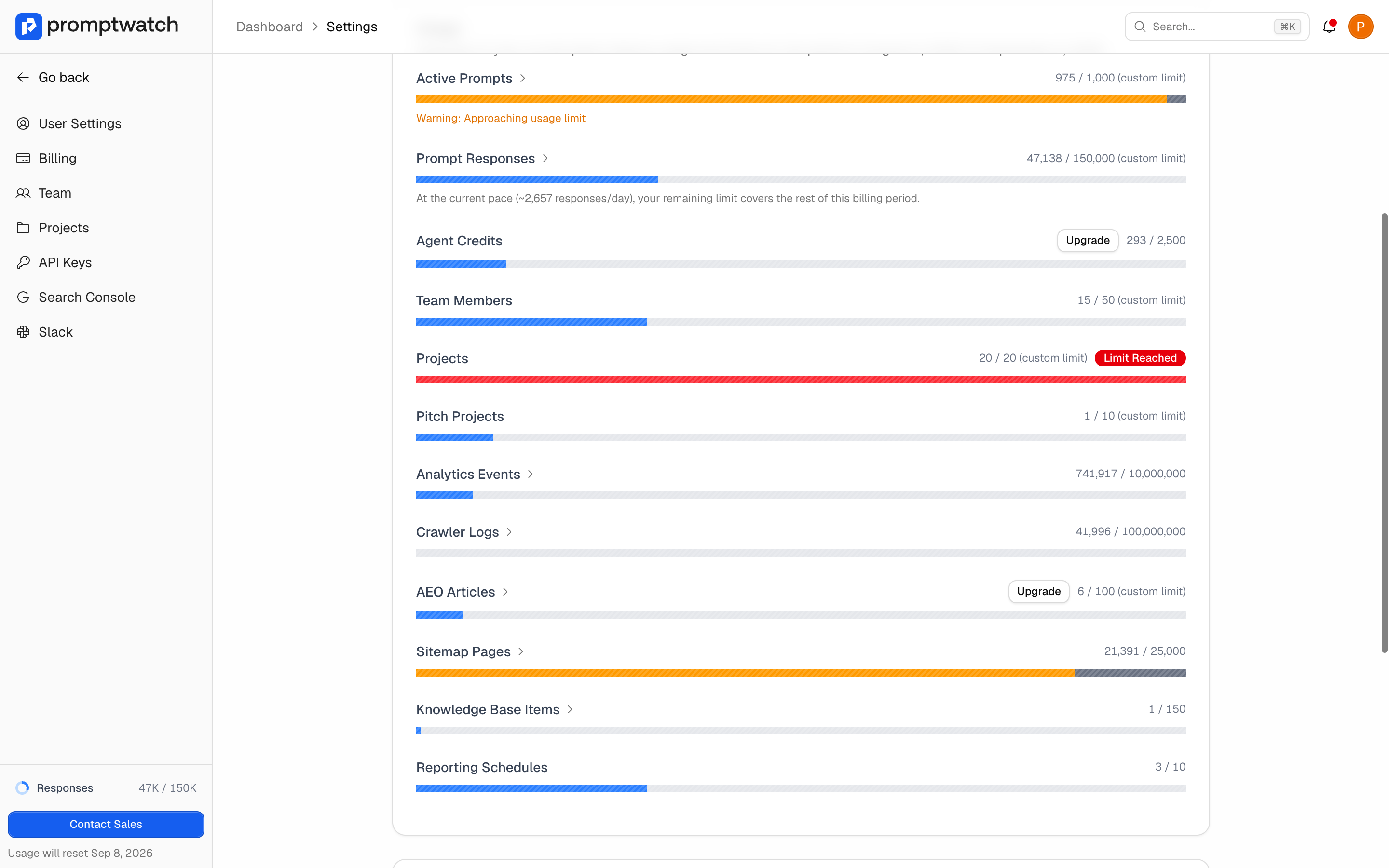
Exact quotas and prices change over time, so this page describes the axes rather than the numbers. Your own current limits are always visible in the app (see below). Between tiers, plans scale on:
* **Monthly responses**: the core metered quota, the number of AI answers collected for your prompts each month. This is usually the axis that decides your tier, see [How to manage your response limit](/docs/academy/response-limits).
* **Active prompts**: how many prompts can run on a schedule. Unlimited on agency tiers, where responses remain the metered quota.
* **Projects and seats**: how many brands you can track and how many [team members](/docs/academy/team-and-roles) you can invite.
* **Agent Chat credits**: the monthly allowance for [Agent Chat](/docs/academy/agent-chat) questions and scheduled chats.
* **Content quotas**: monthly article generations for the [Content Agent](/docs/academy/content-agent-overview) and the size of your [knowledge base](/docs/academy/knowledge-base).
* **Analytics volume**: monthly [visitor analytics](/docs/academy/visitor-analytics) events and [crawler log](/docs/academy/ai-crawler-insights) events, plus the number of pages the site crawler indexes.
* **API rate limits**: hourly request ceilings for the public API.
### Features that switch on at higher tiers
Some features are gated rather than metered. Which tier unlocks each gate depends on the current packaging, and locked features show an upgrade overlay in the app naming the plan you need. The gated set includes state- and city-level geo tracking, automated content generation, [content gap analysis](/docs/academy/content-gap), the 360 dashboard, shopping insights, [Ads Radar](/docs/academy/ads-radar), and custom reports. Agency tiers include geo tracking and Ads Radar across the board, since those are core to client work, see [GEO for agencies](/docs/academy/geo-and-visibility-for-agencies).
### Add-ons and grandfathering
Two billing mechanics are worth knowing:
* **Add-ons**: some quotas, like Agent Chat credits and Content Agent articles, can be extended with recurring add-on packages instead of a full tier upgrade. An add-on raises that single limit on top of your plan's base value.
* **Plan versions**: your limits follow the packaging that was current the last time you changed your subscription. If the packaging changes later, your existing limits stay as they are until you next change plan, frequency, or add-ons.
Subscriptions can be billed monthly or yearly. New organizations can start Essential, Professional, Kick-off, or Growth with a one-time 7-day trial on monthly billing.
### Where to see and manage all of this
Open **Settings → Billing**. This page is restricted to organization [Owners](/docs/academy/team-and-roles); Members see a message pointing them to their Owner. On it you find:
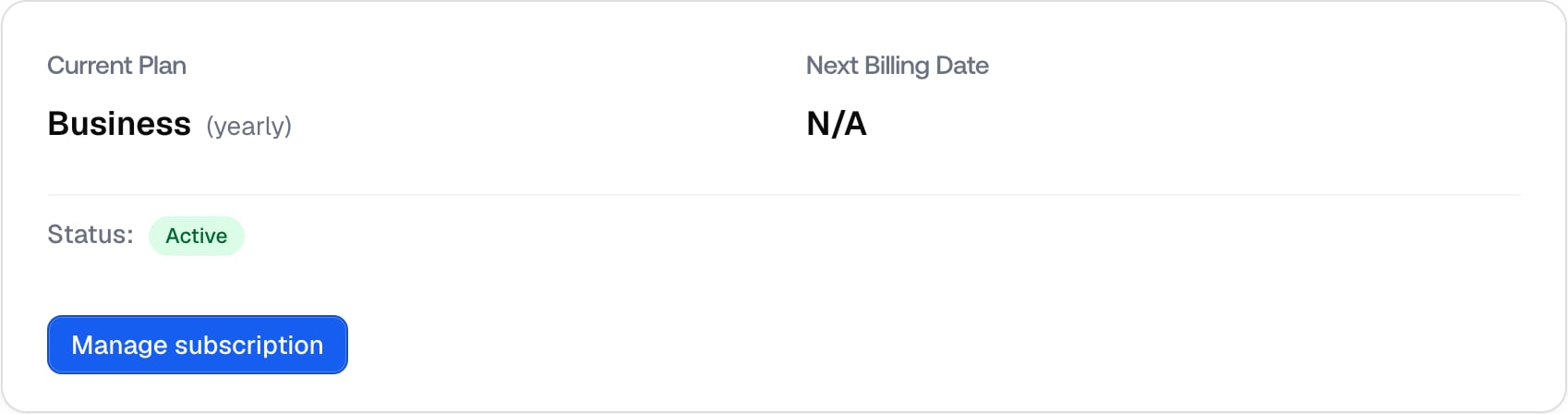
* **Current plan**: your tier, billing frequency, subscription status, and next billing date.
 * **Usage**: a per-feature overview of current usage against your plan's limits for the running billing period, with add-on controls where available. This is the authoritative view of your quotas, always current, unlike any numbers written down elsewhere.
 * **Manage subscription**: opens the billing portal for plan changes, payment methods, and cancellation.
* **Invoices**: view and download past invoices.
When you approach or hit a metered limit, Owners who opted in receive usage alert emails, and monitoring pauses at 100% of the response quota until the period resets or the limit is raised. See [Notifications and alerts](/docs/academy/notifications) for the alert thresholds.
* **Manage subscription**: opens the billing portal for plan changes, payment methods, and cancellation.
* **Invoices**: view and download past invoices.
When you approach or hit a metered limit, Owners who opted in receive usage alert emails, and monitoring pauses at 100% of the response quota until the period resets or the limit is raised. See [Notifications and alerts](/docs/academy/notifications) for the alert thresholds.