> ## Documentation Index
> Fetch the complete documentation index at: https://promptwatch.com/docs/llms.txt
> Use this file to discover all available pages before exploring further.
# LinkedIn Citations in Promptwatch
> Know which LinkedIn posts and authors AI models cite and use those insights to plan your content strategy.
LinkedIn posts can appear as sources in AI answers to the prompts you are tracking.
Knowing which posts and authors get cited helps you decide what to publish on LinkedIn and where to look for collaboration opportunities.
Promptwatch has a dedicated LinkedIn citations page to help you understand which content is getting cited and how often.
**How to access LinkedIn Citations**
**Step 1:** In the left sidebar, click on **Sources**, then select **LinkedIn**.
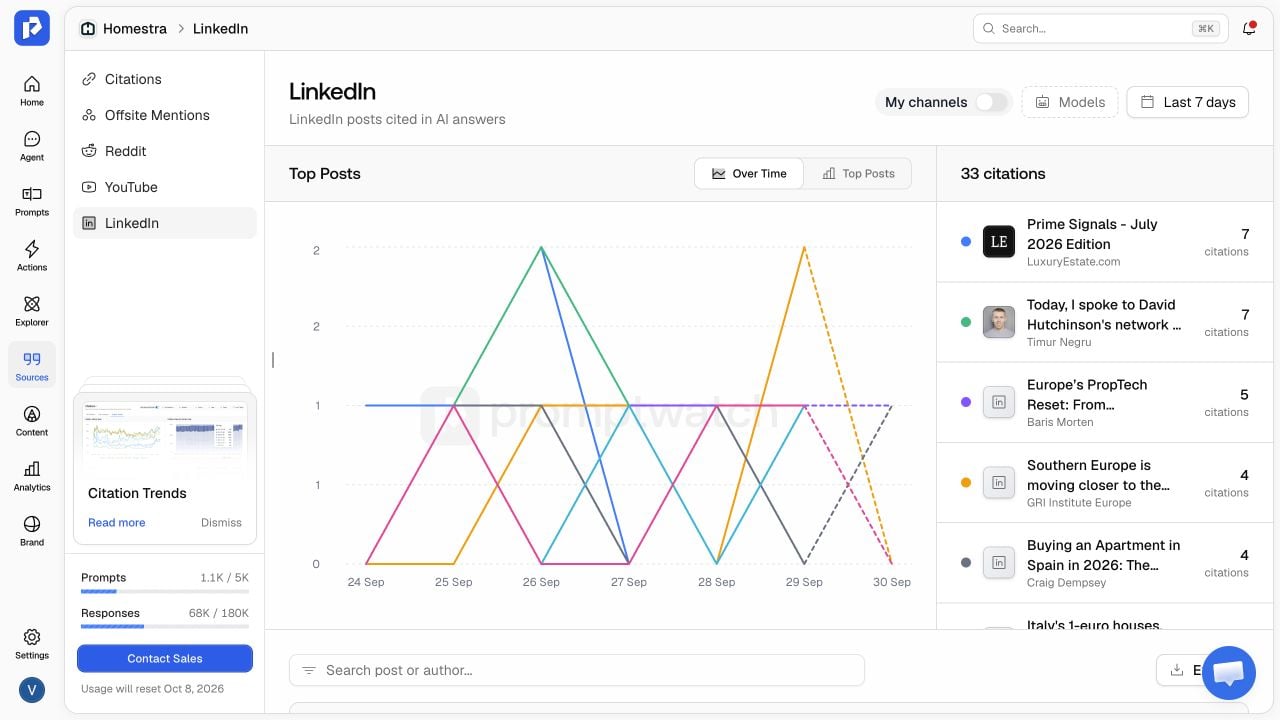 **Step 2:** Here you can see the LinkedIn posts being cited from the prompts you are tracking.
Top posts
* See which posts are cited the most and how their citations change over time. Switch between **Over Time** and **Top Posts** to compare them.
All posts
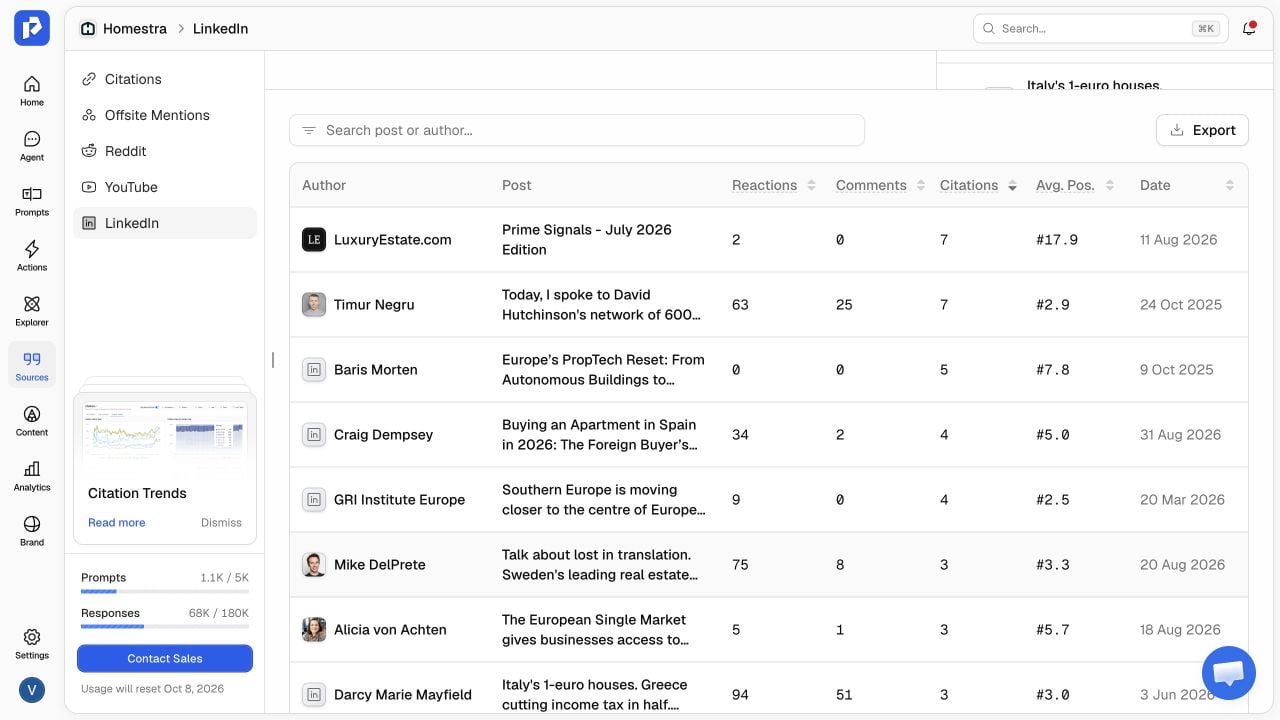
* See the authors, reactions, comments, citation counts, average citation position, and publish date for each post. Search by post or author, or export the table to work with the data outside Promptwatch.
**Step 2:** Here you can see the LinkedIn posts being cited from the prompts you are tracking.
Top posts
* See which posts are cited the most and how their citations change over time. Switch between **Over Time** and **Top Posts** to compare them.
All posts
* See the authors, reactions, comments, citation counts, average citation position, and publish date for each post. Search by post or author, or export the table to work with the data outside Promptwatch.