Visualize your AI visibility in  Data Studio
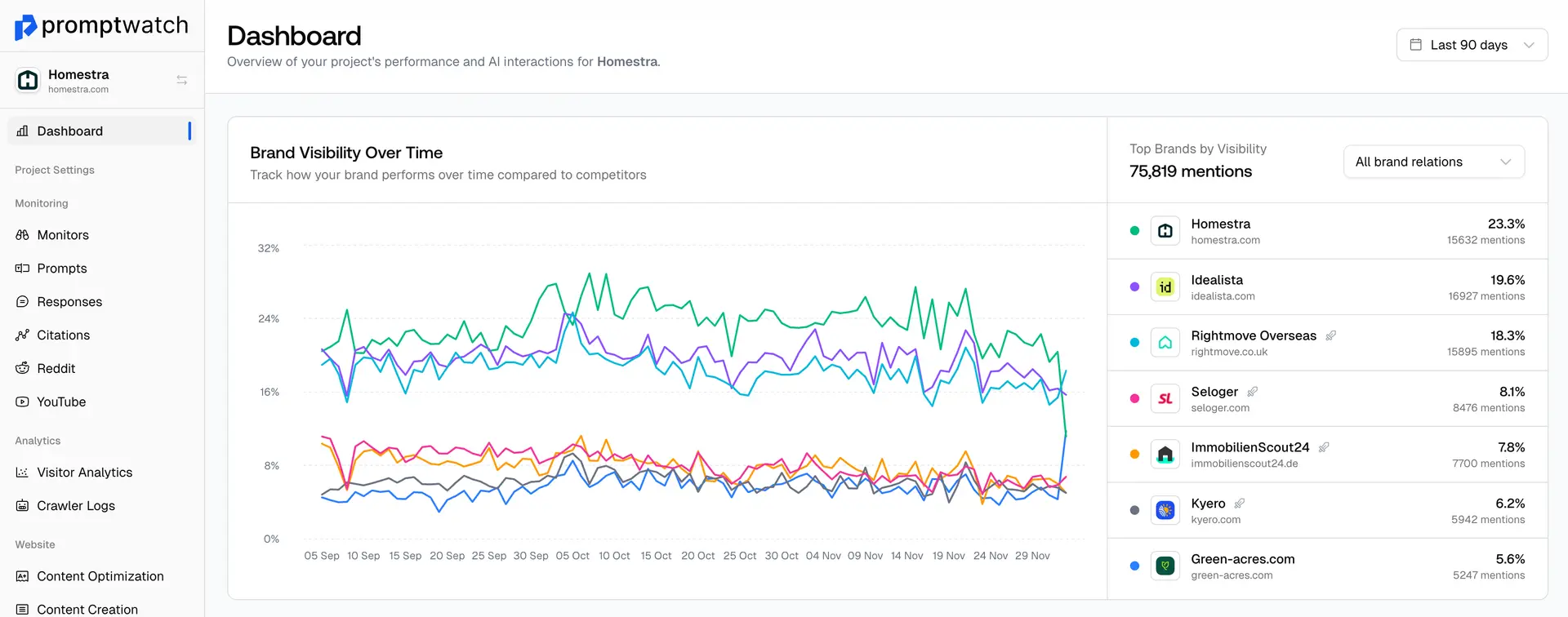
Connect Promptwatch to Google Data Studio and build powerful dashboards with your AI search data. Track brand mentions, citations, and visibility metrics in one place.
All Your Data
Access monitors, citations, prompts, and visibility data directly in Data Studio for unified reporting.
Custom Dashboards
Build executive dashboards, competitive reports, and ROI tracking views tailored to your needs.
Real-time Sync
Data auto-refreshes based on your Data Studio settings so your dashboards stay always current.
What is Data Studio?
Google Data Studio is a free business intelligence and data visualization tool by Google. It lets you connect to hundreds of data sources and create interactive, shareable dashboards and reports — no coding required.
Free & Accessible
Google Data Studio is completely free to use. Anyone with a Google account can create, view, and share reports.
Fully Customizable
Design pixel-perfect dashboards with drag-and-drop controls. Combine AI visibility data with other sources like Google Analytics and Search Console.
Easy Collaboration
Share interactive reports with your team, clients, or stakeholders. Schedule automated email deliveries and set granular access permissions.
Set up in three simple steps
Get your Promptwatch data flowing into Data Studio in minutes. No coding required.
Connect
Add the Promptwatch connector to Data Studio and authenticate with your API key. It takes less than a minute to set up.
Build
Start from our pre-built template or create custom charts and tables using your monitors, citations, prompts, and visibility data.
Share
Share interactive reports with your team, clients, or stakeholders. Schedule automated email deliveries on any cadence.
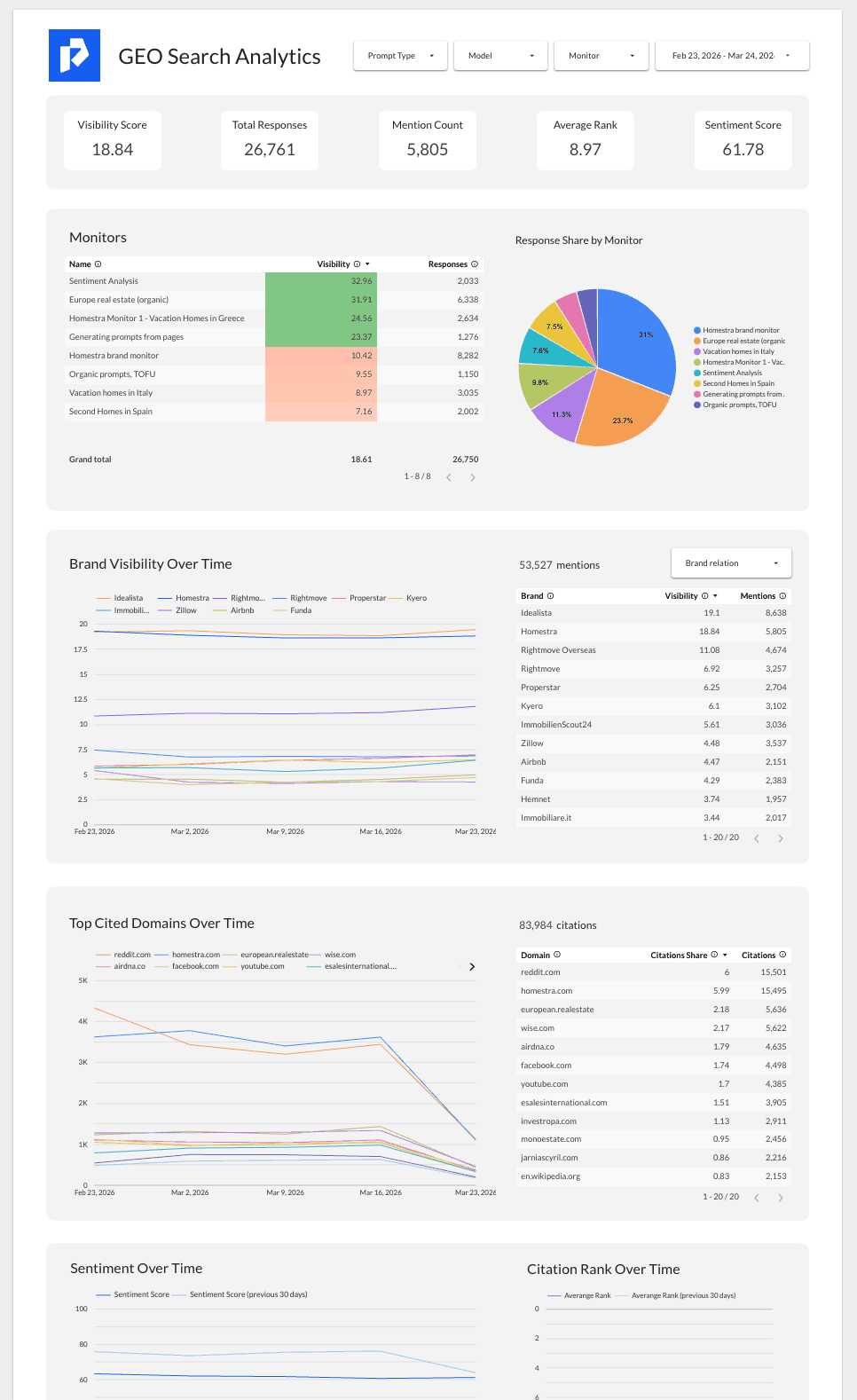
Example dashboards
See what's possible — explore sample dashboards built with the Promptwatch Data Studio connector. Use them as a starting point or customize to match your reporting needs.
Testimonials

Promptwatch stands out due to how practical it is. A tool built for real business needs in the growing AI Search space

Pim Broekstra
SEO manager, Center Parcs

Promptwatch is a game changer for us. It gives brands actionable insights into AI visibility and helps us quickly turn those insights into practical next steps that actually improve performance.

Alessandro Di Vito
Managing Consultant, Elaboratum

Promptwatch gives us a comprehensive way to explore AI visibility data in depth, uncover patterns, and better understand where our brand appears across generative search experiences.

Susanna Marsiglia
Senior SEO Consultant and UX Specialist, Six Group

I tested several tools to measure brand visibility in LLMs, and Promptwatch was the only one that ticked all our boxes. It keeps improving with new features and has become essential for our marketing team.

Lucyna Polok
SEO Content Specialist, Octolize

Promptwatch delivers GEO insights you simply can't find in legacy search tools, and shows you exactly what content your website is missing to appear in AI Search engines.

Remy da Thesta Jacobs de Bok
Digital Marketing Manager, Schoonenberg

Promptwatch gives me the ability to look at data from several different angles, like diving deep into specific visitors and understanding citations. Our team cares about evolving the product.

Breno Spadotto
Demand Generation Specialist, Marvia

Promptwatch pulls all your competitors and gives you an analysis of those prompt-versus-your competitors. There are a lot of tools out there, but this one is easier to see what matters and take action.

Michael Cole
CMO, Everflow

In Promptwatch we are able to see how active the ChatGPT bot is on our client websites and exactly how often our content is being used in responses of LLMs.

Marijn ten Bulte
Head of Organic Channels, Advise

The regular updates and visibility monitoring from Promptwatch are great. It helps us prioritize the right opportunities, stay aligned as a team, and keep our efforts focused.

Tom de Bakker
Head of Marketing, Wortell

We get clients discovered on AI platforms like ChatGPT by tracking AI-generated answers and optimizing with real data

Rens de Jonge
Owner, Revisto Marketing
get started
Make AI Search your next revenue channel
Track and optimize visibility in ChatGPT, Gemini and other AI Search engines to drive traffic to your website that converts.
Frequently Asked Questions
Learn about AI visibility monitoring and how Promptwatch helps your brand succeed in AI search.
Want a demo of Promptwatch? Book a demo
Promptwatch helps marketers track & improve their brand visibility in AI responses to drive more high-intent traffic to their website.
Want a demo of Promptwatch? Book a demo
Ready to visualize your AI data?
Connect Promptwatch to Google Data Studio and build powerful dashboards. Track brand mentions, citations, and visibility metrics across ChatGPT, Claude, Perplexity, and more.