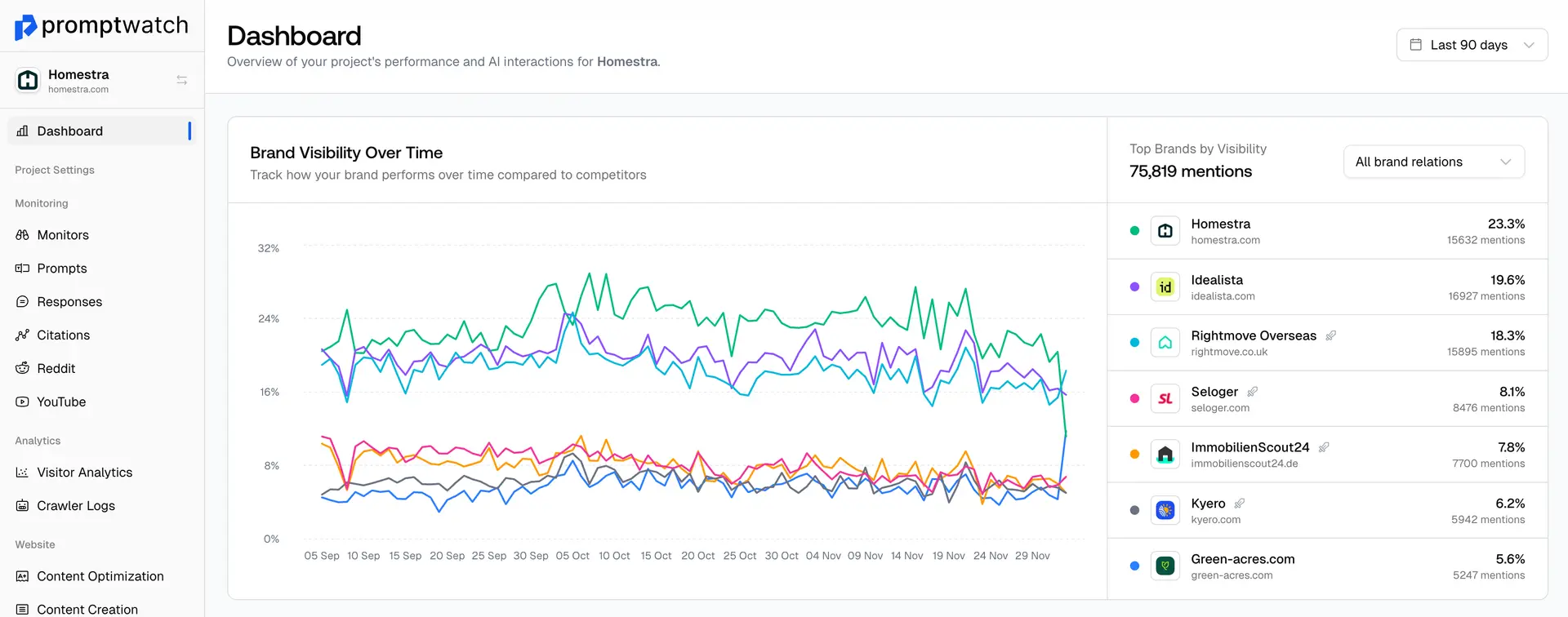
When you first open Promptwatch, you’ll see a feature called Monitors. This is the foundation of everything you’ll do in Generative Engine Optimization (GEO). A monitor tracks how AI models like ChatGPT, Claude, and Perplexity respond to specific types of prompts. Each one helps you understand where your brand appears, where competitors dominate, and where new opportunities exist.
For new users, setting up the right monitors early makes all the difference. Below are the three essential monitors every account should create on day one.
1. Brand Monitor. Know How AI Describes You
Start with a monitor dedicated to your brand name and product names. This lets you see exactly how AI models summarize, recommend, or compare your brand in answers.
- Include prompts like “What is [Your Brand]?” or “Best alternatives to [Your Brand]”
- Add competitor prompts to see how often you’re mentioned alongside or instead of them.
- Watch for inconsistencies, does the AI describe your brand accurately, or miss key messaging?
This monitor is the baseline for your entire visibility strategy. It shows whether AI models understand who you are before you begin optimizing content.
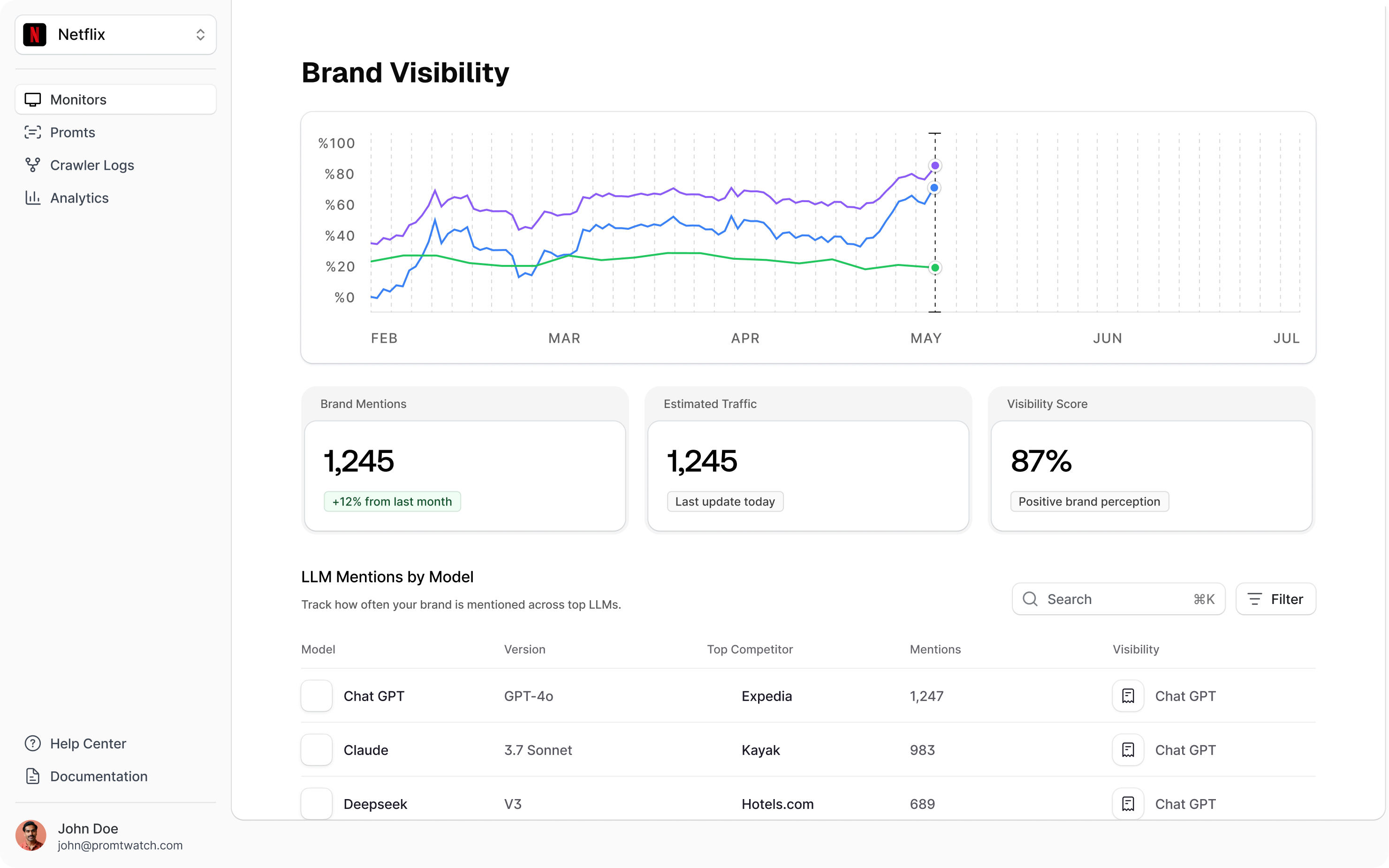
2. Category Monitor. Compete Where It Matters
Your second monitor should focus on your product category or solution type, where users search without mentioning your brand directly.For example:
- If you’re an apparel company, track prompts like “tough jeans,” “non-staining shirts,” or “best workwear for travel.”
- If you’re in software, monitor prompts like “AI visibility tool,” “best analytics for GEO,” or “Promptwatch alternatives.”
Category monitors reveal how AI engines rank your industry, who dominates those generic prompts, and where your brand can gain share of voice. These are often the biggest visibility growth areas.
3. Regional Monitor. Capture Localized AI Results
AI models tailor answers based on geography and language. A regional monitor shows how your visibility changes across markets, especially important as different AI platforms scrape region-specific interfaces.
- Create one monitor per target region (e.g., “United States,” “Germany,” “France”).
- Use the same prompts across regions to compare how each AI model responds.
- Track which local competitors appear and how phrasing differs by market.
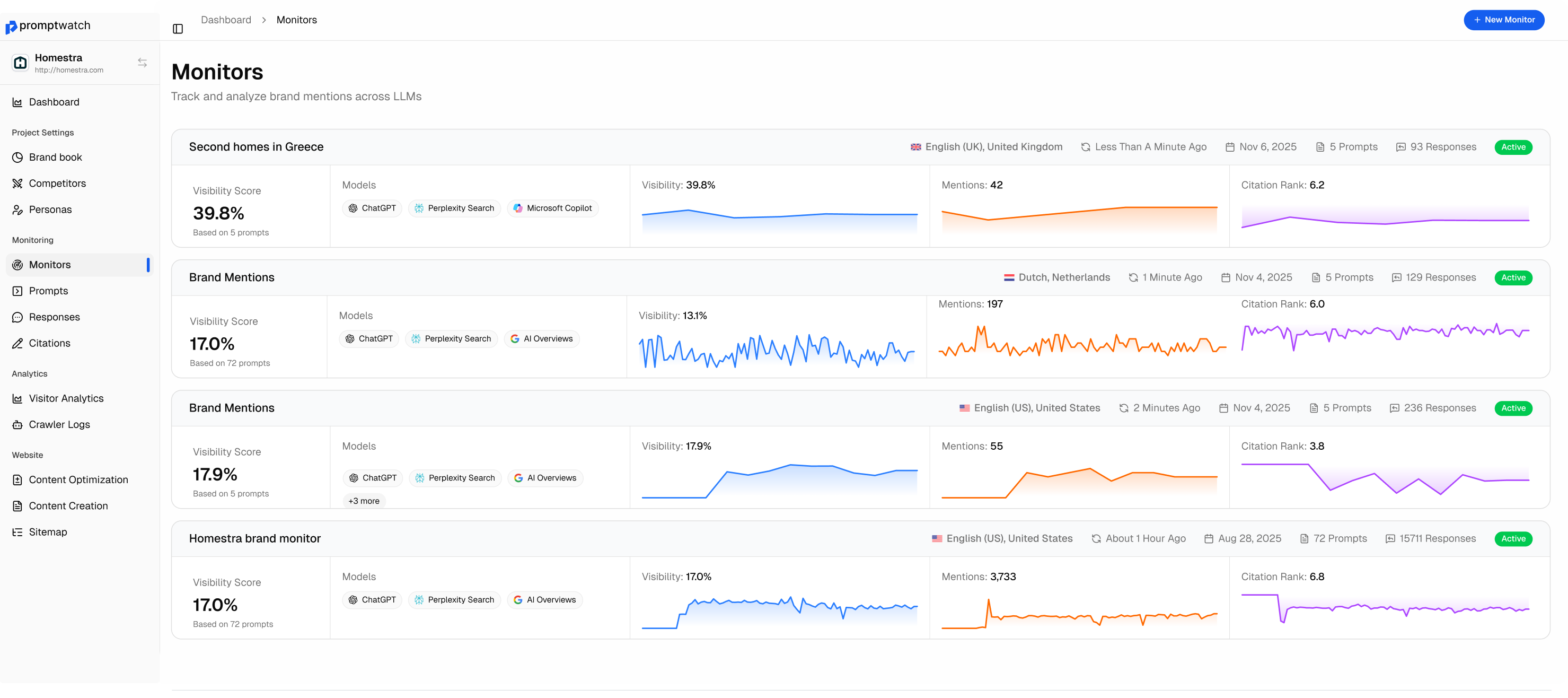
Regional monitors help you spot opportunities that global campaigns miss. They also future-proof your strategy as AI engines continue to refine location-based answers.
Next Steps
These three monitors, Brand, Category, and Regional, give you a complete early view of your AI visibility: who’s talking about you, how you rank against competitors, and where you’re missing.
Start by setting up two if you’re on the Essential plan, then add the third when you upgrade. The difference in insights is immediate, and often where the biggest visibility breakthroughs happen.
Tip: Once your monitors are running, connect them to Content Generation to turn visibility gaps into targeted articles or comparisons. This closes the loop from discovery to action in your GEO strategy.