Promptwatch Logo

Promptwatch Changelog

Stay up to date with the latest features, improvements, and announcements from Promptwatch. We're constantly working to make your AI search visibility tracking and optimization better.

September 2026

New Feature

Custom Actions & Agent Replies in Comments

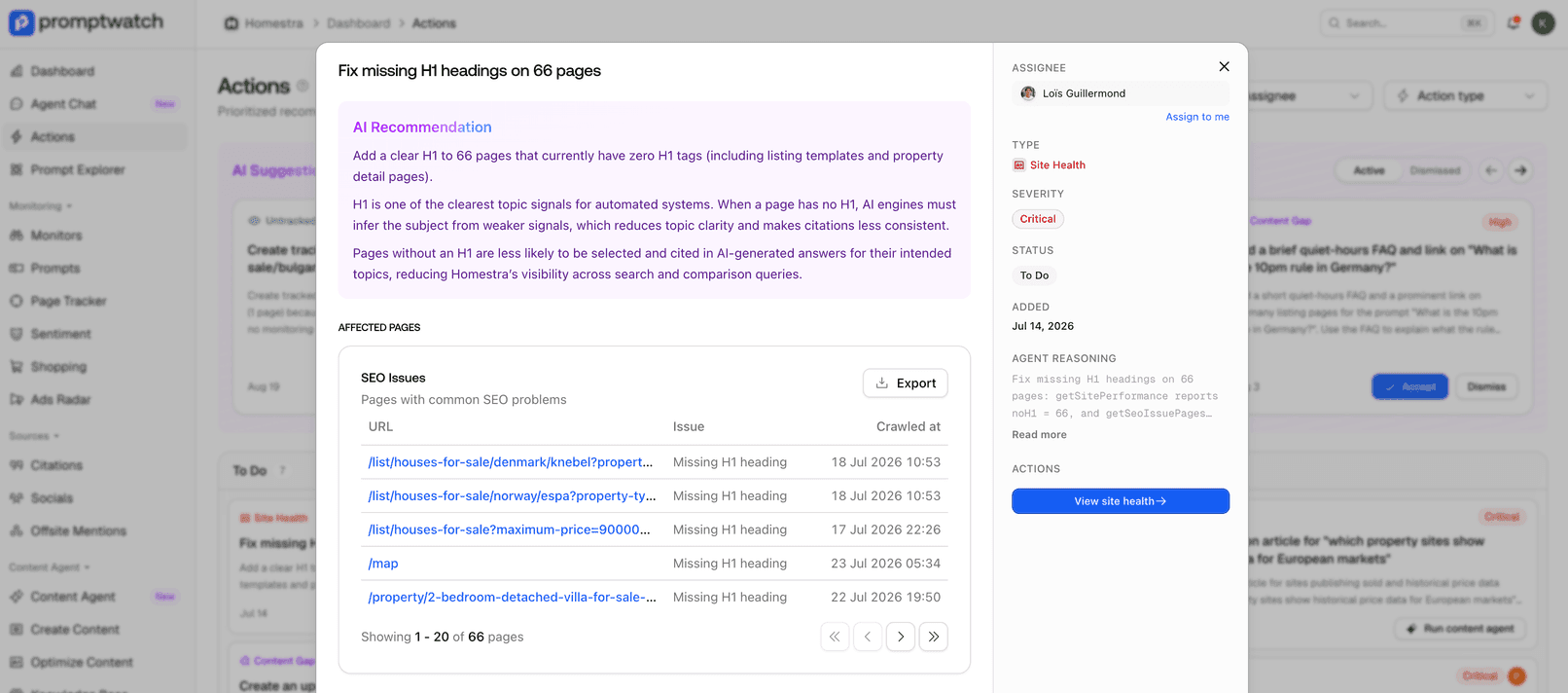
The action board is no longer limited to what Promptwatch detects. Create your own actions with a title, description, severity, and status, edit them later, and dismiss accepted items so they leave the board but stay under dismissed actions. @-mention the agent in an action comment and it replies in the thread.
Screenshot for GEO 360: Search Insights With Google & Bing
New Feature

GEO 360: Search Insights With Google & Bing

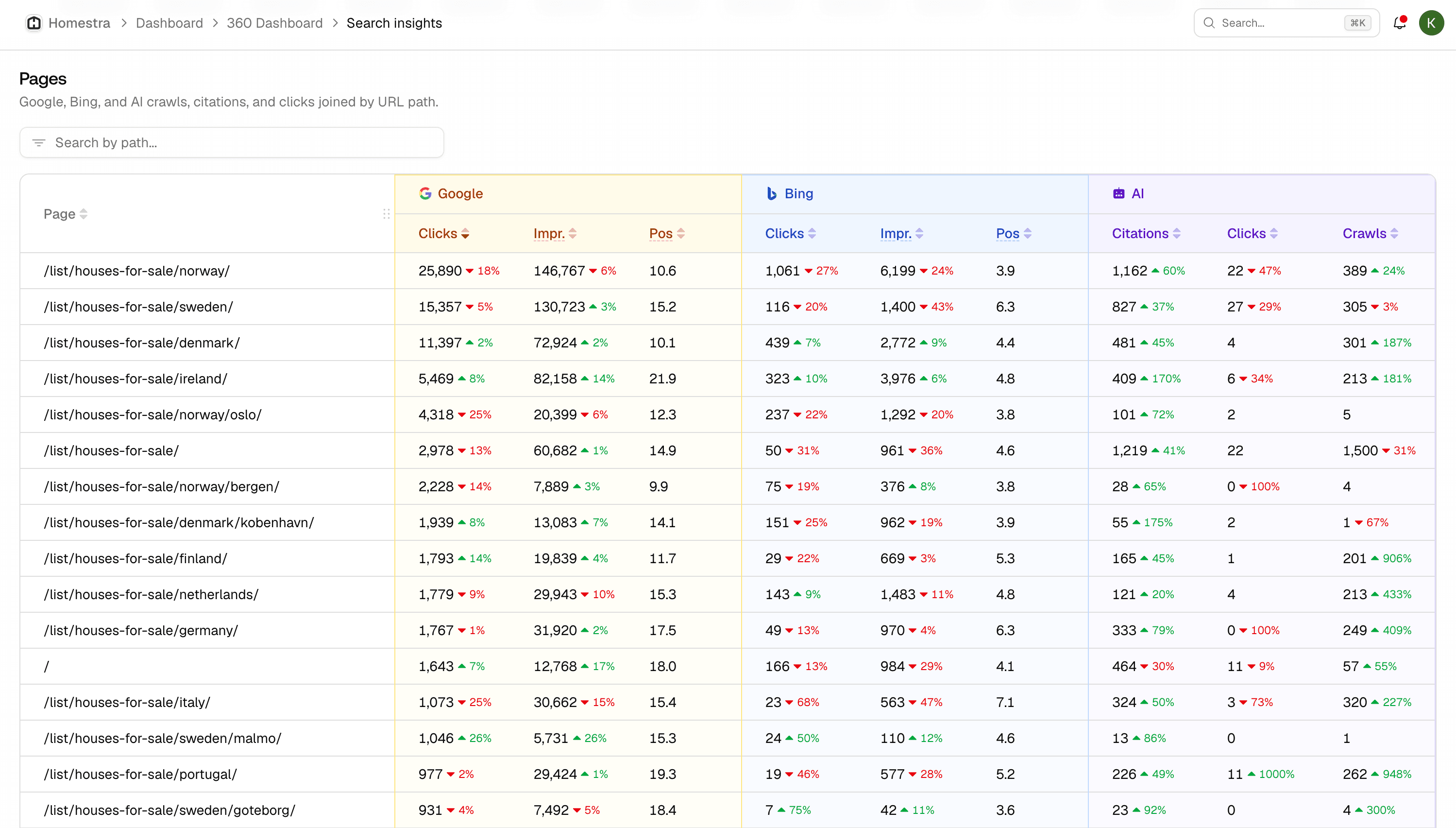
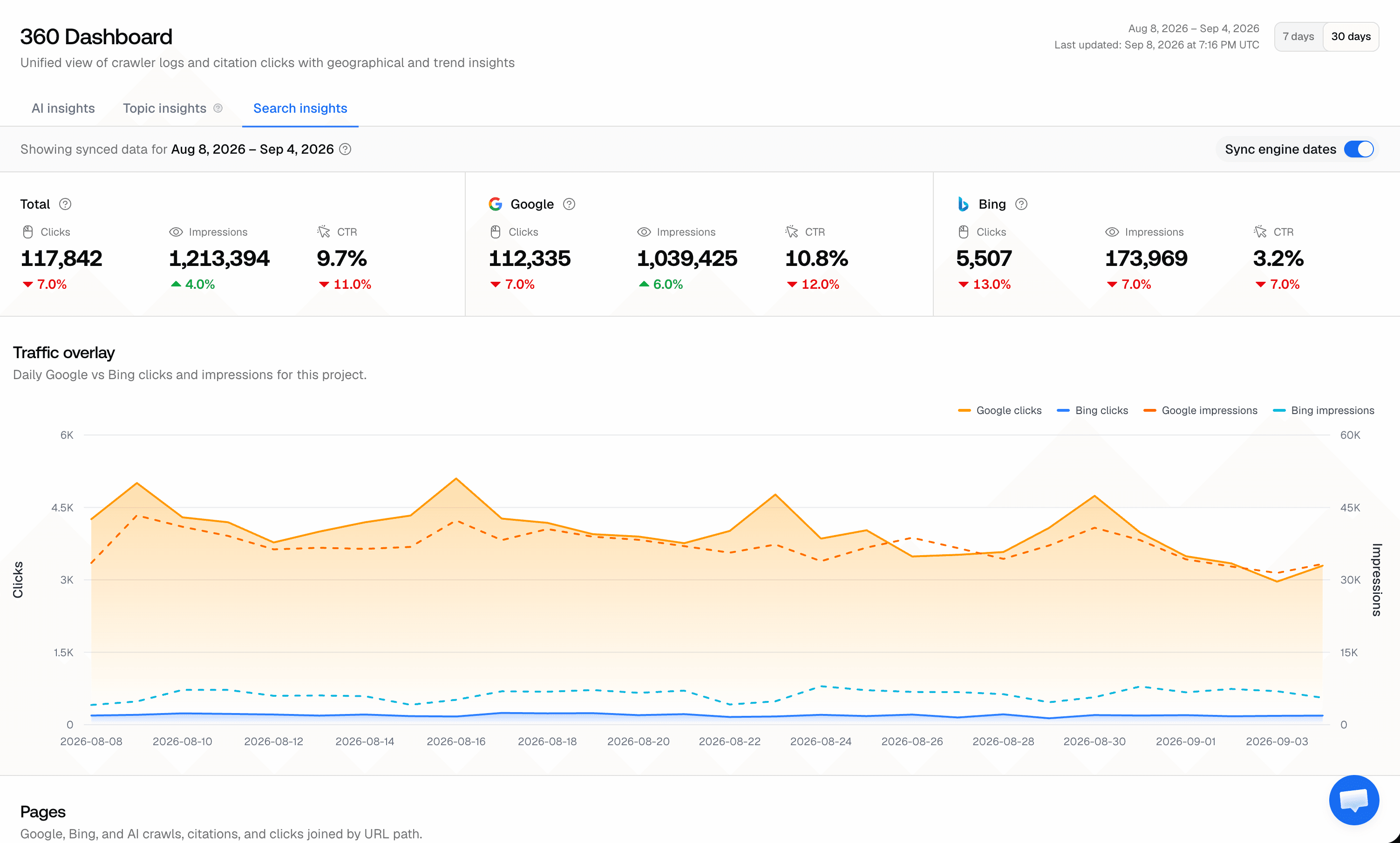
The 360 Dashboard gets a Search insights tab that puts Google Search Console and Bing Webmaster performance next to your AI data. See clicks, impressions, and top queries per page, split branded from non-branded queries, and open a page to compare its search traffic with AI crawls and citations.

Screenshot for New Free AI Visibility Report
New Feature

New Free AI Visibility Report

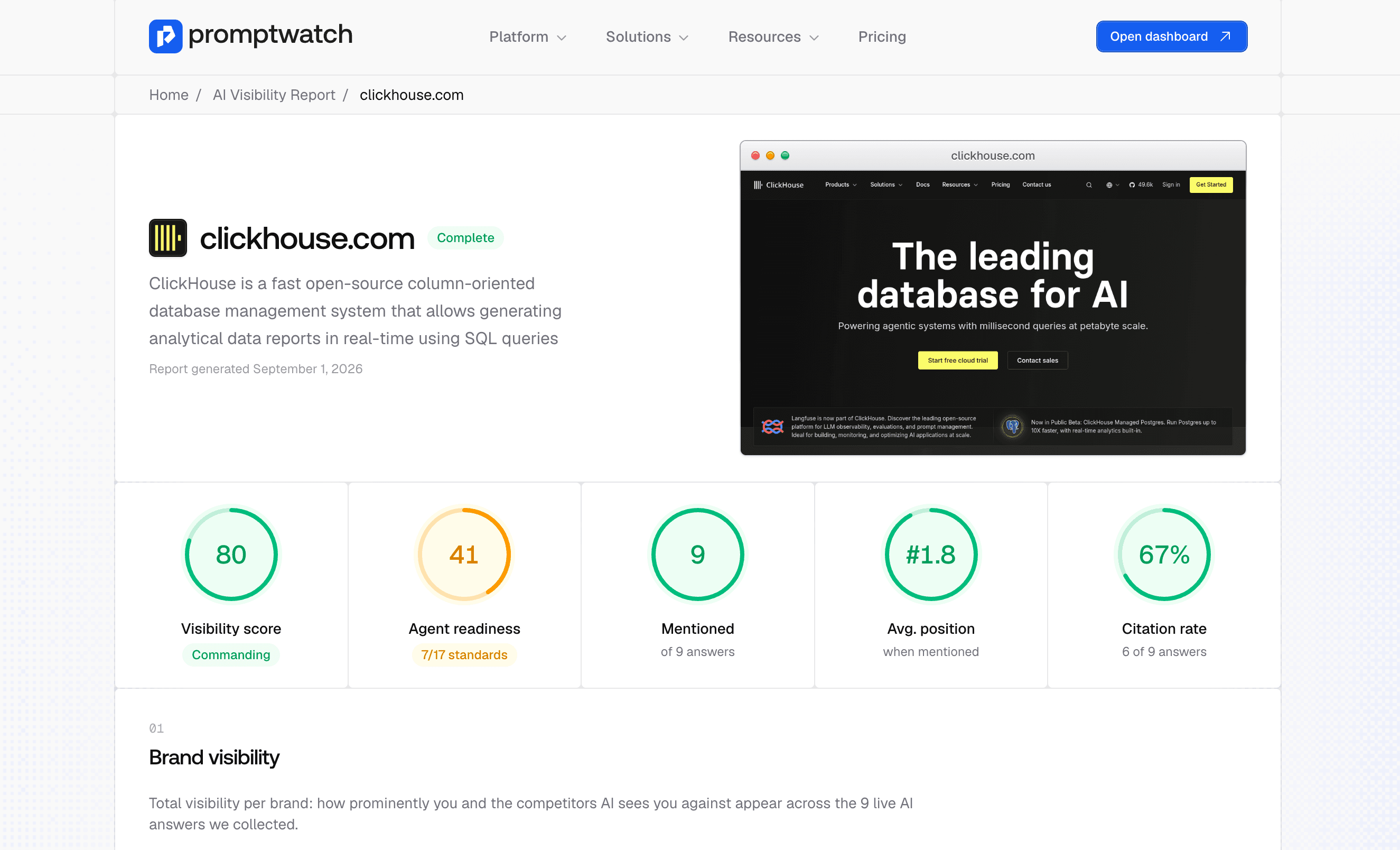
Enter a website and watch a live scan of how AI talks about the brand. The report reads robots.txt, extracts what AI thinks you do, then asks real engines the questions buyers ask. In a couple of minutes you get scores for visibility, mentions, position, citations, and whether AI crawlers can actually read the site.

New Feature

Agent Chat Can Assign & Comment on Actions

Ask Agent Chat to assign an action or leave a comment, and it writes those updates as itself. They show up on the action timeline so the rest of the team can see what the agent changed.

August 2026

Screenshot for Visibility by Country
New Feature

Visibility by Country

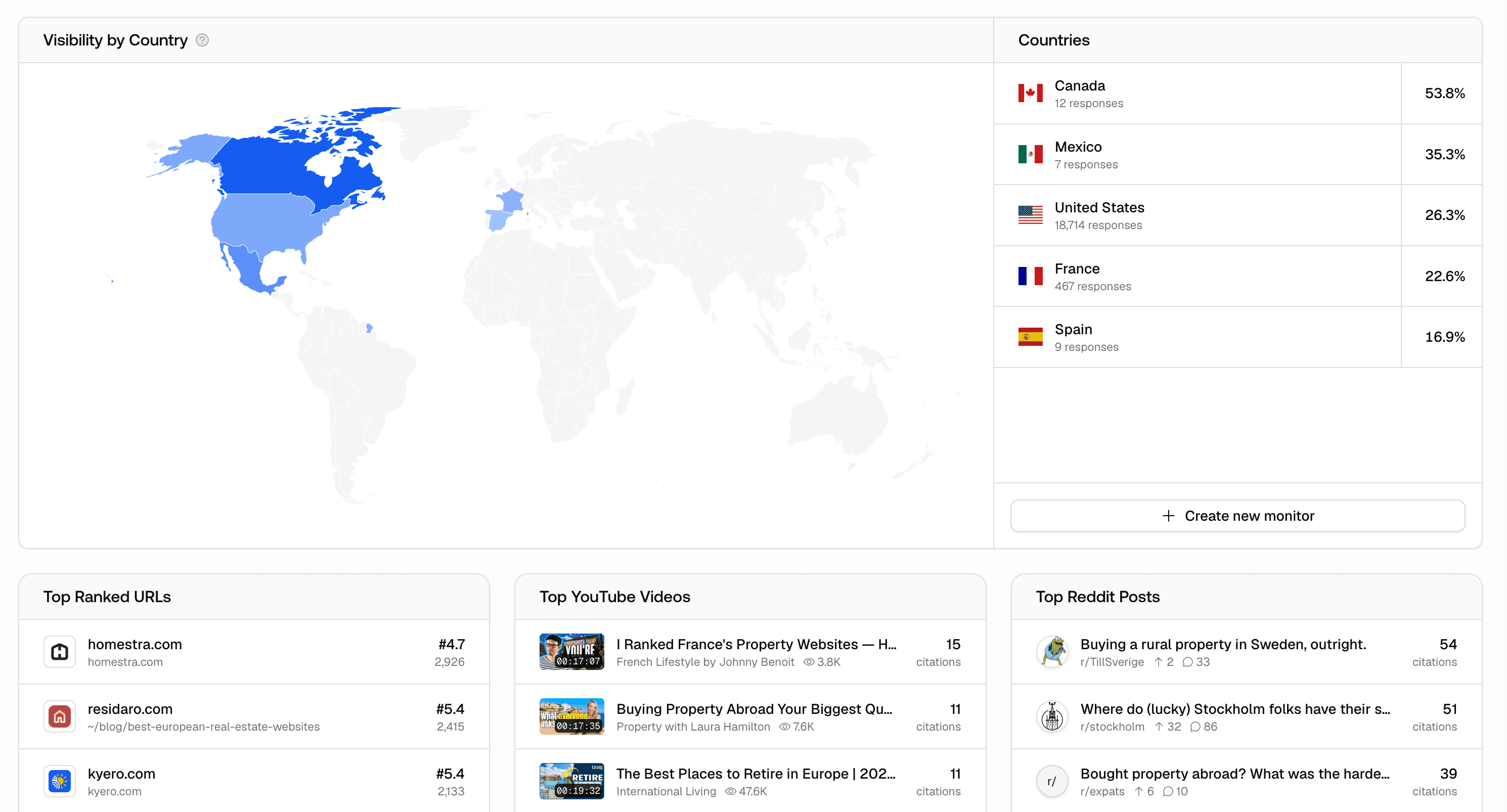
The main dashboard now has a world map of brand visibility. See which countries you show up in, which ones you haven't started tracking yet, and click a country to create a monitor for it.

New Feature

Copy Prompts to Other Monitors

Move is now Copy. Prompts stay on the source monitor, and copies land on the monitors you pick. Locale mismatches are blocked, and the dialog stops you if the copy would go over your prompt limit.

New Feature

Webflow Localization When Publishing

Articles published to a localized Webflow site now land in the locale that matches the article's language. New items are created across your enabled locales, and later updates don't overwrite translations you already made in Webflow.

Screenshot for Per-Project Usage Limits
New Feature

Per-Project Usage Limits

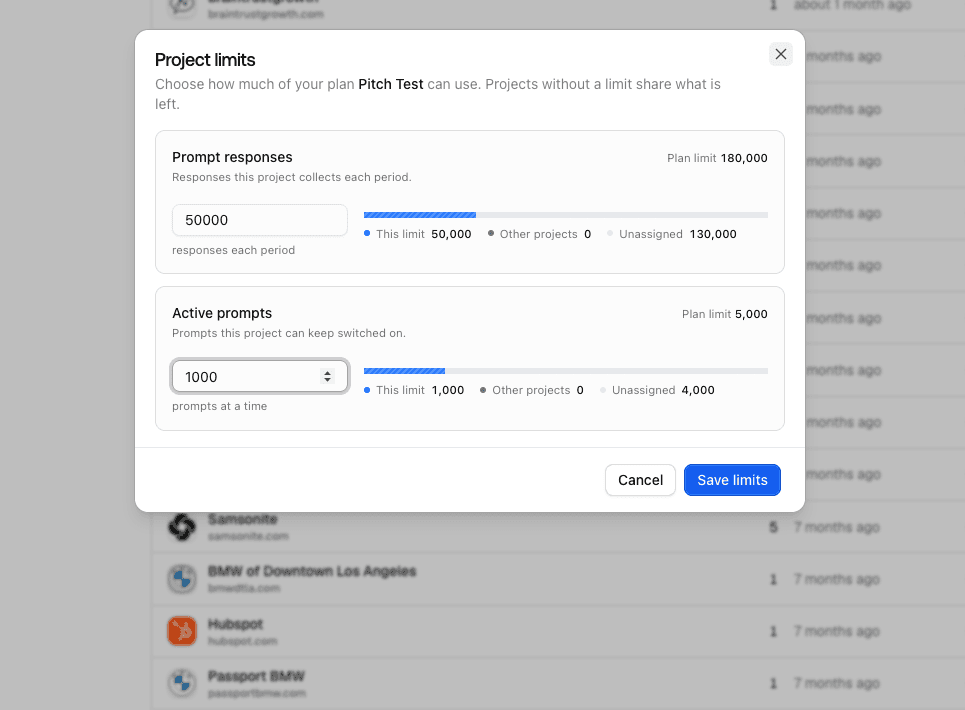
Organization owners can cap active prompts and prompt responses per project from organization settings. Usage, the upgrade banner, and tracking projections follow those caps, so one workspace can't spend the whole plan.

Screenshot for Connect Bing Webmaster Tools
New Feature

Connect Bing Webmaster Tools

You can now connect Bing Webmaster Tools next to Google Search Console in project settings. Query, page, and ranking stats sync on a schedule and feed the Search insights tab on the 360 Dashboard, so Bing traffic shows up alongside Google and AI.

New Feature

Kinsta + Cloudflare Crawler Log Setup

Sites hosted on Kinsta can now send crawler logs through Cloudflare, using the same Worker deploy as WP Engine, Webflow, and Shopify. The crawler setup guide walks through the DNS and Worker steps.

Screenshot for Persona Stacking: Run Prompts From Your Audience's Perspective
New Feature

Persona Stacking: Run Prompts From Your Audience's Perspective

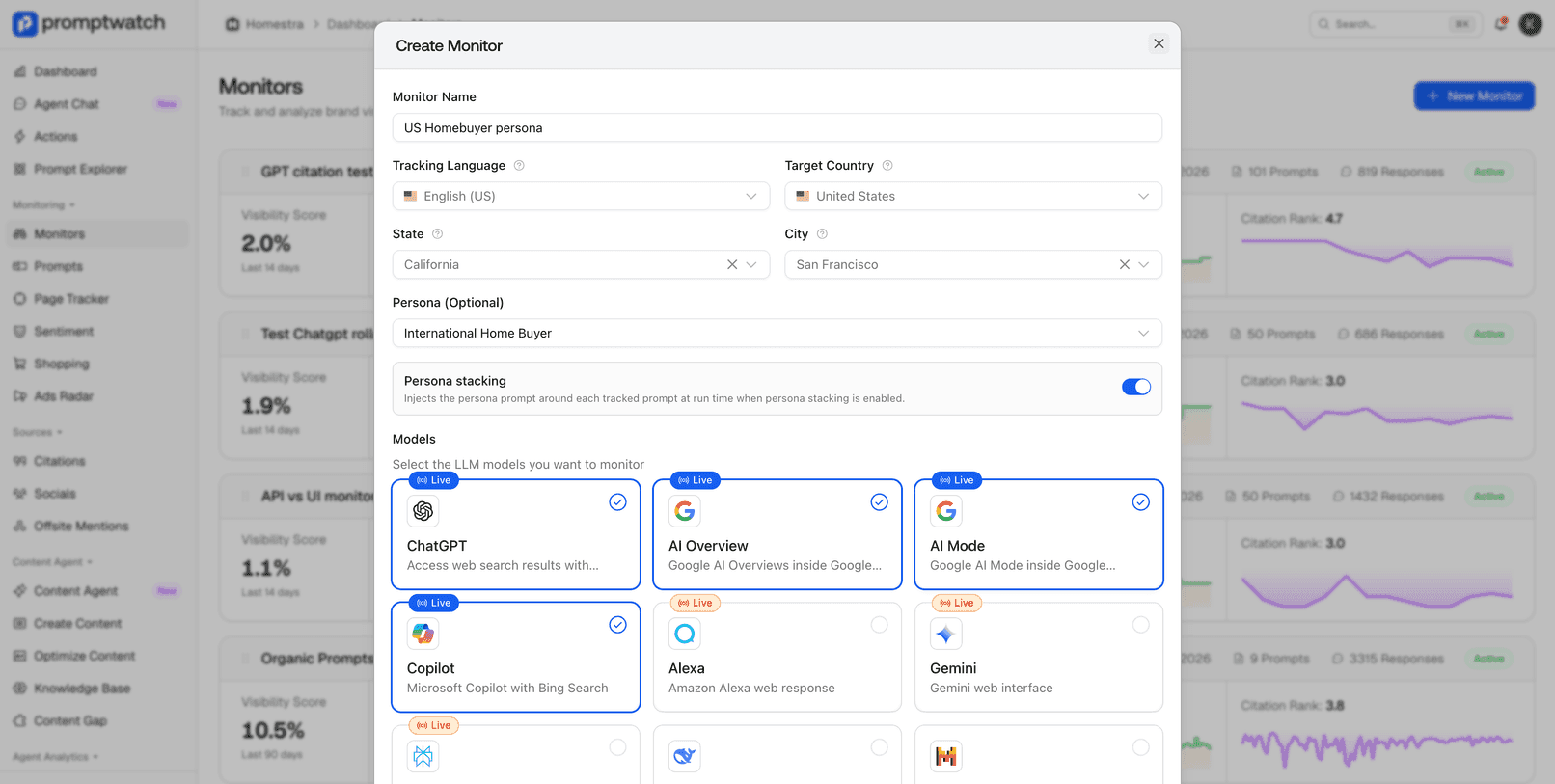
You can now stack a persona on top of a monitor's prompts. Every prompt run is asked from that persona's perspective, so you can track how AI answers change for the exact audience you care about, like a technical buyer, a first-time shopper, or an enterprise decision maker.

Screenshot for Promptwatch in the ChatGPT Plugin Store
New Feature

Promptwatch in the ChatGPT Plugin Store

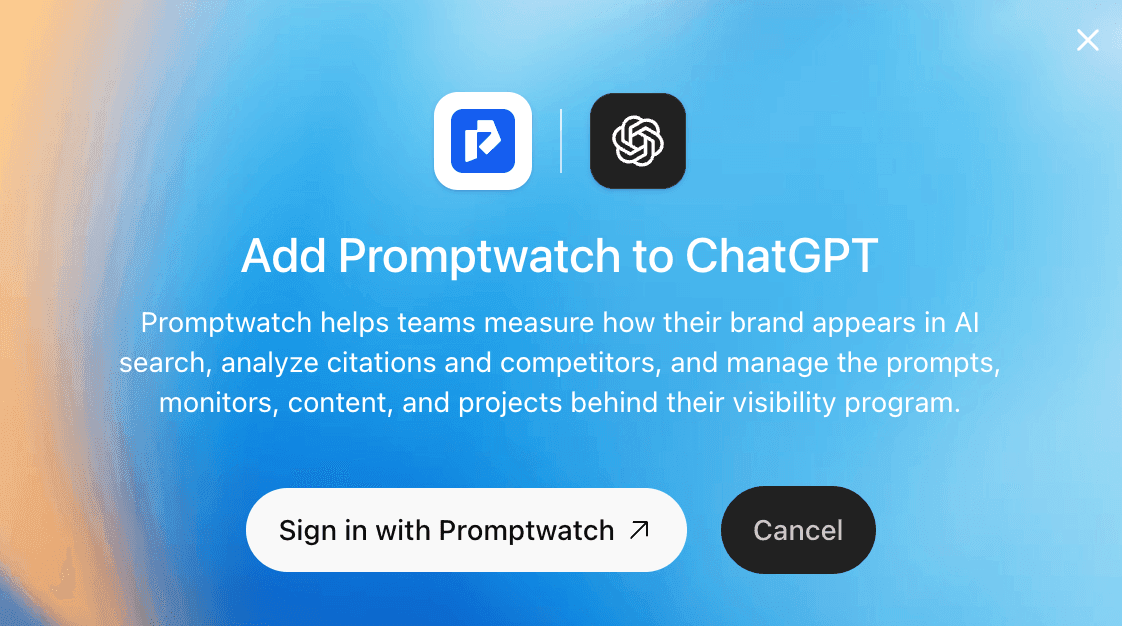
Promptwatch is now an official plugin in the ChatGPT store. Add it to ChatGPT, approve access to your organization, and your AI visibility data becomes part of the conversation: ask how your visibility changed, which sources cite you, or what your competitors are doing, and ChatGPT answers from your live Promptwatch data.

New Feature

Author Profiles for Published Content

Articles published by the Content Agent now carry proper attribution. Set a default author for your project — name, title, and photo — and every publish maps it to your CMS author fields. Need a different byline on a specific article? Override the author per document before publishing.

New Feature

Official WordPress Plugin

Connect your WordPress site to Promptwatch with our official plugin. One install brings content publishing, visitor analytics, and crawler logs together, with no CDN setup or code changes required.

Screenshot for Citation Trends
New Feature

Citation Trends

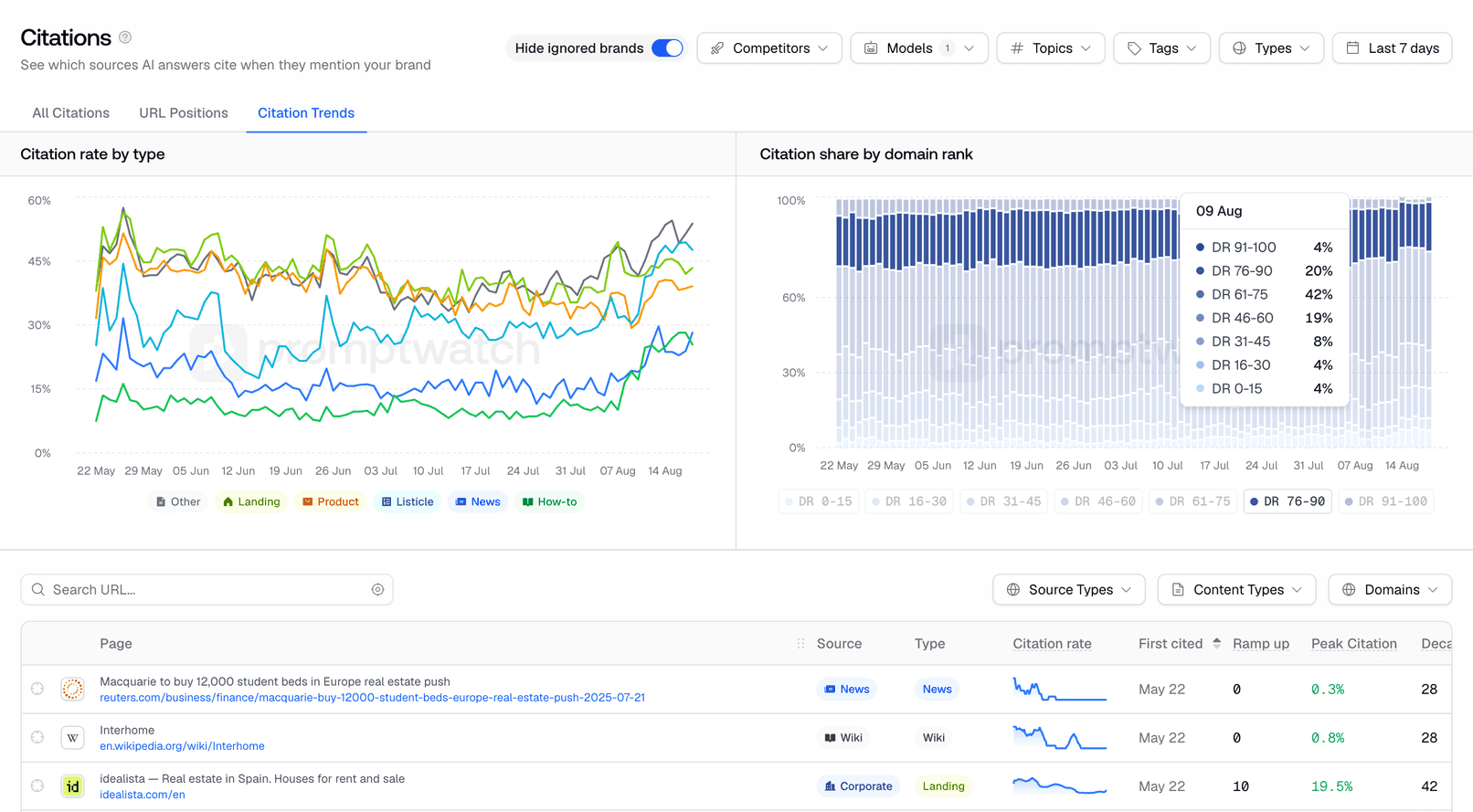
A new Citation Trends tab shows how your citations evolve over time, so you can spot rising and fading sources instead of looking at a single snapshot.

New Feature

Scheduled Agent Chats

Put your AI search analyst on a schedule. Agent Chat can now run recurring analyses for you, like weekly briefings, competitor checks, or citation reviews, and deliver the results in-app and to Slack.

Screenshot for Assign, Comment & Collaborate on Action Items
New Feature

Assign, Comment & Collaborate on Action Items

Action items are now built for teams. Assign each item to a teammate, discuss it in comments with @-mentions, and follow the full activity timeline. Assignees and mentioned teammates get notified, so nothing falls through the cracks.

New Feature

Excel (XLSX) Exports

Every export now offers Excel alongside CSV. Pick the XLSX format in the export modal and get a spreadsheet that opens cleanly in Excel, with no delimiter or encoding issues.

Start Tracking Your AI Visibility

Join thousands of companies using Promptwatch to monitor and improve their presence in AI search results.

Promptwatch Dashboard