Promptwatch Logo

Promptwatch Changelog

Stay up to date with the latest features, improvements, and announcements from Promptwatch. We're constantly working to make your AI search visibility tracking and optimization better.

September 2026

Improvement

Content Gaps Show What the Content Agent Is Doing

Content gap recommendations now show whether the Content Agent has picked them up, reviewed and held them back (with the reason), or queued them for its next planning run. The same status shows per prompt in the content gap table. If a draft already exists, whether you wrote it or the agent did, View document is the main action, so you're not asked to create the same piece twice.
Improvement

Smaller Improvements

A choice of 7 to 28 top cited domains, the date picker in Page Tracker, nine models for new projects, and a confirmation before removing a sitemap.

Improvement

Usage Alerts Before You Hit Your Limits

When your organization reaches 85% of its agent credits, articles, or prompt responses, Promptwatch opens the usage overview once so you see it coming. Credits and articles can be topped up with an add-on right there; for responses you get a plan upgrade. Only organization owners see these alerts.

Improvement

Content Agent: Bulk Actions & Content in the Prompt's Language

Select several pieces on the Content Agent page and accept, decline, or publish them in one go. Failed pieces can now be deleted, from the bulk toolbar or the detail sheet, with an option to delete the linked draft as well. Content is also written in the language of the target prompt or monitor, so a Dutch prompt gets a Dutch article without changing any settings.

Improvement

AI-Generated Persona Avatars

New personas get a generated portrait that shows up in the Brand Book and on response cards, with a letter placeholder while the image is being made. Personas also have an optional gender field.

Improvement

Live Previews in Every Export

Every export dialog now shows a 10-row preview next to its filters, so you can check the output before you download it. Most export types also let you pick which columns to include, and the responses export was redesigned around the new layout.

Improvement

New Project Setup Guide

The onboarding checklist in the sidebar now opens a setup guide. Tasks are grouped into steps, and adding a sitemap, inviting teammates, and connecting Google Search Console can be done right inside the guide. Items that don't apply to you can be dismissed.

Improvement

Tracking Keeps Running During Payment Retries

A failed payment no longer pauses your data. While a subscription is past due, prompt responses, crawler logs, visitor analytics, and Search Console and Bing syncs keep running, so there are no gaps in your charts once the invoice is paid. Chat, reports, publishing, and the Content Agent stay paused until then.

Improvement

Stackable Page Path Filters

Visitor and crawler analytics can now stack include and exclude rules on page paths, matched partially or exactly. Every chart, table, and crawler export on the page uses the same filter, so you can, for example, look at blog traffic without the tag pages. GEO 360 Topic insights also has a page URL filter that narrows the landscape, top topic cards, and topic sheet to matching pages.

Improvement

Content Agent: Meta Titles & Page Tracker Filter

Articles now have a separate meta title. The editor labels the old title as H1 and adds a meta title field that falls back to the H1 when empty. Webflow and Framer field mappings can point at it, and it comes back in the REST v2 and MCP content responses. Page Tracker can filter to pages that came out of the Content Agent, and the competitor picker in the content brief shows how many unique citations each competitor has for the selected prompt.

August 2026

Screenshot for Visibility Over Time & Latest Score
Improvement

Visibility Over Time & Latest Score

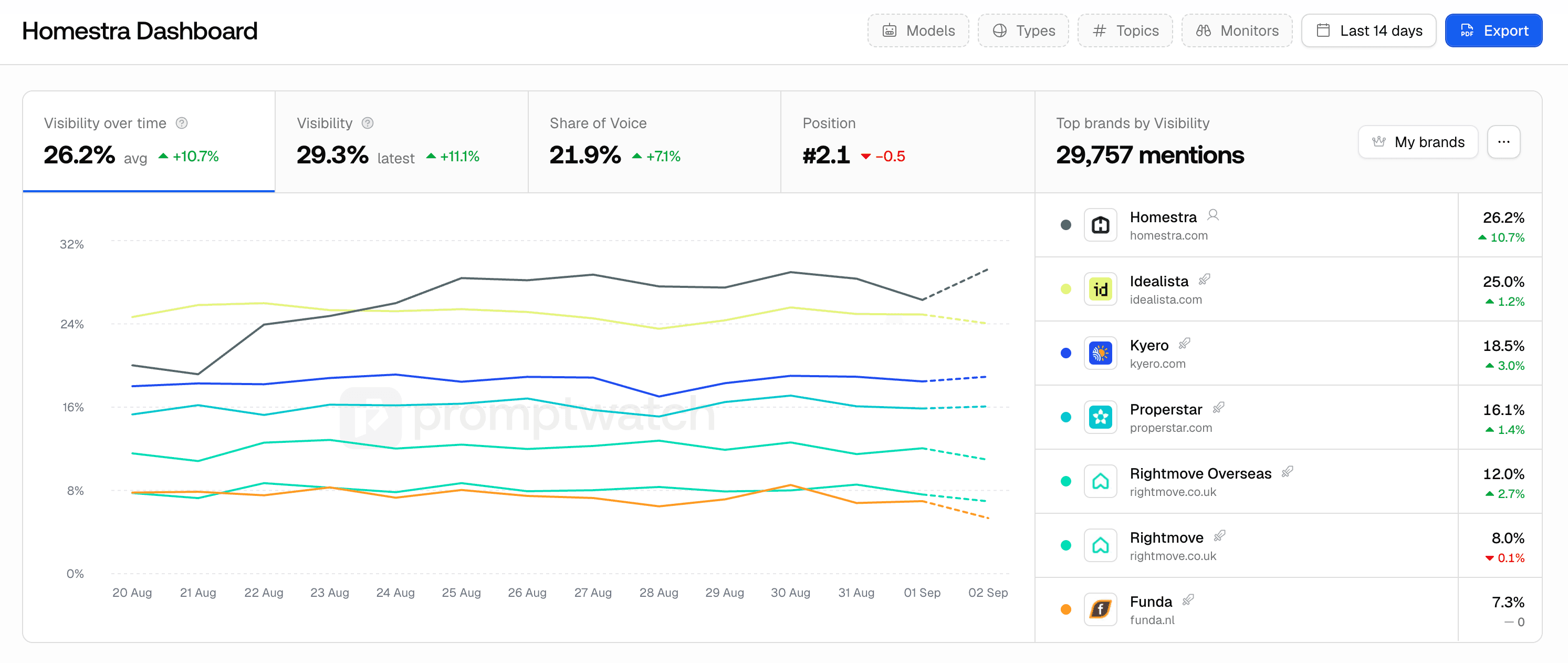
Visibility charts now separate the period average from the latest score. Switch between Visibility over time, Visibility, Share of Voice, and Position. Prompt detail sheets get the same switcher even when the metric tabs are hidden.

Improvement

See How Content Agent Articles Were Created

Finished drafts include a "How this content was created" card that shows the inputs, research, and internal links behind the article. Internal links prefer pages that already perform in Google Search Console, leftover generation budget can schedule into the next period, and the featured image lives in the editor sidebar.

Improvement

Topics in Create Flows, Tables & Exports

Topics now sit next to tags wherever you create or review prompts. Assign them when generating prompts from keywords or pages, see them in the prompts table, include them in exports, and filter citations, Reddit, and YouTube by topic.

Screenshot for Verified AI Crawler Data
Improvement

Verified AI Crawler Data

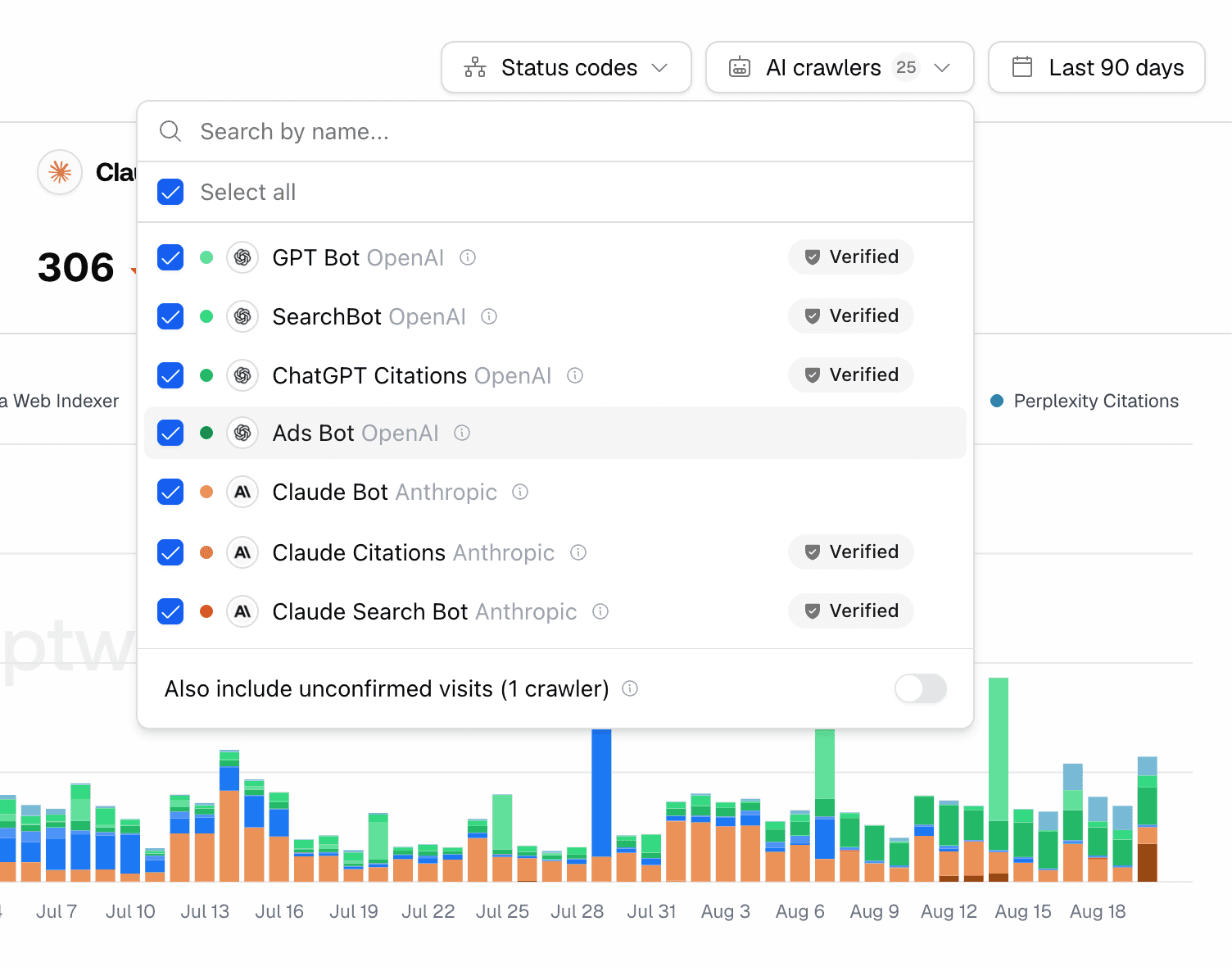
Crawler visits are now verified against each AI provider's published IP ranges. Bots pretending to be ChatGPT, Claude, or Perplexity crawlers are filtered out, so your crawler analytics only count real AI crawler traffic. Visit counts may look lower than before, but the data is more accurate, and the verification applies to historic data too.

Improvement

Agent Chat: Archived Chats & Richer Answers

Two Agent Chat updates: archived chats now live in a collapsed section at the bottom of the sidebar, so old conversations stay out of the way but within reach. And the agent now works with your full prompt list instead of a truncated sample, with specialist analyses returning far more detail than before.

Improvement

Deeper Per-Prompt Insights

Prompt detail pages now include per-prompt charts and richer stats, and the prompts table shows each prompt's citation rate. Visibility and sentiment changes now line up with the time range preset you've selected, and you can shift-click to select a range of prompts in any list.

July 2026

Screenshot for Query Fanout Insights
Improvement

Query Fanout Insights

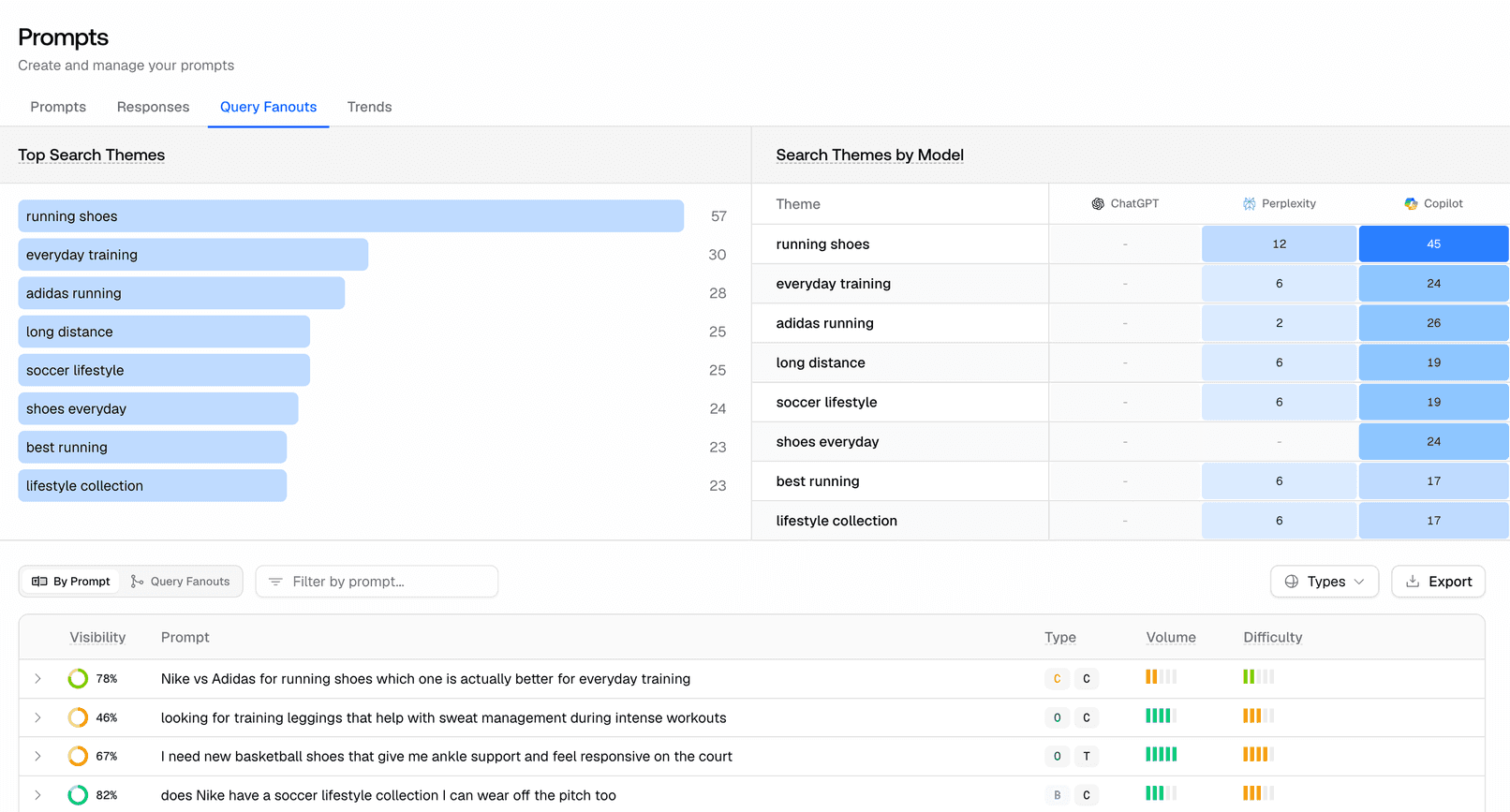
Query Fanouts got a lot smarter. New insights reveal the terms and themes AI models actually search for behind every answer, including a per-model comparison, and you can now see the exact fanout queries behind each individual response.

Improvement

Monitor Filter on the Main Dashboard

You can now filter the main dashboard by monitor, making it easy to focus on one market or product line at a time. Exports now include the monitor ID as well.

Improvement

Redesigned Weekly Action Digest Email

The weekly action digest email has been redesigned: top-priority items get their own cards, the layout is fully mobile-responsive, and it renders correctly in dark mode.

Improvement

CSV Export for Prompt Visibility Trends

Prompt visibility trends can now be exported to CSV, matching exactly what you see in the table. This joins the recently added monitor overview CSV export with synced visibility windows.

Start Tracking Your AI Visibility

Join thousands of companies using Promptwatch to monitor and improve their presence in AI search results.

Promptwatch Dashboard