Improvement
Richer Sitemap Crawl Details
Sitemap crawls now surface more detailed information about each page, giving you deeper insight into how your sitemap is being processed and indexed.

Sitemap crawls now surface more detailed information about each page, giving you deeper insight into how your sitemap is being processed and indexed.
Tables across the app, including Reddit citations, YouTube mentions, and AI responses, now have improved column sizing and no longer cause horizontal scrollbars. Data is easier to scan at a glance.
Quickly copy any prompt's text to your clipboard with a single click. Handy for sharing prompts with teammates or testing them in AI tools directly.
Prompts generated from your website now include a review step before they're added. Preview and edit auto-generated prompts to ensure they match your tracking goals.
Key metrics across the platform now have more descriptive labels, making it easier to understand what each number represents at a glance.
Never lose your work when creating prompts. You'll now see a confirmation dialog if you try to close a prompt creation form that has unsaved changes.
Newly created prompts are now prioritized in the analysis queue. Get your first results faster when you add new prompts to a monitor.
We've improved how we crawl and process your sitemap. Pages are discovered more reliably, and sitemap data is cleaned up for better accuracy in page tracking.
We've restructured the sidebar navigation to make features easier to find. Social mentions (Reddit and YouTube) are now grouped together, and settings are more logically organized.
The offsite citations page has been reorganized for better readability. Citation data is now easier to scan and compare at a glance.
Custom HTTP endpoints for crawler logs now support sending multiple events in a single request. Reduces overhead and makes large-scale log ingestion more efficient.
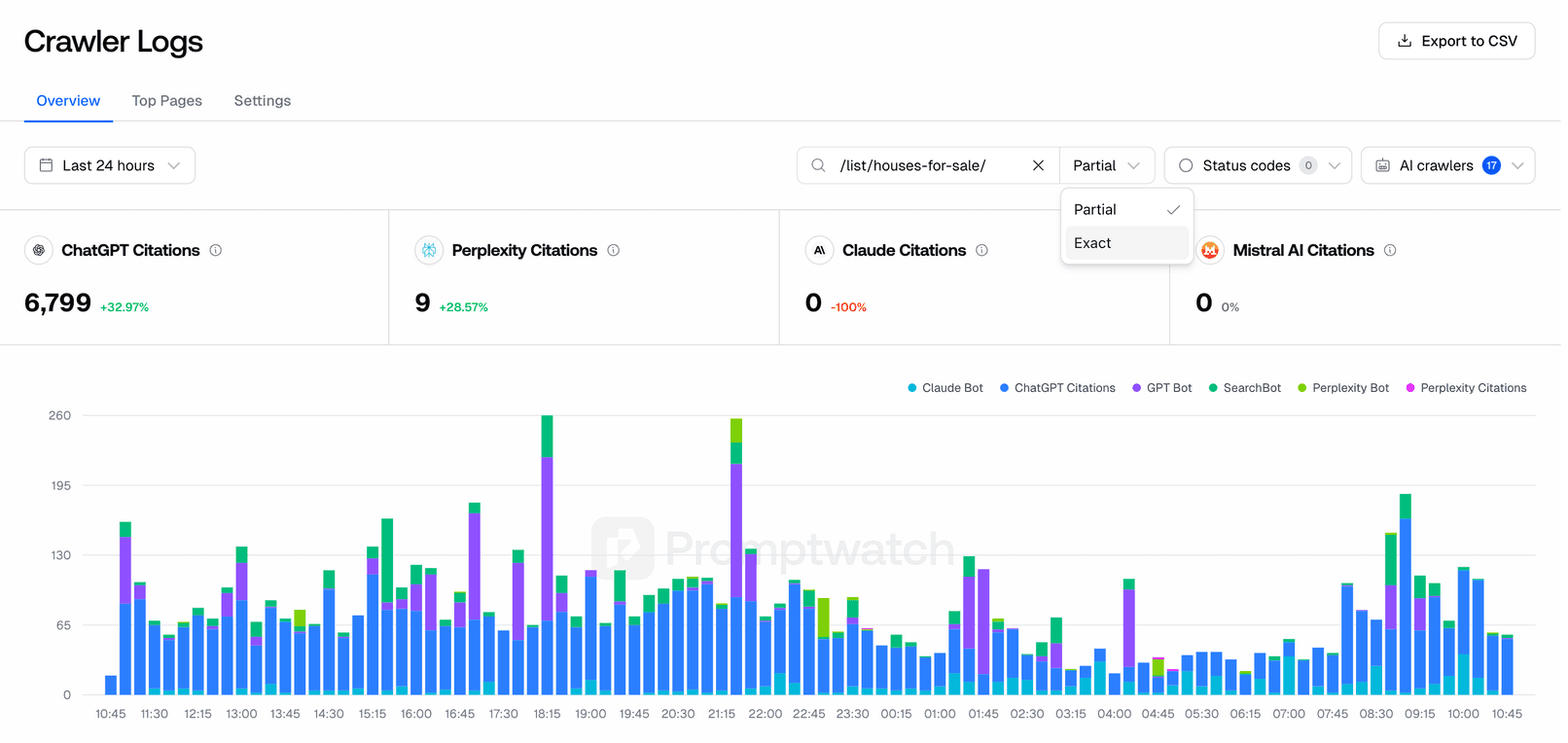
Filter crawler logs with more precision. You can now choose between exact path matching or partial matching to find the specific pages AI crawlers are visiting.
Visitor analytics now combines traffic from copilot.com and copilot.microsoft.com into a single Copilot source. Get a complete picture of your Microsoft Copilot referral traffic.
Quickly find relevant citations using your prompt tags. The citation page now includes a tag filter so you can focus on the prompts that matter most.
Quickly select or deselect all AI models in the filter dropdown. Save time when you want to view results across all models or start fresh with your selection.
Content optimization now uses more sources to create better content. We include Google News for timely information, your site's internal links for better navigation, query fan-outs for comprehensive coverage, and brand-specific context for authentic voice.
View images from ChatGPT responses in an interactive carousel. Browse through all images included in AI responses with easy navigation.
Your filter selections now persist as you navigate between crawler log pages. No need to re-apply filters when switching between different views.
Finding prompts is now faster and more accurate. Search works better with partial matches and multi-word queries.
Crawler logs now display crawlers sorted by visit frequency, and long page paths are properly truncated for better readability.
Join thousands of companies using Promptwatch to monitor and improve their presence in AI search results.

