TL;DR
- Promptwatch only stores requests from known AI crawlers and search engine bots. Every other request in your CDN logs, including all human visits, is dropped before it is saved.
- Each stored hit is one record with 10 fields: timestamp, status code, request method, path, query string, content type, client IP, hostname, user agent and referrer.
- The record is identical across all eight integrations (Akamai, AWS CloudFront, Cloudflare, Fastly, Google Cloud CDN, Netlify, Vercel and WordPress), so the answer to "what do you keep?" never depends on your provider.
- Promptwatch never stores page content, response bodies, cookies, or any request or response header beyond user agent, referrer and content type.
Connecting CDN logs to an AI visibility tool sounds like handing over your whole traffic stream, and that is usually where security review starts. The short answer for Promptwatch is that very little of that stream survives. Promptwatch reads each log line, checks whether it came from a known AI crawler or search engine bot, and throws away everything else before a single row is written.
This article lists exactly what is kept, what is dropped, why each stored field exists, and how the same record shape comes out of eight different integrations. It is written for the person who has to answer the question from IT, legal, or a privacy officer: "what data does this vendor actually retain from our logs?"
What are AI crawler logs?
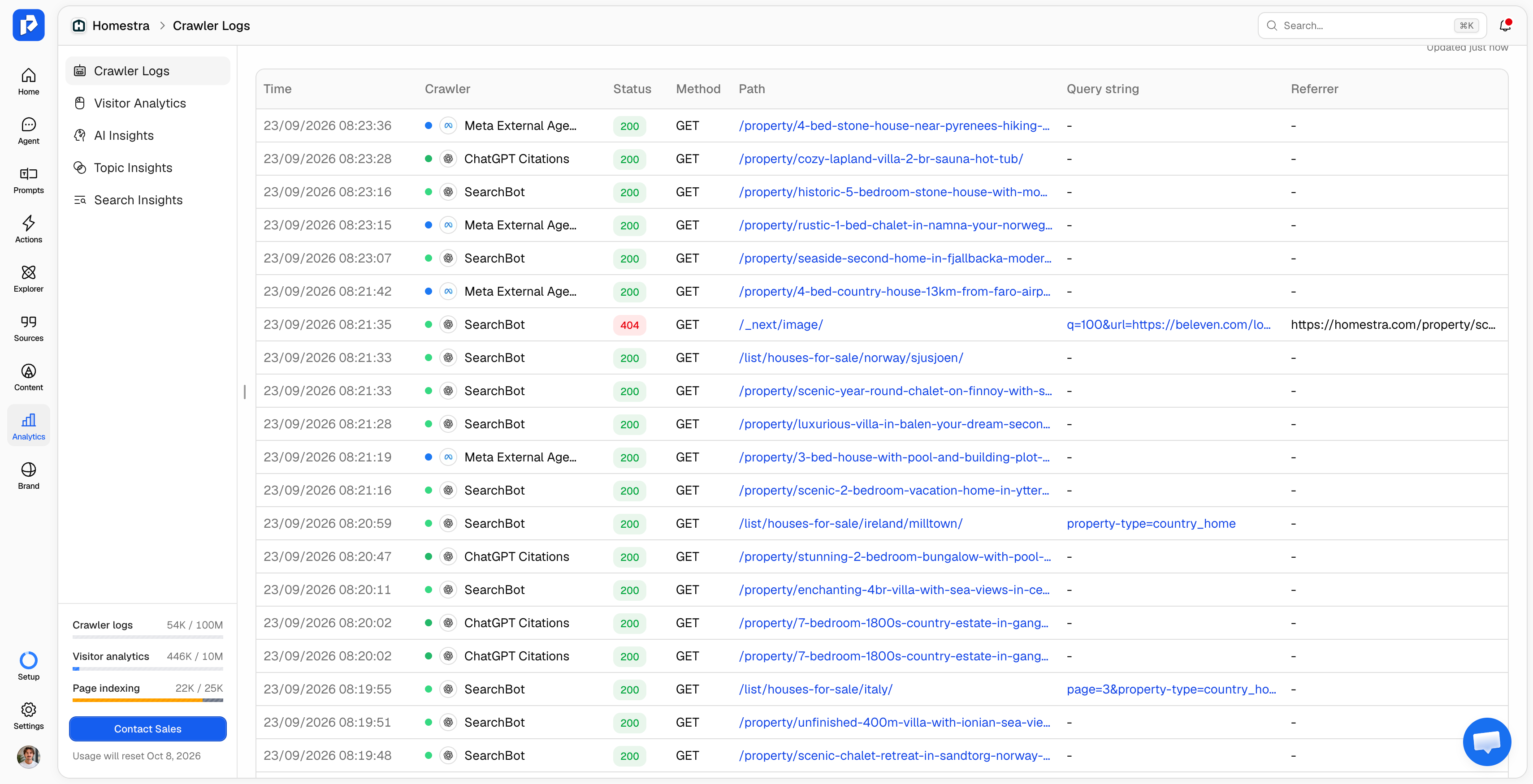
AI crawler logs are the subset of your server or CDN request logs generated by bots that AI companies run, such as GPTBot, OAI-SearchBot, ChatGPT-User, ClaudeBot and PerplexityBot. Each line records one request: which bot asked for which URL, when, and what your server answered. If you want the background on the bots themselves, start with what is an AI crawler.
In Promptwatch, these logs power AI crawler logs in Agent Analytics. They show what AI systems can see on your site, which pages they fetch, and whether they got a 200, a 403 or a 404. That is the crawl side of the crawl-to-citation path, and it is tracked separately from human visitors at all times. Crawlers are not visitors, and mixing the two produces numbers that look impressive and mean nothing.
Which requests does Promptwatch keep?
Promptwatch keeps a request only if it passes every filter below. Anything that fails a filter is dropped and never stored.
- The user agent matches a known AI crawler or search engine bot. Promptwatch maintains the bot list itself, currently covering OpenAI, Anthropic, Google, Perplexity, Cohere, Mistral, DeepSeek and xAI user agents. Requests from ordinary browsers are dropped with the reason code
NON_AI_USER_AGENT. - The request is for consumable content. Static assets like CSS, JavaScript and images are dropped (
DISALLOWED_PATH), because a bot fetching your stylesheet tells you nothing about which pages AI can read. - The hostname matches your project's website. Log lines for other domains on the same CDN account are dropped (
HOSTNAME_MISMATCH). - The record is complete and valid. Lines with no user agent, no client IP, an unparseable timestamp or an invalid URL are dropped, since they cannot be classified or verified.
Because filtering happens on Promptwatch's side, you can safely forward your full log stream. Promptwatch's documentation is explicit that only AI crawler visits are stored and all other traffic is discarded. You can also pre-filter to bot traffic before sending, but you then have to maintain your own list of user agents as new crawlers appear.
That list changes faster than most teams expect. New crawlers launch, existing ones get renamed, and a bot that was noise one month can become a major share of traffic the next.
What does each stored crawler record contain?
Every kept hit becomes one record with exactly 10 fields. These are the same fields shown in Promptwatch's Manual Setup documentation, and they are also the fields Promptwatch stores for every other integration.
| Field | What it holds | Why Promptwatch keeps it |
|---|---|---|
| timestamp | Time of the request (ISO 8601) | Crawl trends over time, crawl frequency per page |
| status_code | Your server's response code (200, 301, 403, 404, 500) | Spotting pages AI bots are blocked from or failing to load |
| request_method | HTTP method (GET, HEAD, POST) | Separating real page fetches from lightweight checks |
| request_path | The page address, such as /pricing | Which pages each bot reads |
| query_string | Anything after ? in the URL (nullable) | Distinguishing parameterized URLs and faceted pages |
| content_type | Response content type, such as text/html | Keeping HTML pages and filtering out assets |
| client_ip | The IP address the request came from | Verifying the bot is real (see below) |
| hostname | The site the request was for | Matching the hit to the right project |
| user_agent | The full user-agent string the bot sent | Identifying which crawler it was |
| referrer | The referring URL, if any (nullable) | Context on how the bot arrived at the page |
A few details worth stating precisely, because they come up in security reviews:
- "Which bot it was" is stored as the raw user-agent string. Promptwatch classifies the crawler from it, but the original string is kept too.
content_typeis the response's MIME type, not a page category. It tells Promptwatch whether the bot fetched an HTML page, a PDF or a feed.- Stored IPs come from bot requests, not from visitors. Since human requests are dropped at the first filter, every stored IP is an address that claimed to be a crawler.
What Promptwatch never stores from your CDN logs
Promptwatch does not store:
- Any request from a human visitor. No browser sessions, no IPs of real users, no page paths they visited.
- Page content or response bodies. Promptwatch sees that GPTBot got a 200 on
/pricing, not what/pricingsaid. - Cookies, session tokens or authorization headers.
- Any other header. The only header-derived values kept are the user agent, the referrer and the response content type. Everything else your CDN logs (accept-language, cache status, TLS details, custom headers) is ignored.
- Static asset requests, even from verified bots.
- Traffic for domains outside your project.
One honest caveat: the query string is stored exactly as sent. If your site puts tokens or identifiers in URLs, those would appear in the query_string of any bot request that includes them. If that applies to you, strip those parameters in your log drain before forwarding.
Why the client IP is stored: crawler verification
The IP address is the field privacy teams ask about most, and it is there for one reason: proving that a bot is who it says it is. Anyone can set a user-agent string that says GPTBot. The IP address is the only field in a log line that can confirm it.
Since August 19, 2026, Promptwatch checks crawler visits against the published IP ranges of OpenAI, Anthropic, Google, Perplexity and Mistral. A request that claims to be one of those providers but comes from outside their published ranges is left out of your counted traffic. The scale of spoofing is not small: when Promptwatch launched AI crawler verification, 87.7% of requests claiming to be Google crawlers failed it, almost all of them from Google Cloud's customer-rentable VM ranges rather than Google's own crawler infrastructure.
This is also why a log record without an IP is dropped (MISSING_CLIENT_IP) rather than stored without one. If your log drain has PII exclusion turned on and strips client IPs, Promptwatch cannot verify the hit, so it does not count it. Verification has a limit too: it only works for providers who publish their crawler IP ranges, and bots from other providers are shown without a verification badge.
"Since implementing Promptwatch, we've seen a measurable increase in our LLM visibility. Its clear insights into share of voice, content gaps, and AI crawler activity have made it a core part of our marketing reporting stack." - Sam Franklin, VP Marketing at Landytech
How eight different integrations produce one record shape
Every CDN writes logs in its own format, with its own field names, so Promptwatch normalizes each provider's native format into the same 10 fields before anything is stored. Nothing extra is kept for any provider. Promptwatch supports eight integrations for crawler logs: Akamai, AWS CloudFront, Cloudflare, Fastly, Google Cloud CDN, Netlify, Vercel and WordPress. Anything else can send the 10-field record directly through Manual Setup, a JSON POST to Promptwatch's log endpoint.
Cloudflare Logpush shows the mapping clearly. Promptwatch's setup asks for nine request and response fields plus one housekeeping field:
| Cloudflare Logpush field | Stored as |
|---|---|
| EdgeStartTimestamp | timestamp |
| EdgeResponseStatus | status_code |
| ClientRequestMethod | request_method |
| ClientRequestURI | Split by Promptwatch into request_path + query_string |
| EdgeResponseContentType | content_type |
| ClientIP | client_ip |
| ClientRequestHost | hostname |
| ClientRequestUserAgent | user_agent |
| ClientRequestReferer | referrer |
| WorkerSubrequest | Not stored, used to drop duplicates |
The Logpush job is also filtered to your own domain (ClientRequestHost equals your domain), so traffic for other zones never leaves Cloudflare in the first place.
Some providers need extra cleanup before the mapping, and Promptwatch drops those records rather than storing them:
- Cloudflare: Worker subrequests are duplicates of the main Logpush event and are dropped (
WORKER_SUBREQUEST). - Netlify: function and deploy logs in the same drain are not traffic and are dropped (
NON_TRAFFIC_LOG). - Vercel: build and runtime logs without proxy data are dropped (
NON_PROXY_LOG).
The result is that a stored record from Fastly looks exactly like one from CloudFront or Vercel. For a security reviewer, that means one answer covers every provider.
The WordPress plugin captures less, not more
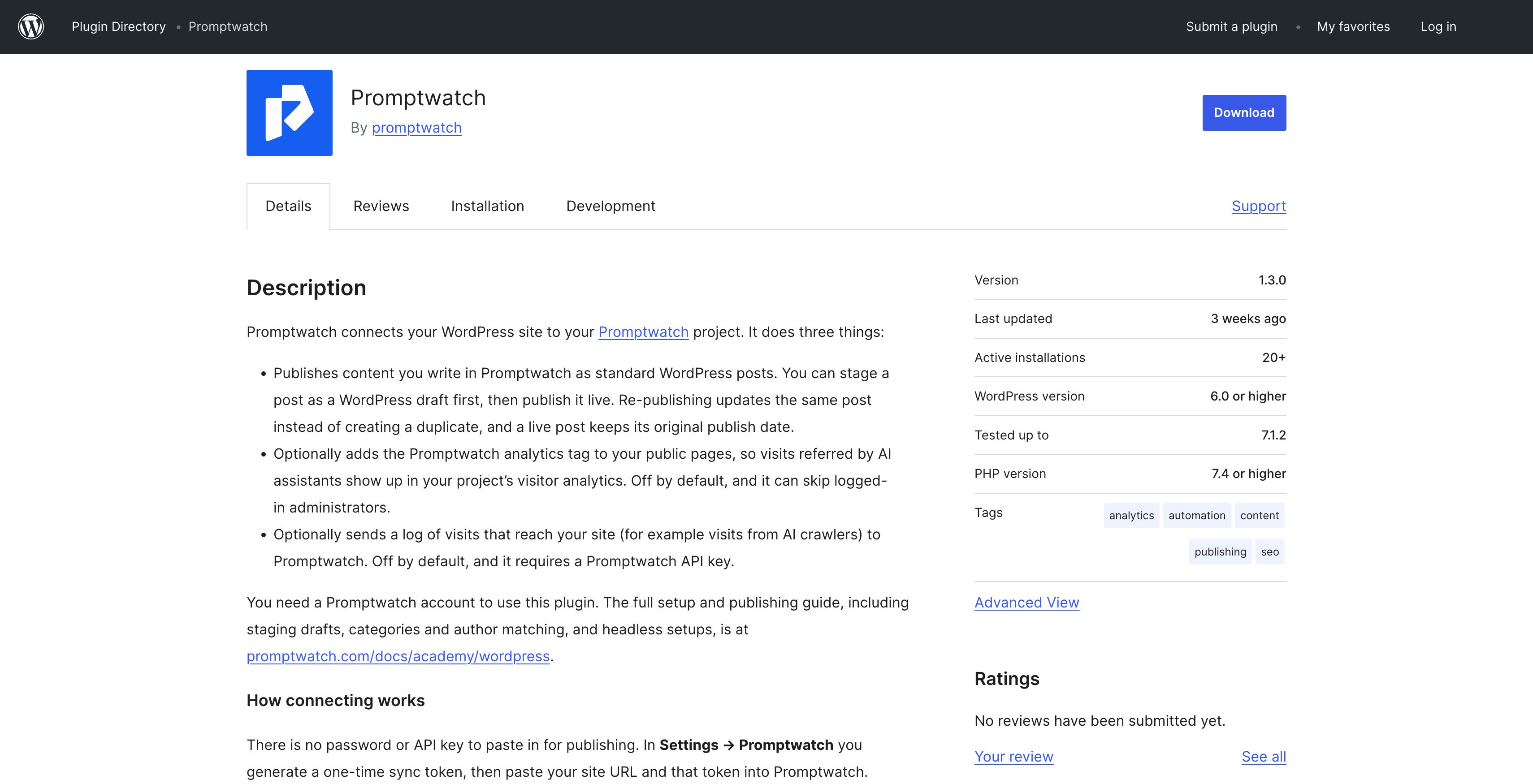
WordPress is the one integration that is not a CDN. The Promptwatch plugin records requests on the WordPress server itself, using the same 10-field shape. The trade-off is coverage: page cache plugins and host-level CDNs answer most requests before WordPress runs, so the plugin only sees the crawler traffic that actually reaches WordPress. If your site sits behind a CDN, connecting the CDN gives the more complete picture of which AI bots are crawling my website.
How long is crawler log data kept?
There is currently no retention cutoff. Crawler log data is kept from the day the integration started collecting, with no expiry. The 90 days people sometimes hear about is a viewing and query window, not a deletion policy: any single date range or data pull is capped at 90 days, so a longer history comes through in 90-day chunks from a custom start date.
Crawler log volume limits depend on the plan, not on time. Crawler logs are included from Professional (25M) and Business (100M) on Brands plans, and on all Agency tiers (Kick-off 10M, Growth 25M, Scale 100M). They are not included on Essential.
Does connecting crawler logs need a security review?
The technical setup takes minutes and needs no code changes on your site. The internal review is a different matter. Based on analysis of roughly 150 Promptwatch customer conversations between July 10 and August 3, 2026, CDN connections at larger accounts often need IT or security sign-off, and that approval can take several weeks.
The fastest reviews tend to be the ones where the reviewer gets a precise field list up front. The table above is that list. It shows which fields leave the CDN, which of them are stored, and that human traffic, content and cookies are excluded by design rather than by configuration. For provider-specific setup, each integration has its own guide in Promptwatch's crawler log documentation, and the full list of LLM user agents helps if you prefer to pre-filter on your side.
"In Promptwatch we are able to see how active the ChatGPT bot is on our client websites and exactly how often our content is being used in responses of LLMs." - Marijn ten Bulte, Head of Organic Channels at Advise
FAQ
Does Promptwatch store human visitor data from my CDN logs?
No. Every request whose user agent does not match a known AI crawler or search engine bot is dropped before anything is saved. AI-referred human traffic is measured separately in Promptwatch's Visitor Analytics, not through crawler logs.
Which fields does Promptwatch store for each AI crawler hit?
Ten: timestamp, status code, request method, request path, query string, content type, client IP, hostname, user agent and referrer. Query string and referrer can be empty.
Is the stored data different for Cloudflare, Vercel or Akamai?
No. Promptwatch maps each provider's native log format onto the same 10-field record, so the stored data is identical across Akamai, AWS CloudFront, Cloudflare, Fastly, Google Cloud CDN, Netlify, Vercel and WordPress.
Why does Promptwatch need the client IP address?
To verify that a request claiming to be a crawler really comes from that provider's published IP ranges. Records with no IP cannot be verified and are dropped. Because human traffic is filtered out first, stored IPs belong to requests that identified as bots.
Can I send all my logs, or should I filter to bots first?
Both work. Promptwatch filters automatically and discards non-bot traffic, so sending everything is safe. Pre-filtering reduces what leaves your infrastructure, but you then have to keep your own user-agent list current as new crawlers appear.
How long does Promptwatch keep crawler log data?
Indefinitely, from the day the integration started. Queries and exports are limited to 90-day windows, but nothing is deleted after 90 days.