New Feature
View AI Responses as Raw Markdown
A new toggle in the response view lets you switch any AI answer between its formatted view and the raw markdown, handy for copying the exact text or inspecting how a response is structured.

A new toggle in the response view lets you switch any AI answer between its formatted view and the raw markdown, handy for copying the exact text or inspecting how a response is structured.
The Query Fan-Out report now shows helpful guidance when there's no data yet, explaining what fan-outs are and what to do to start seeing them, so the page is useful from your very first visit.
A new My Products area in the Shopping tab lets you add the products you care about, manually or via CSV import, and track exactly how they show up across ChatGPT Search shopping results. See when your products are recommended alongside competitors and how that changes over time.
Fixes for the AI rewriter, monitor settings with past end dates, competitor heatmap percentages, and large GEO 360 exports.
A new toggle in the response sheet lets you highlight every mention of your brand and competitors directly inside the AI answer. Scan long responses in seconds and immediately see how each brand is positioned.
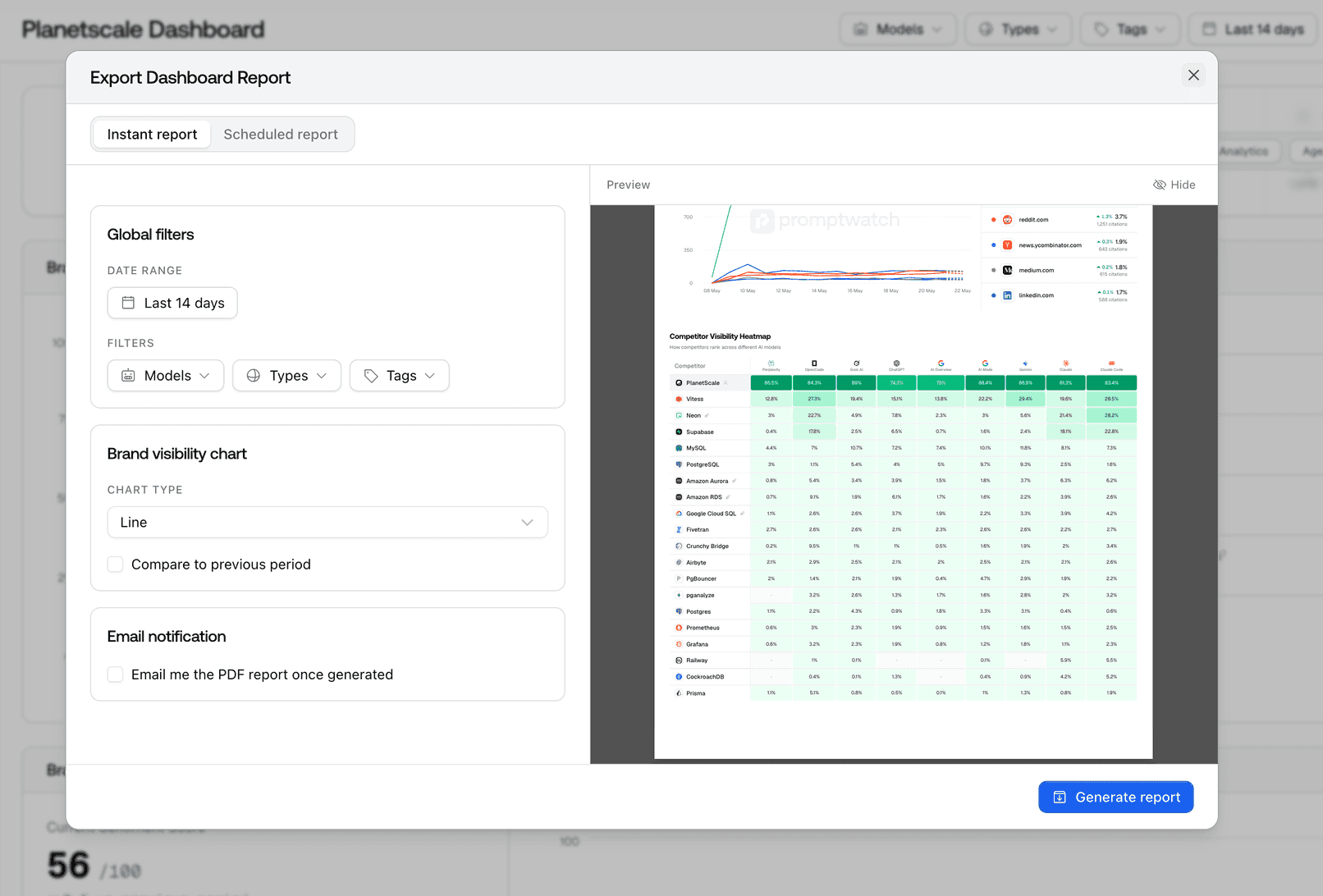
Scheduled monitor and dashboard PDFs now include the competitor heatmap, rendered in a new compact layout that fits cleanly into the report. Get a complete share-of-voice picture in every export, without opening the dashboard.
AI Overview responses now render product thumbnails, star ratings, and rich snippet details inline, giving you a much closer view of exactly what searchers see in Google's AI Overviews.
GET /responses and GET /responses/:id now return per-brand mention details plus citation sourceType and contentType, so BigQuery and other data pipelines can pull everything in one paginated call. A new GET /api/v2/sitemap/urls endpoint also exposes errored, redirected, and in-progress URLs, and the Postman collection has been refreshed.
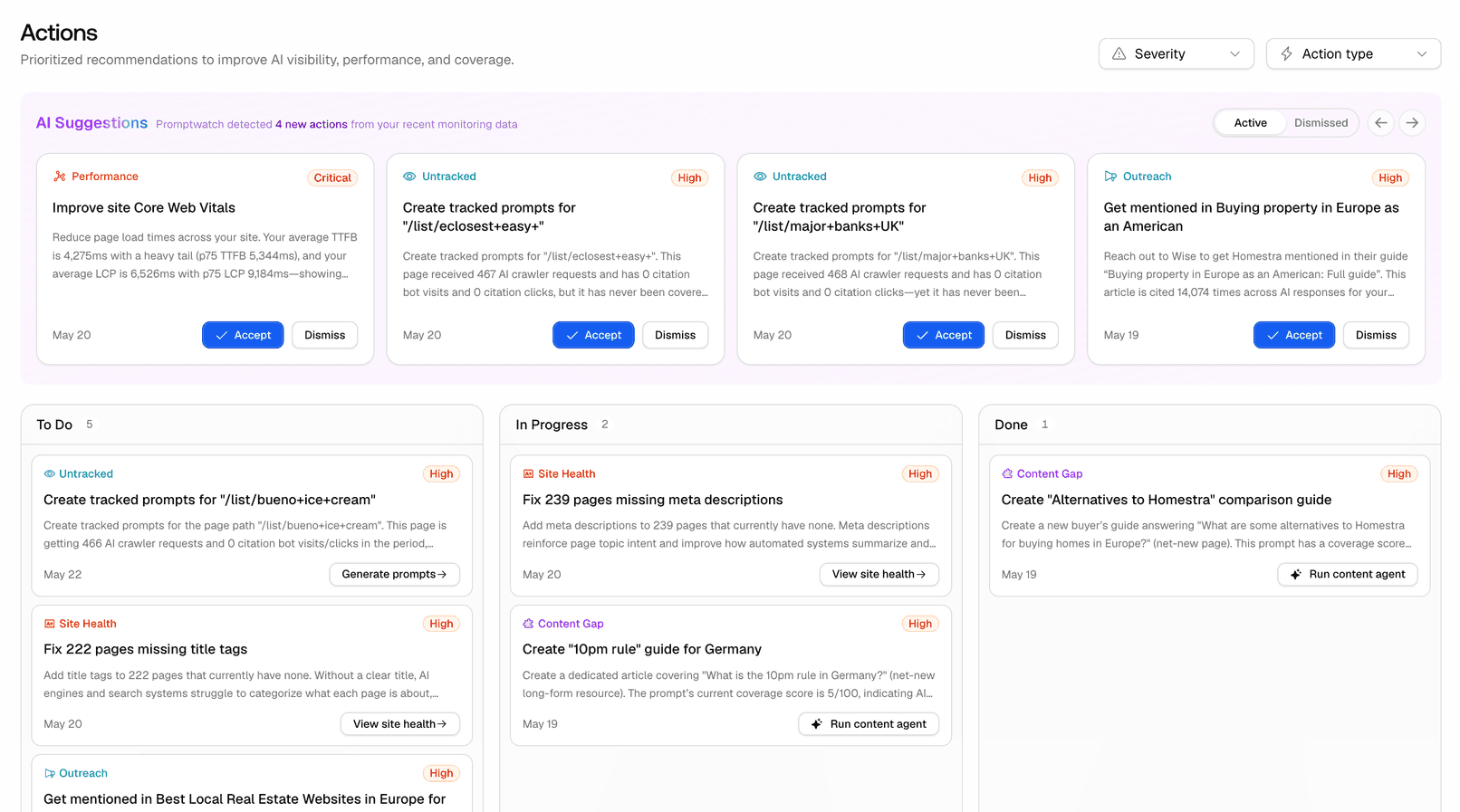
Meet the new Unified Actions tab: a kanban board where our agent surfaces the highest-impact things you should do next to grow your AI visibility. Each card opens to a single, clear AI-written brief covering what to do, why it matters, and the expected GEO impact. Action types include content gaps, untracked pages, untapped pages, Reddit social opportunities, setup gaps, and offsite mentions. New suggestions arrive in a Suggested column so you can accept or dismiss each one, then move them through To Do, In Progress, and Done as you work through them.
The Knowledge Base now opens with step-by-step guidance that explains what it does and how AI uses it for content generation, so the first time you visit you know exactly what to add and why.
Brand views across the dashboard now default to your tracked brands and direct competitors, instead of showing every brand that's ever been mentioned. Cleaner numbers, less noise, and you can still switch to the full list anytime.
Sponsored product cards in AI Overview responses now appear at the bottom of the response instead of mixed into the editorial content, so it's easier to read the organic answer first.
A new Shopping tab surfaces every product card, price, merchant, and review extracted from ChatGPT Search responses for your tracked prompts. See exactly which products AI is recommending alongside your brand and competitors, track how that mix shifts over time, and spot category trends you'd otherwise miss. Available on Professional plans and above.
The usage modal now shows a per-project breakdown so you can see exactly where your prompts, monitors, and credits are being spent across projects in your organization.
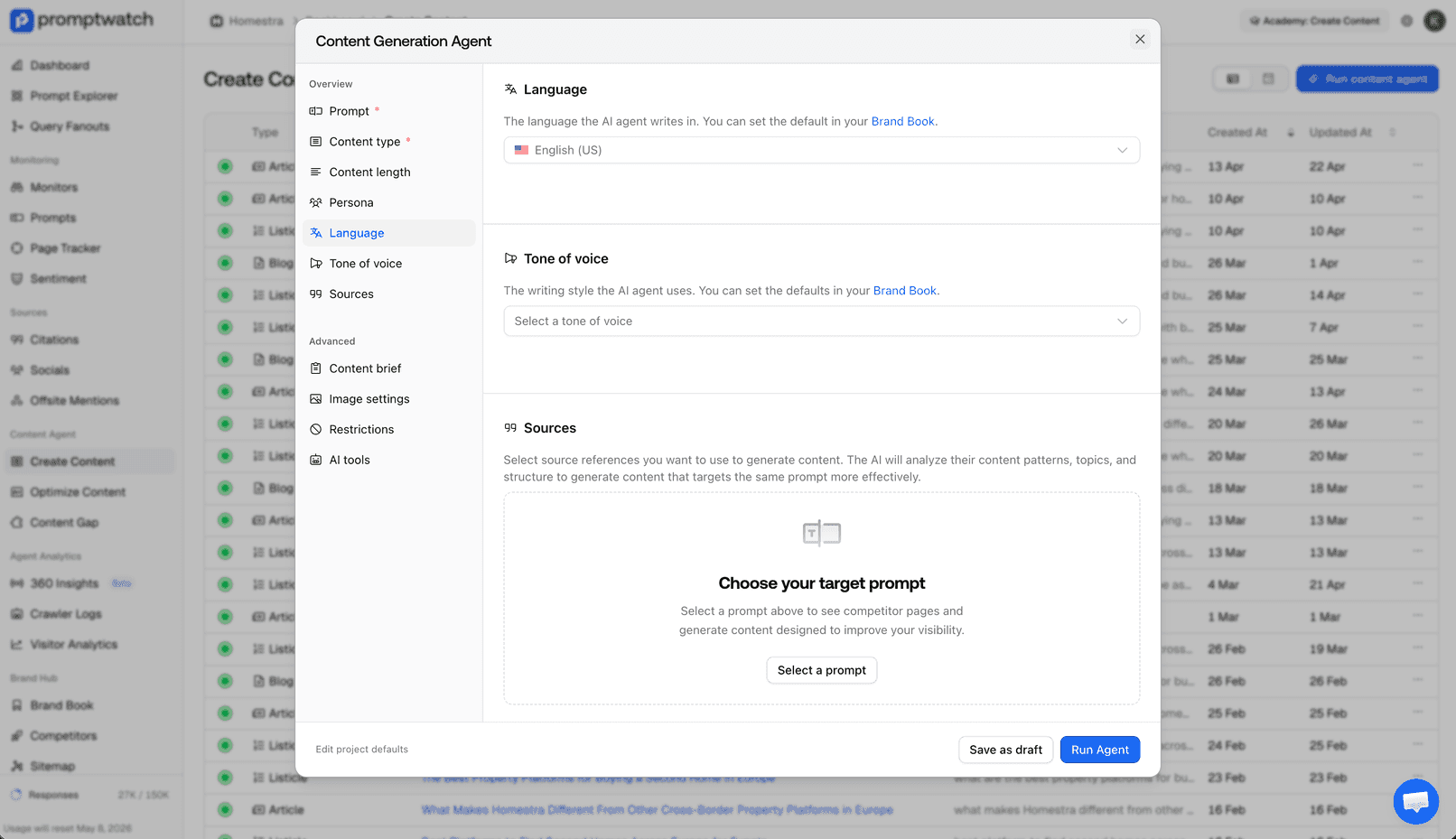
You can now select a language each time you generate content, in addition to a default project language. Generate articles, briefs, and other content in any of our supported languages without changing project settings.
The brand prompt list in the overview now only includes direct competitors instead of every brand mention. This keeps the view focused on brands that actually matter for your competitive analysis.
A new search bar on the Reddit page lets you search across every tracked Reddit post, username, and subreddit in your project, making it much faster to find specific conversations and creators mentioning your brand.
Matched brand aliases are now visually highlighted within AI responses, so you can immediately see exactly which alternative names and spellings the AI used when mentioning your brand or competitors.
You can now choose a default tone of voice for AI-generated content right when you create a project or during onboarding. The selected tone is automatically applied as a default for content generation, so every article matches your brand voice from day one.
Trying to delete a brand tag that's still attached to a project now shows a clear error message explaining why, instead of silently failing or producing a confusing error.
Join thousands of companies using Promptwatch to monitor and improve their presence in AI search results.

