

- Enter Email: In the “Invite New Member” section, add the email address (e.g., abc@promptwatc.com)
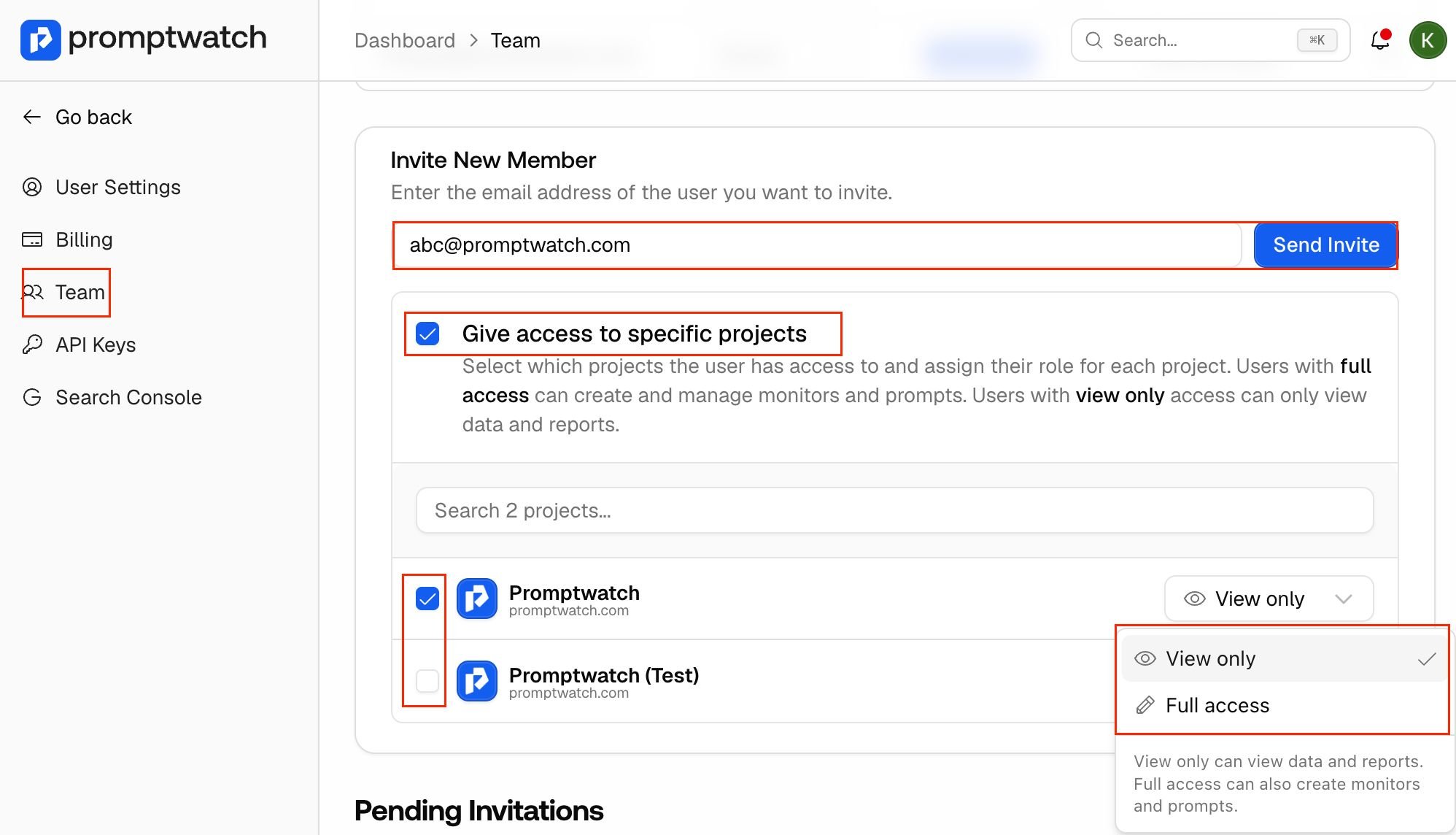
- Assign Projects: Check the box “Give access to specific projects” and select the desired project from the list. If you don’t select the specific project it will give access to the whole account.
- Set Permissions: Use the dropdown next to the project name to choose between View only (read reports) or Full access (create monitors and prompts).