

What the sitemap gives you
A sitemap is the file that tells search engines, and Promptwatch, how your website is organised. Once it has synced, Promptwatch can:- Build the page inventory from every page you publish, not only the pages Google has indexed, so the inventory matches your site rather than one search engine’s opinion of it.
- Run the weekly Health audit: every URL in the inventory is fetched and checked each week. Site health explains the score and the checks.
- Match your pages against prompts: Content Gap searches your indexed sitemap pages to find which prompts you already have content for and which you don’t, and Refresh content lists pages from the same crawled inventory (you can also enter a URL directly).
- Show crawler visits per page: each page’s Prompts & Citations tab has a “Crawler visits” section once crawler logs are set up, so you can see which of your pages AI crawlers actually fetch. See AI crawler insights.
What Google Search Console adds
Google Search Console (GSC) is an optional integration. It does not replace the sitemap, because it only knows the pages Google has seen. What it adds:- Search insights: under Analytics → Search Insights, Promptwatch overlays your Google and Bing search traffic (clicks and impressions) with AI crawls, citations and clicks, so you can compare how a page does in traditional search and in AI answers side by side. See 360 Insights.
- Overlap questions in Agent Chat: the Search Console overlap skill finds queries you rank for in Google but miss in AI answers, which is the shortest list of prompts worth working on. See Google Search Console.
- More URLs for the inventory: the project’s Search Console page has an Add URLs to sitemap button that imports the pages Google reported in the last 30 days, and a switch, Automatically add GSC URLs to sitemap, to keep doing that on its own. This is why “sitemap or GSC” is not a pure either-or: GSC can feed the same inventory your sitemap fills.
- A year of performance history: Sync Performance Data (1 Year) pulls in a year of Search Console performance data.
What about Bing?
If Bing traffic matters to your business, you can connect Bing Webmaster as its own optional integration alongside GSC. It does not replace your sitemap or GSC; it adds Bing’s clicks and impressions to the same Search insights comparison. See Bing Webmaster for setup steps.Which should you use?
Ideally both, in this order:- Start with your sitemap (.xml link): it gives Promptwatch your complete site from day one, and it is what the audit and Content Gap need. The sitemap’s root domain has to match the project website’s root domain.
- Then connect Google Search Console: it adds the search-traffic overlays and the overlap skill, and it can top up the inventory with URLs the sitemap misses.
How to link your sitemap
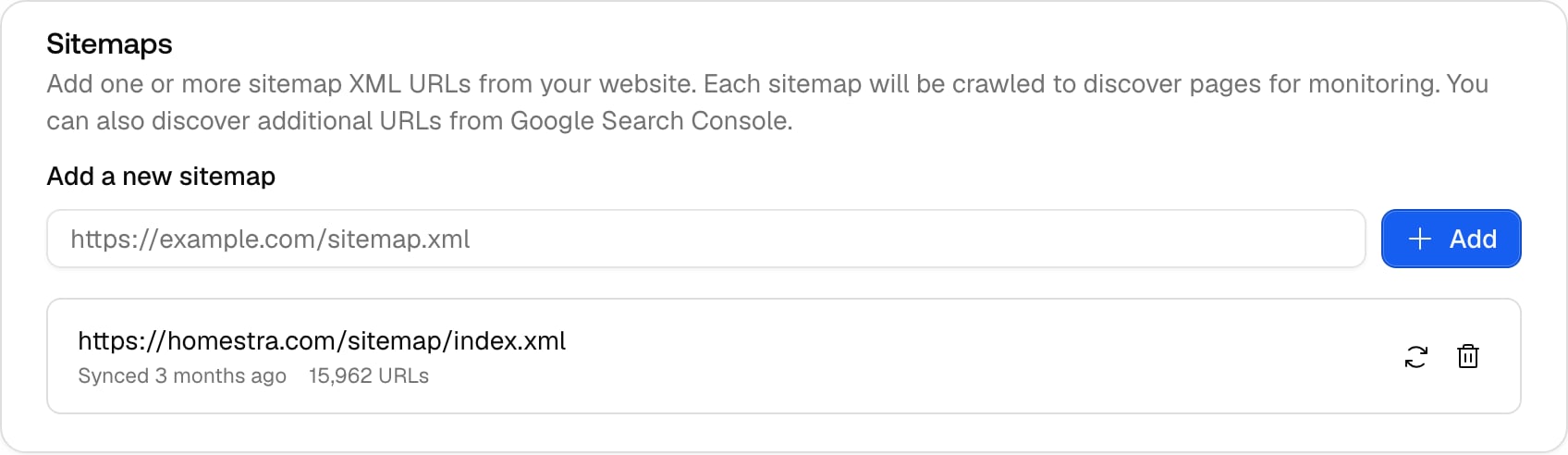
- Click Settings at the bottom of the rail. It opens on Sitemap under Project settings.
- In the Sitemaps card, paste your .xml URL into the Add a new sitemap field, for example
https://yourdomain.com/sitemap.xml. - Click Add. The sitemap syncs straight away and a toast reports how many URLs were added.
How to connect Google Search Console
The connection has two levels: the Google account belongs to the organisation, and the property is attached per project.- Connect the account. Click Settings at the bottom of the rail, then under Integrations open Search Console. Click Connect Google Account (or Connect Another Account if one is already connected), sign in with Google and authorise Promptwatch.
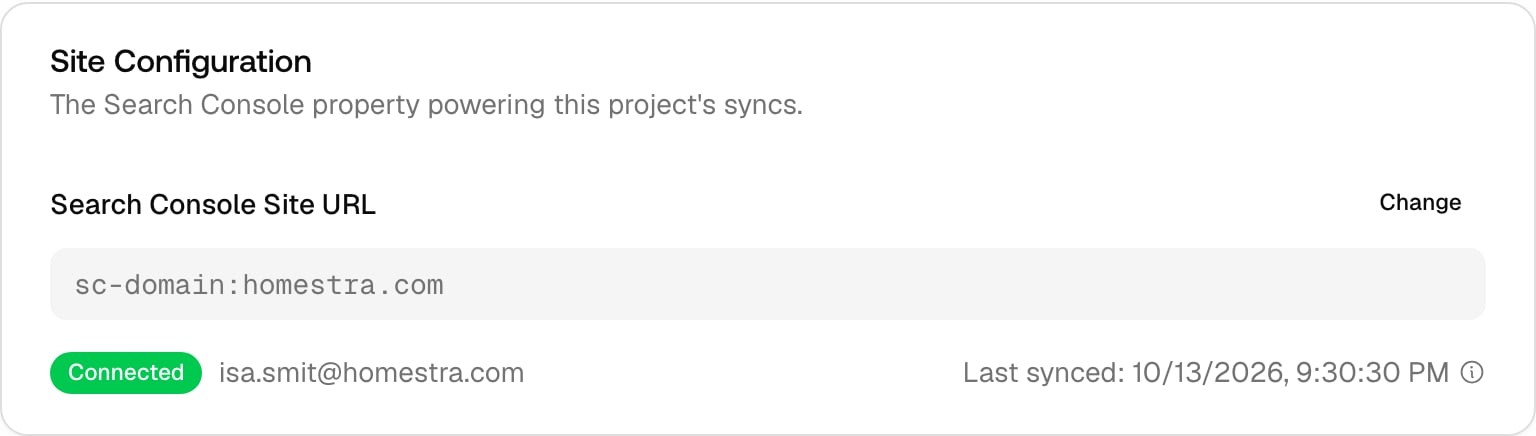
- Attach the property to the project. Under Project settings, open Search Console. If no account is connected yet, this page shows a Connect Google Search Console card with a button of the same name that starts the same Google sign-in and brings you back here. After authorising, the “Connect GSC to your project” dialog opens: pick the property and click Connect search console. You can also change it later in the Site Configuration card, in the “Search Console Site URL” select. If the property’s domain differs from the project’s website, a “Domain does not match” warning asks you to confirm.
- Decide what to sync. On the same project page, use Add URLs to sitemap, Sync Performance Data (1 Year), and the Automatically add GSC URLs to sitemap switch.
Where to see the result
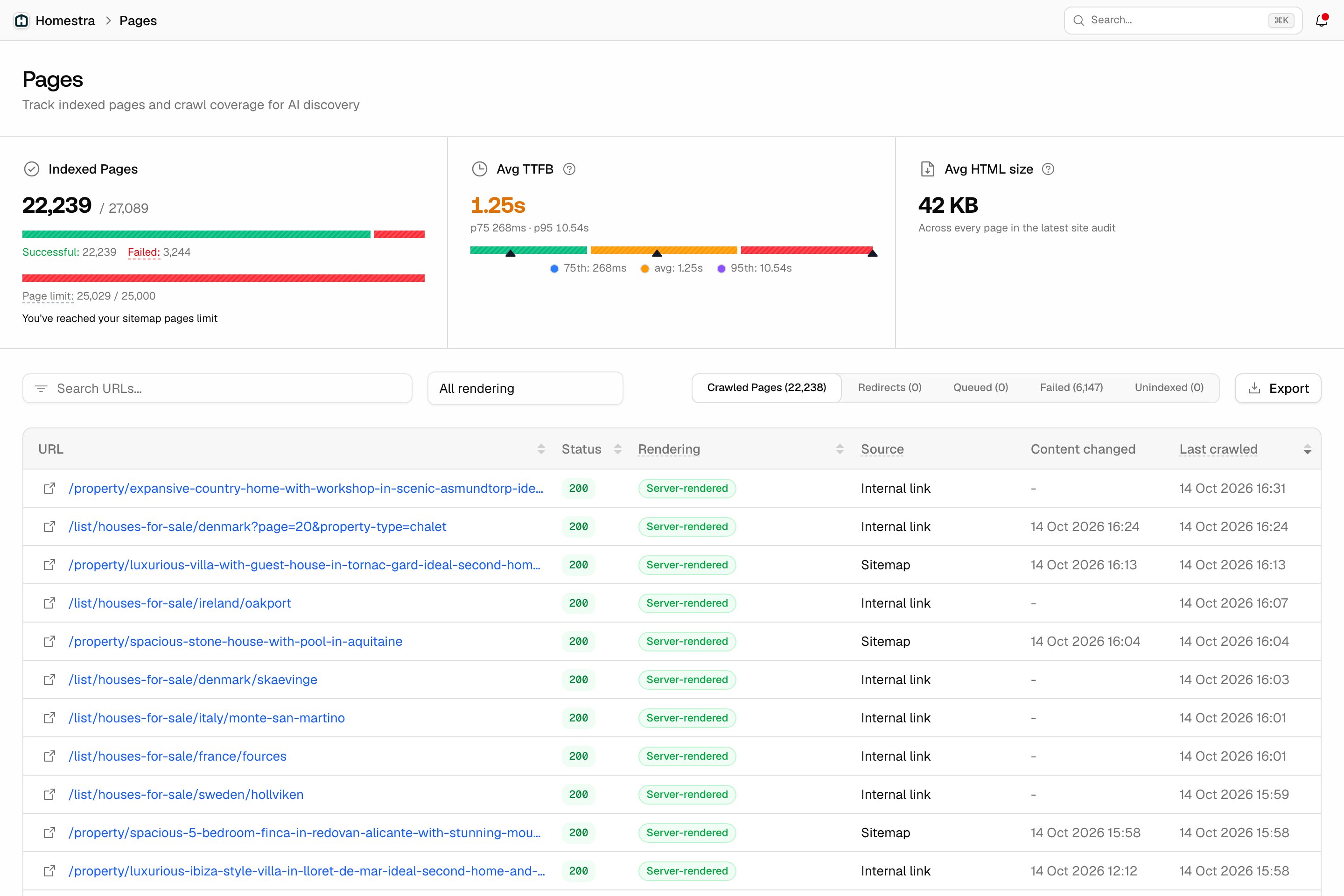
- Site → Pages: the inventory. Three stat cells at the top (Indexed Pages with a bar and the page-limit meter, Avg TTFB with p75 and p95, Avg HTML size; the last two read from the latest audit run), then tabs Crawled Pages, Redirects, Queued, Failed and Unindexed above a table with columns URL, Status, Rendering, Source, Content changed and Last crawled.
- Site → Health: the weekly audit over the same inventory, whichever source filled it.