

The agency model: a project per client
On Promptwatch, a project is one brand: its monitors, competitors, crawler data, and reports. Agencies run one project per client, so each client’s data stays clean and separate. The agency plans, Kick-off, Growth, and Scale, are built around this. They include unlimited projects and unlimited pitch projects, so you never have to delete one client to make room for another. In exchange, the agency track trades away some brand-specific extras, like 360 Insights and shopping insights, for breadth across many clients. See plans and billing for how the tiers compare.Pitch projects: a workspace for every prospect
A pitch project is a full project you stand up for a prospect before they sign. It behaves like any project, with one difference built for sales: it can auto-stop on an end date, so a demo you set up does not run forever, and its monitoring draws from your regular usage quota while it runs. On the agency plans, pitch projects are unlimited, so you can spin up a workspace for every prospect without watching a quota. Creating a pitch project is an organization owner action. In the create-project flow, turn on Is this a pitch project? and, if you want it to stop on its own, set an end date. Everything else is the normal project setup: connect the site, add competitors, and build the monitors that will make the audit.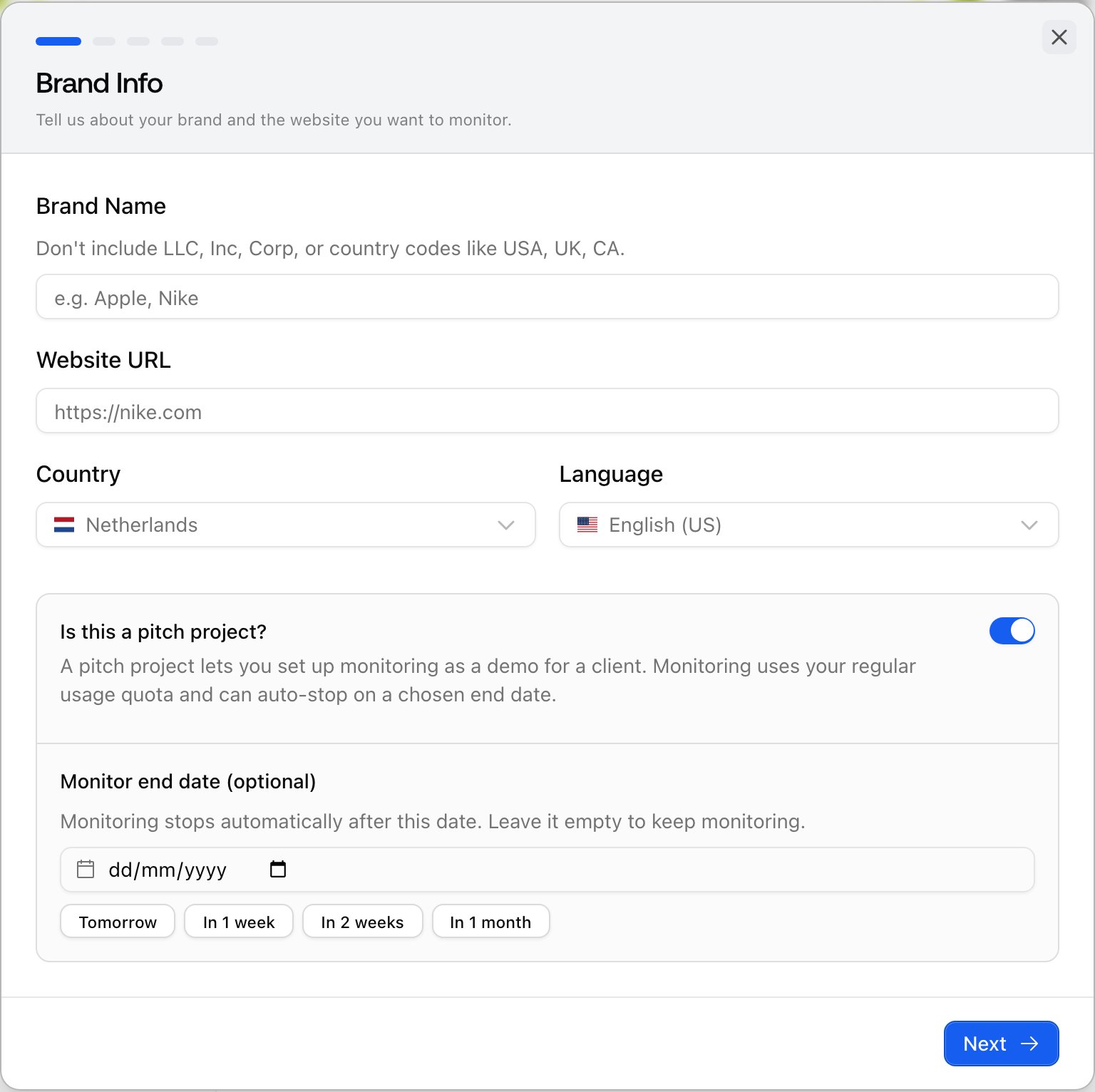
The workflow: audit, report, convert
1. Stand up the pitch project
Create the pitch project for the prospect and set up enough to be convincing: a monitor or two on the prompts that matter for their category, their real competitors, and, where it helps, their site connected for crawler and citation data. You are not building their whole program yet, just enough to show them where they stand.2. Read the audit
Let the monitors collect, then read the result the way the prospect would care about it: their share of voice against named competitors, the prompts where rivals appear and they do not, and the sentiment of the answers that do mention them. This is the gap that a prospect rarely knows exists, and it is the substance of the pitch.3. Turn it into a report you can send
Prospects will not log in, so hand them a PDF. On the dashboard, click Export, choose the Instant report tab, and generate a snapshot of the project. It is branded, self-contained, and makes the case on its own. See PDF reports for what a report contains and how to scope it.4. Convert the ones that sign
When a prospect becomes a client, you do not rebuild anything. In the left rail, open Settings, choose Projects under Organization settings, and open the pitch project’s menu and choose Convert to normal project. The conversion clears the monitors’ end dates and resumes their schedules, so the history you built during the pitch carries straight into the client relationship. Conversion is one-way and is an owner action.Reporting to clients you keep
Once a client is live, reporting should run without you. There are two paths, and agencies often use both:- Scheduled PDF reports: the same branded report on a cadence. In the Export dialog, switch to the Scheduled report tab, set how often it goes out and the lookback window, choose recipients, and create the schedule. From then on the PDF is emailed on schedule, and you manage every schedule on the Scheduled Reports tab of Reports (press ⌘K, or Ctrl+K on Windows, and search for Reports, or use the View schedules link in the confirmation message after you create one). Sharing reports covers recipients and delivery in full. Recipients are people on your organization, so add a client contact as a member with access to only their project.
- Looker Studio: a live dashboard for clients who want one rather than a document. Create a read-only project API key scoped to that single client, connect it once in the Promptwatch Looker Studio connector, and the client gets a dashboard that refreshes on its own. One key and one data source per client keeps each account isolated. The connector exposes the core metrics, from visibility, sentiment, and share of voice to prompts, monitors, crawler trends, and visitor analytics, so it covers standing reporting well.