
Promptwatch Logo

Promptwatch Changelog

Stay up to date with the latest features, improvements, and announcements from Promptwatch. We're constantly working to make your AI search visibility tracking and optimization better.

September 2026

New Feature

Prompts: Topics by Competitor & by Position

The Topics tab on the prompts page has two new views next to the default table. By Competitor is a heatmap of visibility per topic for your brand and your competitors. By Position ranks the brands per topic. Both follow the date picker and can be searched and filtered by tag.
Announcement

Visitor Analytics on Agency Plans

Agency plans now include visitor analytics: 500K monthly page hits on Kick-off, 2M on Growth, and 15M on Scale. You can see how much traffic AI search sends to each client's site, next to their AI visibility.

Screenshot for Custom Dashboards
New Feature

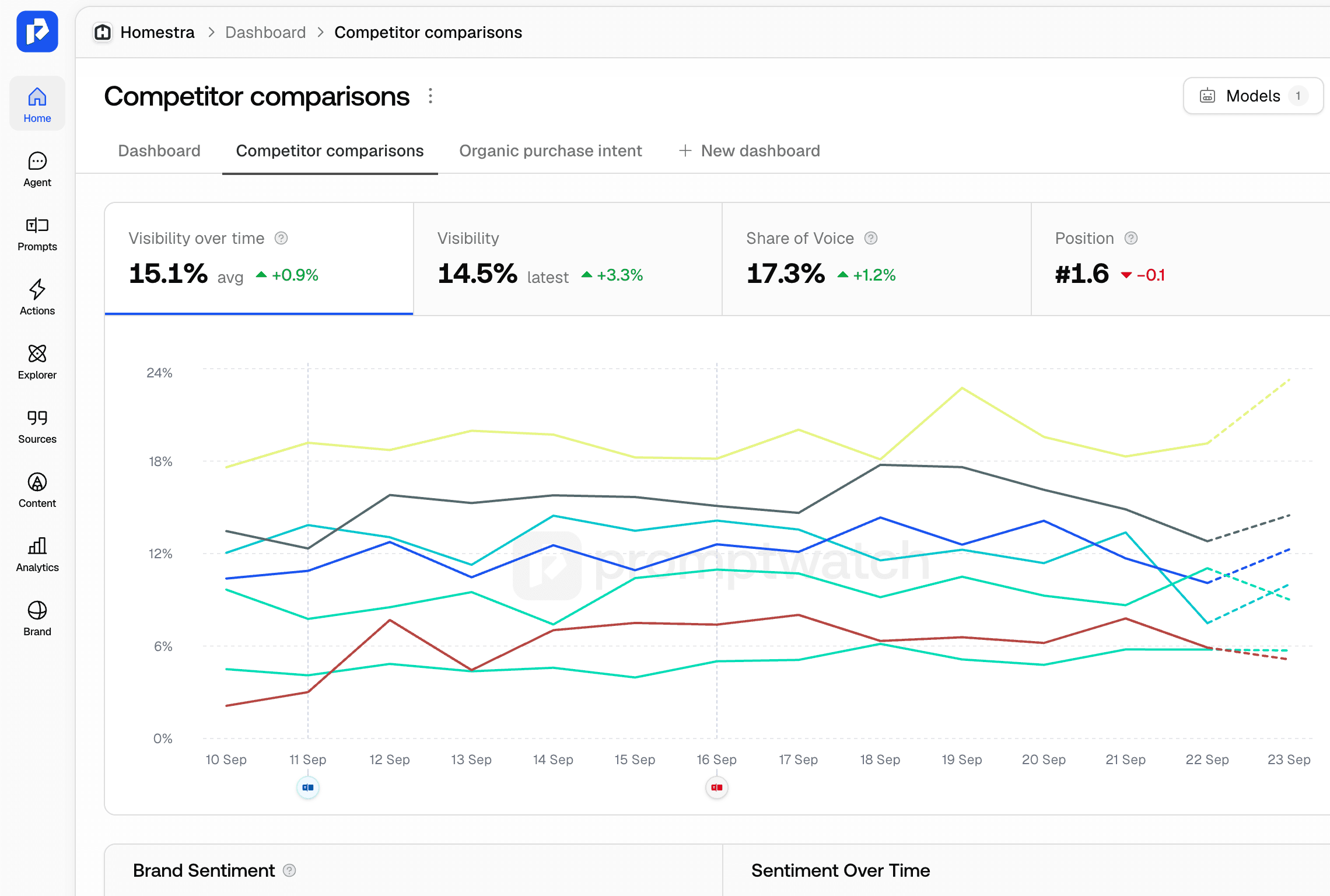
Custom Dashboards

Save the Overview with your own filters as a dashboard. Each saved dashboard gets its own tab and keeps its date range, models, prompt types, topics, and monitors, so the view you check every week is one click away. Share a dashboard with the team or keep it personal.

Improvement

Smaller Improvements

A choice of 7 to 28 top cited domains, the date picker in Page Tracker, nine models for new projects, and a confirmation before removing a sitemap.

Bug Fix

Bug Fixes & Stability Improvements

Fixes for stalling Topic insights, recrawls that wiped content data, content gap reports that re-analysed closed gaps, and AI Overview rendering.

Improvement

Usage Alerts Before You Hit Your Limits

When your organization reaches 85% of its agent credits, articles, or prompt responses, Promptwatch opens the usage overview once so you see it coming. Credits and articles can be topped up with an add-on right there; for responses you get a plan upgrade. Only organization owners see these alerts.

New Feature

Starting Prompts for New Monitors

Creating a monitor now suggests a set of starting prompts before you save, so a new monitor starts collecting answers right away instead of sitting empty. New projects also get two extra monitors after onboarding, each aimed at a different country or city, so you see how your visibility changes between markets from day one.

New Feature

Prompt Explorer: Prompts From Ranking Keywords

Prompt Explorer has a new Ranking keywords tab. Enter a page or domain and Promptwatch looks up the Google keywords it ranks for, then turns them into prompt suggestions you can add to a monitor. It sits next to the Search Console, People also asked, seed query, and website page sources.

New Feature

API: Search Insights, LinkedIn Citations, Usage & One-Call Project Setup

The REST v2 API and MCP server picked up several new endpoints. Google Search Console and Bing Webmaster page and trend data are available per engine, LinkedIn citations sit next to Reddit and YouTube, and organization-level keys can read a usage report with plan totals and a per-project breakdown. Agencies can also create a project, enrich it, and generate up to three monitors with prompts in a single call, and the MCP createMonitor tool accepts the same prompt options as REST.

Improvement

Content Agent: Bulk Actions & Content in the Prompt's Language

Select several pieces on the Content Agent page and accept, decline, or publish them in one go. Failed pieces can now be deleted, from the bulk toolbar or the detail sheet, with an option to delete the linked draft as well. Content is also written in the language of the target prompt or monitor, so a Dutch prompt gets a Dutch article without changing any settings.

New Feature

Prompts: Rank by Topic & Model Filter

The prompts page can now rank brands per topic. Each topic row shows the top 10 brands by visibility over the last 30 days, with your own brand highlighted, so you can see who owns each topic at a glance. The By rank view can be exported, and the prompts list has a model filter that also scopes the prompt type and intent bars.

Improvement

AI-Generated Persona Avatars

New personas get a generated portrait that shows up in the Brand Book and on response cards, with a letter placeholder while the image is being made. Personas also have an optional gender field.

Improvement

Live Previews in Every Export

Every export dialog now shows a 10-row preview next to its filters, so you can check the output before you download it. Most export types also let you pick which columns to include, and the responses export was redesigned around the new layout.

Improvement

New Project Setup Guide

The onboarding checklist in the sidebar now opens a setup guide. Tasks are grouped into steps, and adding a sitemap, inviting teammates, and connecting Google Search Console can be done right inside the guide. Items that don't apply to you can be dismissed.

Improvement

Tracking Keeps Running During Payment Retries

A failed payment no longer pauses your data. While a subscription is past due, prompt responses, crawler logs, visitor analytics, and Search Console and Bing syncs keep running, so there are no gaps in your charts once the invoice is paid. Chat, reports, publishing, and the Content Agent stay paused until then.

New Feature

AI Field Mapping & AI Fill for Webflow and Framer

Connecting Webflow or Framer now suggests how each CMS field should be filled, and Promptwatch can use AI to fill fields that don't map to anything in the article, like categories, references, or custom text. Field help text from your CMS is shown in the mapping, and AI-filled fields are marked so you know which values were generated.

Improvement

Stackable Page Path Filters

Visitor and crawler analytics can now stack include and exclude rules on page paths, matched partially or exactly. Every chart, table, and crawler export on the page uses the same filter, so you can, for example, look at blog traffic without the tag pages. GEO 360 Topic insights also has a page URL filter that narrows the landscape, top topic cards, and topic sheet to matching pages.

New Feature

Crawler Logs for WordPress

WordPress is now an option in the crawler log setup. Install the Promptwatch plugin, paste an API key, and AI crawler visits start coming in without touching your server or CDN config.

Announcement

Country-Level Tracking on Every Paid Plan

Essential and Professional plans can now run monitors in any supported country, the same as Business and agency plans. Explore stays tied to the project's country.

Start Tracking Your AI Visibility

Join thousands of companies using Promptwatch to monitor and improve their presence in AI search results.

Promptwatch Dashboard