Improvement
Monitor Filter on the Main Dashboard
You can now filter the main dashboard by monitor, making it easy to focus on one market or product line at a time. Exports now include the monitor ID as well.

You can now filter the main dashboard by monitor, making it easy to focus on one market or product line at a time. Exports now include the monitor ID as well.
We now track brand visibility on GPT 5.6 Luna, OpenAI's newest model. Older deprecated models are automatically cleaned up from your monitors so your data stays focused on models people actually use.
Topics, Reddit, and YouTube endpoints in the REST v2 API and MCP server, plus citation counts in the Page Tracker list.
The weekly action digest email has been redesigned: top-priority items get their own cards, the layout is fully mobile-responsive, and it renders correctly in dark mode.
Accidentally deleted a project? You can now restore recently deleted projects yourself from the settings page, no support ticket needed.
Prompt visibility trends can now be exported to CSV, matching exactly what you see in the table. This joins the recently added monitor overview CSV export with synced visibility windows.
Competitor domains are now highlighted in source citations, so you can spot at a glance when AI answers cite your competitors' content instead of yours. Offsite mentions now correctly include mentions of your own brand too.
Prompt tracking keeps expanding globally: French (Belgium) is now a supported language, and Bahrain plus a range of West African countries are available as tracking locations.
When a page can't be crawled, the app now explains why, for example when a page isn't HTML or its content is too large to process, so you know whether to fix something or simply move on.
A new weekly progress email summarizes your key metrics and visibility changes per project, so your whole team sees how AI search performance is trending without opening the dashboard.
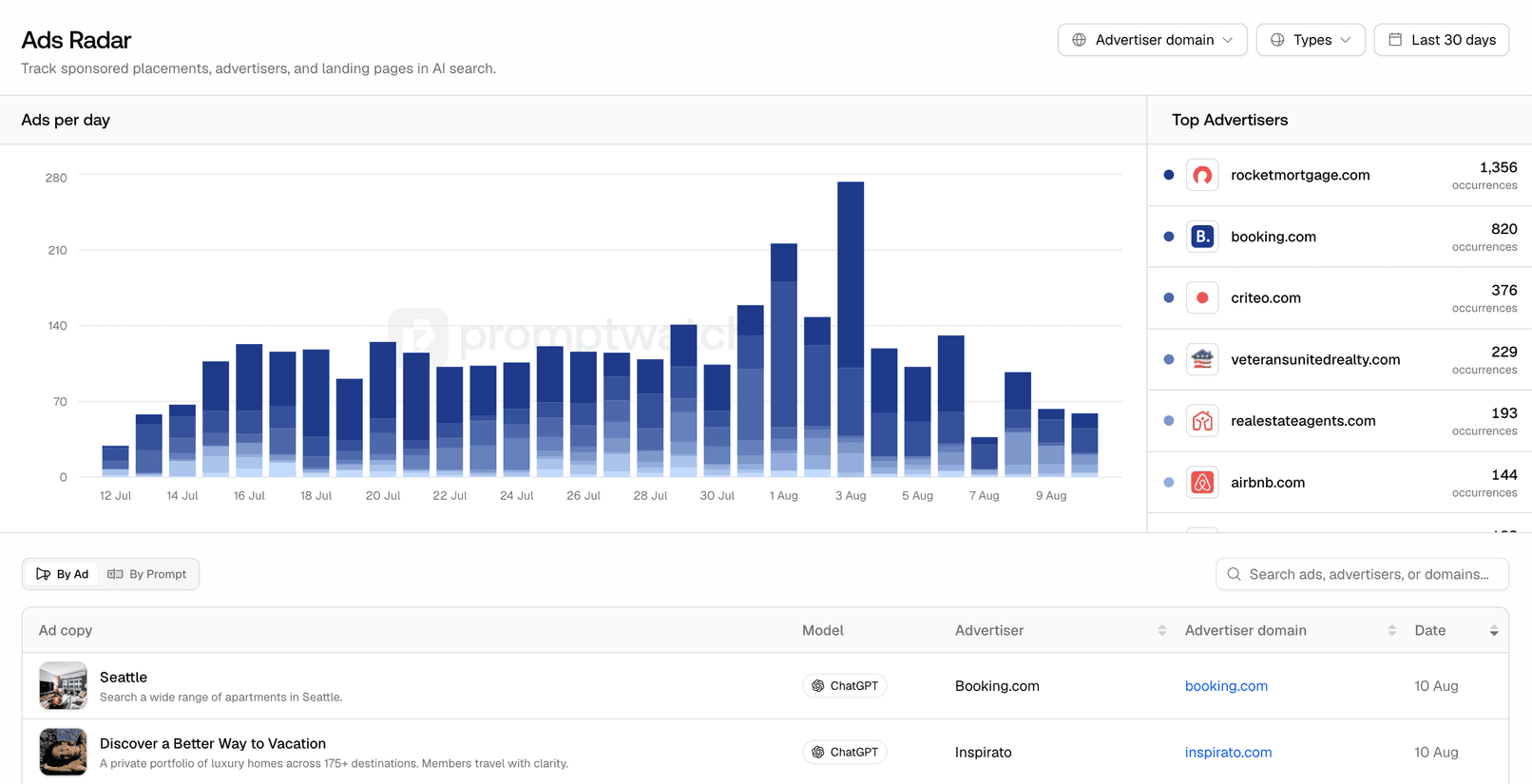
AI search now shows sponsored placements, and your competitors may already be in them. Ads Radar automatically detects ads inside AI answers and gives you a full dashboard of who's advertising, on which prompts, and where they send the traffic.
A faster prompts table, exact dates in usage limit emails, and validated timezones for report schedules.
Setting up crawler log tracking on Cloudflare is now a one-click experience. Promptwatch can deploy the crawler-log Worker to your Cloudflare account automatically, with no copy-pasting scripts or manual Worker configuration required.
You can now create read-only API keys. They work across the REST API and MCP server but block all write operations, perfect for dashboards, analysts, and AI tools that should see your data without being able to change it.
Action items that call for social engagement now include ready-to-use social post drafts, so you can go from recommendation to published post in minutes.
Shopping's My Products just got more powerful: generate tracking prompts directly from your tracked products (up to 50 at a time) and filter products by match status, so you always know how your catalog shows up in ChatGPT shopping results.
Agency plans now include unlimited projects, and pitch projects are unlimited too, so you can spin up a workspace for every prospect without worrying about quotas.
The Trends page now has a prompt search bar, so you can jump straight to the prompts you care about inside the visibility heatmap.
If you have outstanding organization invitations, they now appear right at login so joining your team's workspace is one click instead of a hunt through emails. Crawler log tracking is now also available on all agency plans.
Topics are a new way to group and analyze your tracked prompts. Assign topics to prompts and filter your analytics (visibility, sentiment, citations) by topic to see exactly how each theme performs in AI search.
Join thousands of companies using Promptwatch to monitor and improve their presence in AI search results.

