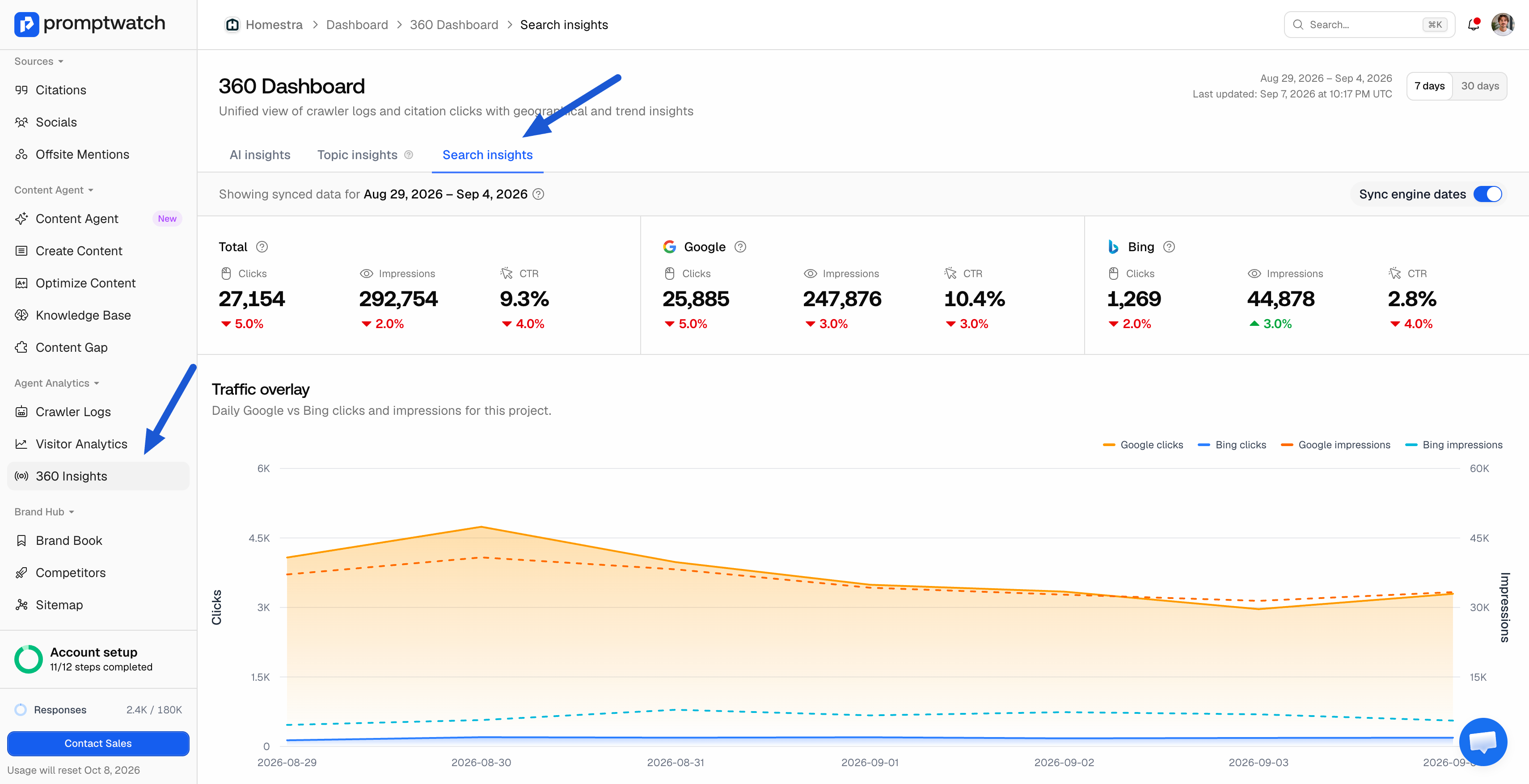
Promptwatch now pulls a full Google Search Console connection at page level, and Bing Webmaster data alongside it so Promptwatch, Google, and Bing data on the same page all show up in one place instead of three.
What's new
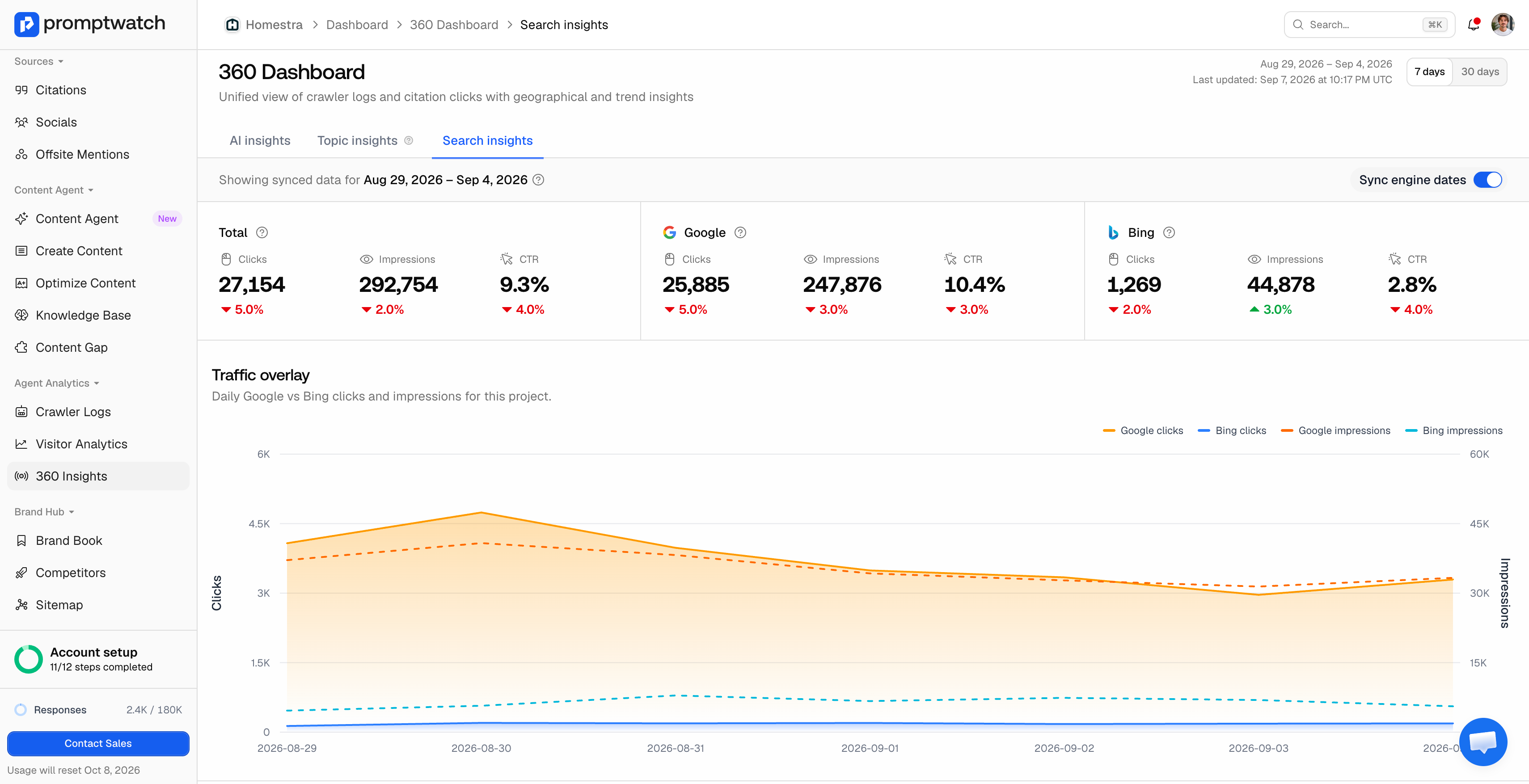
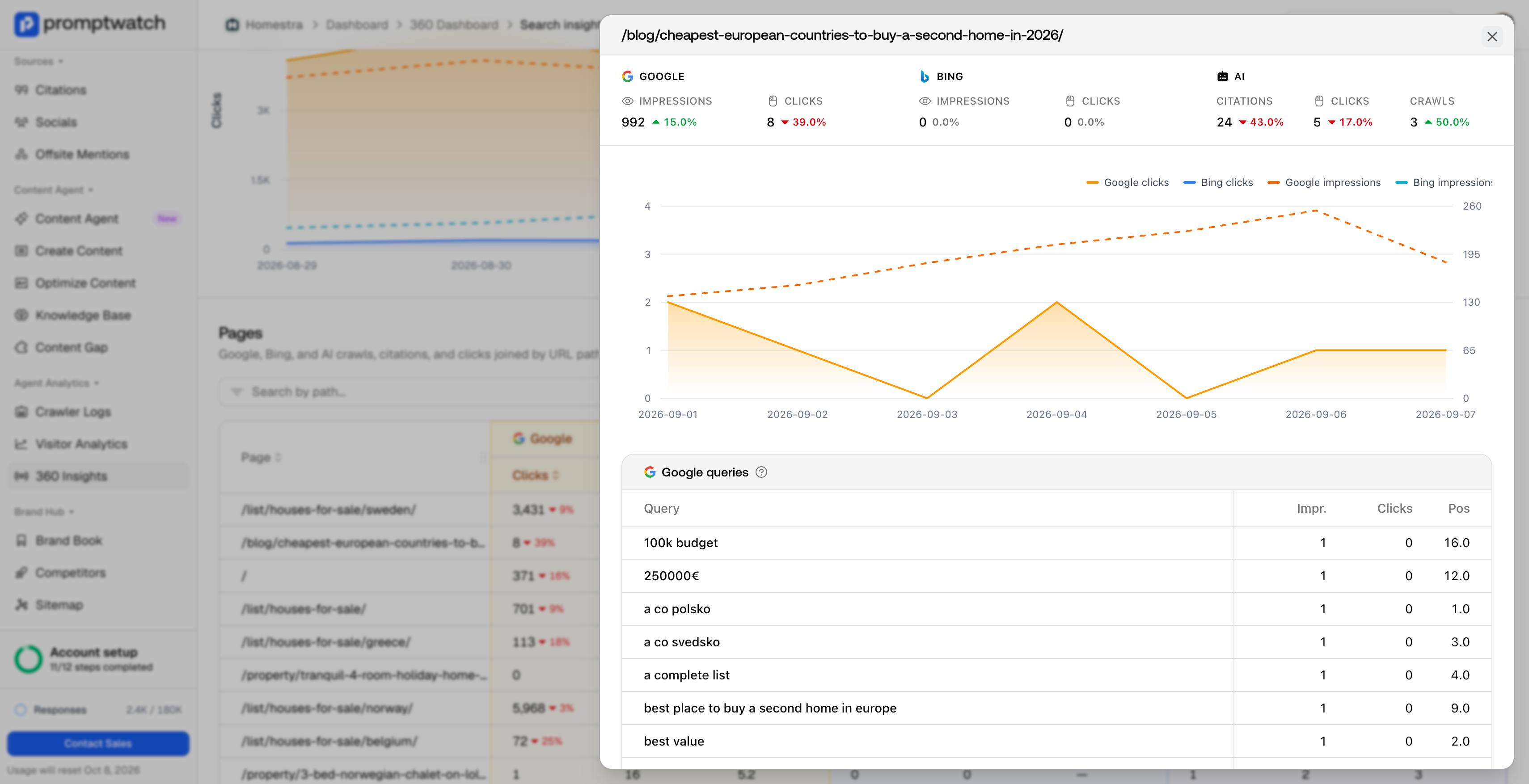
The Google Search Console connection has been rebuilt to sync more data, at the page level, so position, clicks, and impressions can be checked page by page rather than only in account-wide totals. Bing Webmaster now connects the same way. For each page, you get a single row showing how it's doing in Promptwatch's own tracking, in Google, and in Bing one roll-up instead of three separate exports to reconcile by hand.
The Pages view
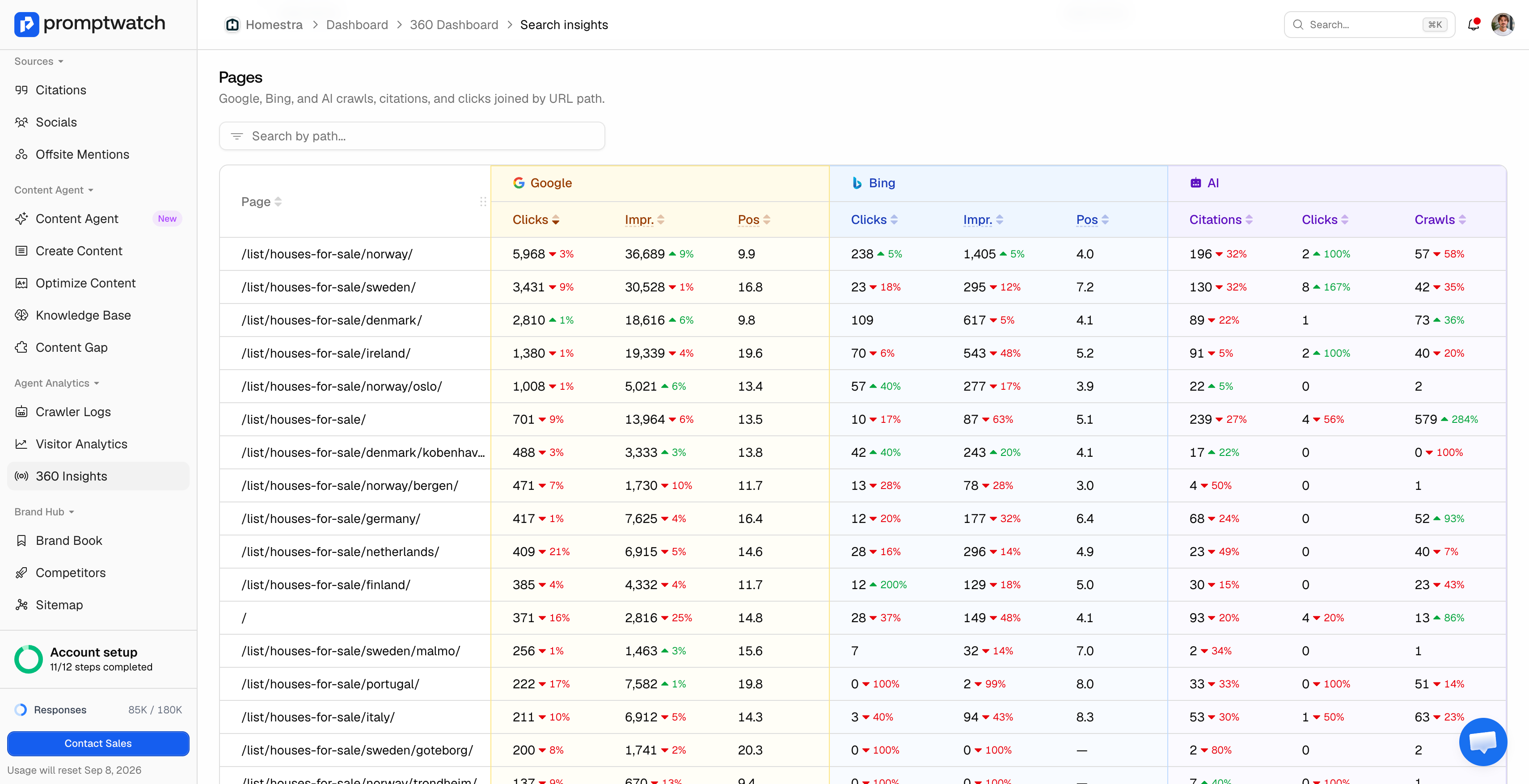
The clearest way to see this is the new Pages table, which lists every URL on the site as one row and lines up Google, Bing, and AI side by side as three column groups. Google shows clicks, impressions, and average position; Bing shows the same three metrics; AI shows citations, clicks, and crawls all sourced straight from Promptwatch's own tracking rather than a separate export. Every metric carries a period-over-period change indicator, so a page that's losing Google clicks but gaining AI citations and crawls shows both trends in the same glance, sortable by whichever column matters most and searchable by URL path.
That combination is the point. A page can be sliding in traditional search while becoming more useful to AI Search more citations, more crawler activity and a Google-only or Bing-only report would only ever show the decline. Reading crawls, citations, and clicks together for the same URL, next to what that URL is doing in Google and Bing, is what makes it possible to tell "this page is underperforming" apart from "this page just moved channels."
Why Bing, and why now
Bing Webmaster has historically been a low priority for most marketing teams; a handful of clicks a year wasn't worth the setup time. That's changed with AI Search: Bing's index is what powers Copilot and a number of other AI engines, so Bing Webmaster data is now a real signal for AI visibility, not just a legacy search console nobody opens. Connecting it gives visibility into a data source that traditional SEO tooling has mostly ignored, at exactly the point where it started to matter for AI Search.
Setup
If a site's Google Analytics is already verified in Promptwatch, connecting Bing Webmaster doesn't require repeating that verification. Bing accepts the existing Google Analytics verification and confirms ownership from that, so there's no separate proof-of-ownership step to redo. Once connected, data typically syncs within about ten minutes; no code changes are needed for either connection.
Where this data goes next
This isn't just a reporting add-on. Search Console and Bing Webmaster data feed Topic Insights, the topic-level view added to the 360 Dashboard this same week click data from both sources is one of the signals Topic Insights uses to show how a topic performs across the full crawl-to-citation-to-click funnel. The same data also already reaches Content Agent, which has access to Search Console queries when it drafts and optimizes content, so a stronger connection here means better-grounded briefs, too.
Adoption on the Google Search Console side has been high since the update went live Promptwatch has already collected well over 100 million data points from Search Console across customer accounts, which is part of why this got prioritized: it's one of the highest-value connections a customer can make, and most already had.
Where to find it
The Google Search Console connection lives in account settings, the same place it always has, with more page-level data flowing through now that it's synced. Bing Webmaster is rolling out alongside it if you don't see it yet in your account's setup checklist, reach out and Promptwatch can turn it on.