

What is a response?
A response is one AI model’s answer to one prompt on one scheduled run. If a monitor tracks 50 prompts across 4 models daily, it produces 200 responses a day. Each response stores the full answer text, plus everything analysis extracts from it. Responses are the atoms of Promptwatch. Every chart you see, visibility, Share of Voice, sentiment, citations, is an aggregate over responses, so when a metric surprises you, the responses behind it are where you find out why. How many you collect is governed by your plan’s prompt and response limits; see response limits.What gets extracted from a response
After a response arrives, it is analyzed, and the analysis pulls out several layers:- Brand mentions: every brand discussed in the answer text, yours and competitors’. One mention per brand per response, however often the name appears, so mention counts read as “answers we appear in”. Each mention of your brand carries a visibility score and a position in the answer, plus a sentiment score when the tone is determinable.
- Citations: the source URLs the model attached to its answer, recorded with domain and position among the sources. Promptwatch groups them as Inline Citations (cited in the text), Footnotes (listed in a footnote) and Search Results (pages the AI browsed while searching but did not cite in the answer). Citations only appear reliably on live-search models; a training-data answer with zero citations is normal. See Citations vs. mentions and understanding sources.
- Sentiment: a score on a 100-point scale for how positively the response discusses your brand, scored independently of how visible you are. See Sentiment score.
- Enrichments: structured extras the model returned alongside the text: entity cards, shopping results, news items, ads, and also images, tables and local businesses. These matter because a shopping carousel or ad can shape the answer more than the prose does.
- Query fanouts: the sub-queries the model actually searched while composing the answer, which often differ from the prompt you asked. See Query fanouts.
Reading the responses list
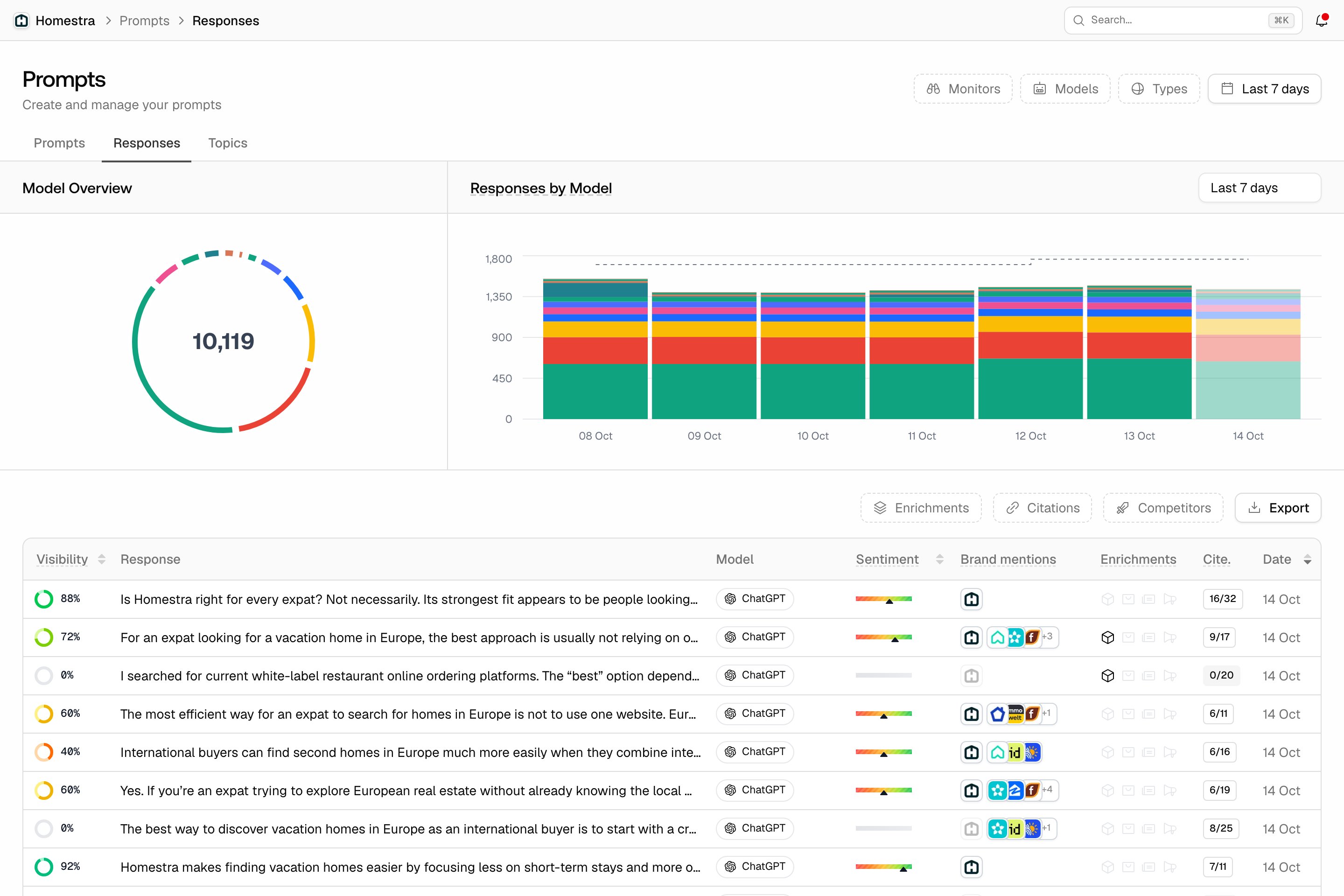
Click Prompts in the left rail, then the Responses tab in the page header. The tab lists every response in the selected date range. The same list also exists per monitor (click Prompts, then Monitors, open a monitor, then its Responses tab) and on each prompt’s own page, scoped to that monitor or prompt. Two charts sit above the table: Model Overview, the share of your responses per model, and Responses by Model, response volume over time per model with its own range selector (last 7, 14 or 30 days; the default is 7). Responses only show up once analysis has completed, which can take up to 48 hours, so the most recent day is often still filling in; see data freshness. AI Overview counts in particular can fluctuate. Each row shows the extraction results at a glance, in this order:- Visibility: the response’s score for your brand, zero meaning you didn’t appear.
- Response: a preview of the answer text.
- Model and Sentiment (shown as a bar).
- Brand mentions: which brands appeared, with yours marked.
- Enrichments: icons for entities, shopping, news and ads detected in the response.
- Cite.: your self-citations against the total citations, so “0/12” means twelve sources and none of them yours. Click a non-zero badge to open a “Cited URLs” popover listing the pages of yours that were cited.
- Date: when the response was received.
Reading a single response
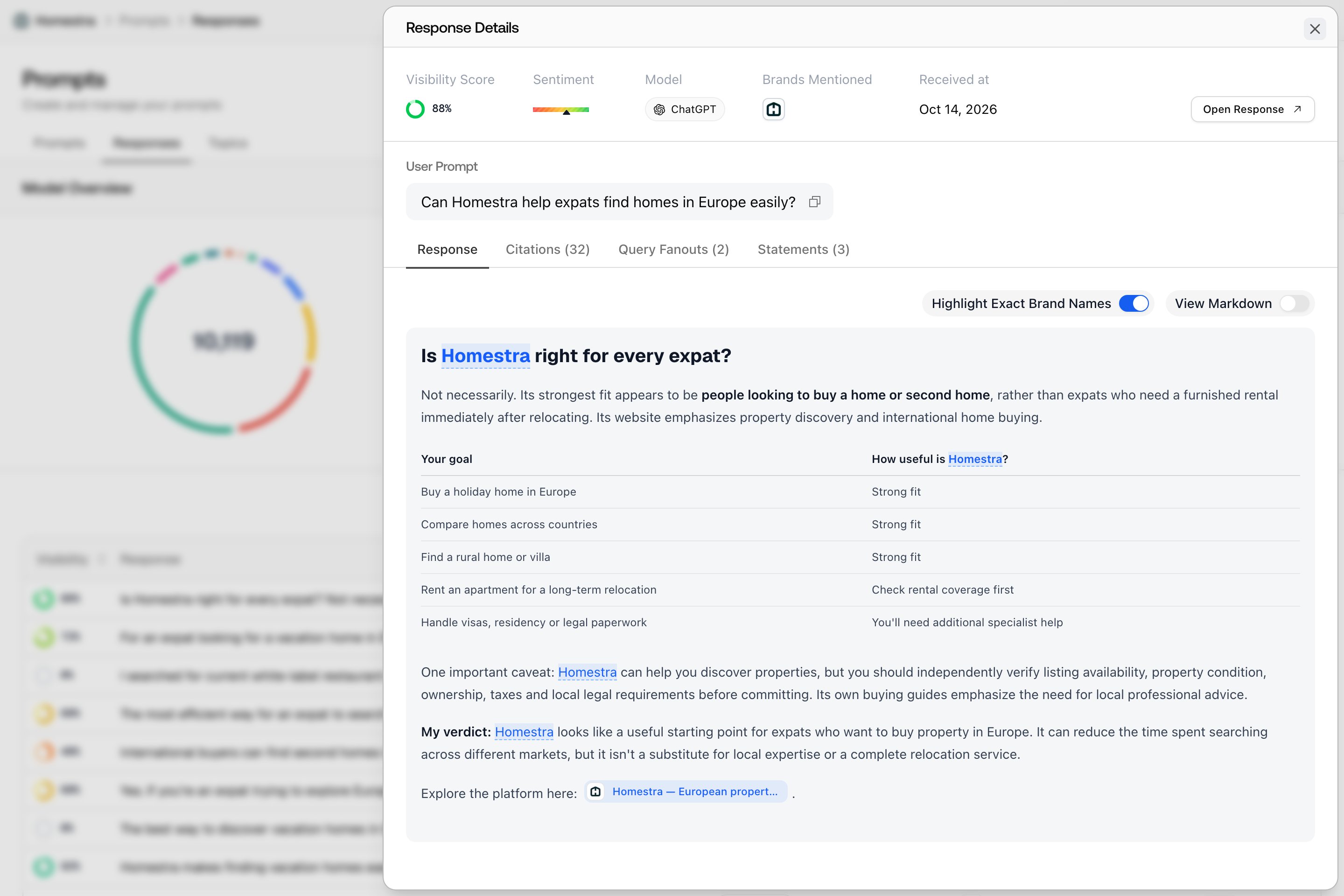
Click a row to open the Response Details sheet. The header repeats the key stats (Visibility Score, Sentiment, Model, Brands Mentioned, Received at) above the User Prompt that was asked and, when the monitor uses one, the avatar of the persona it ran under. An Open Response button takes you to the response’s full page. Below the header, tabs:- Response: the full answer, always there. When brands were detected, toggle Highlight Exact Brand Names to mark them in the text. The highlights are a reading aid: they don’t represent the visibility score, and they are not shown in markdown view. Toggle View Markdown to see the stored markdown when the response has it (older AI Overview responses only store a text preview).
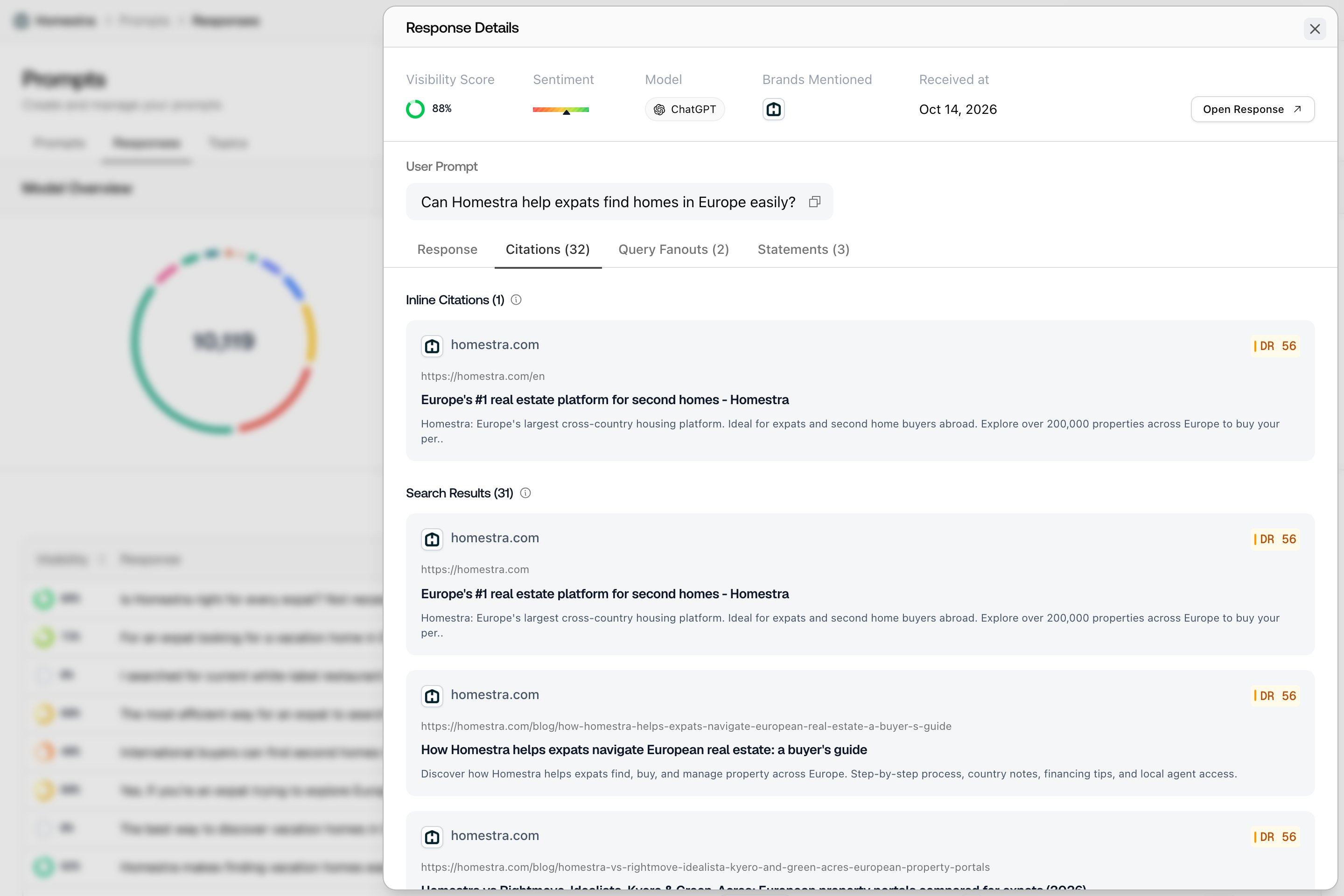
- Citations (N): the answer’s sources, grouped under Inline Citations, Footnotes and Search Results with a count per group, each one clickable for page details. Appears when the response has citations.
- Ads (N) and Query Fanouts (N): shown when the response contained them.