What the AI Settings page is
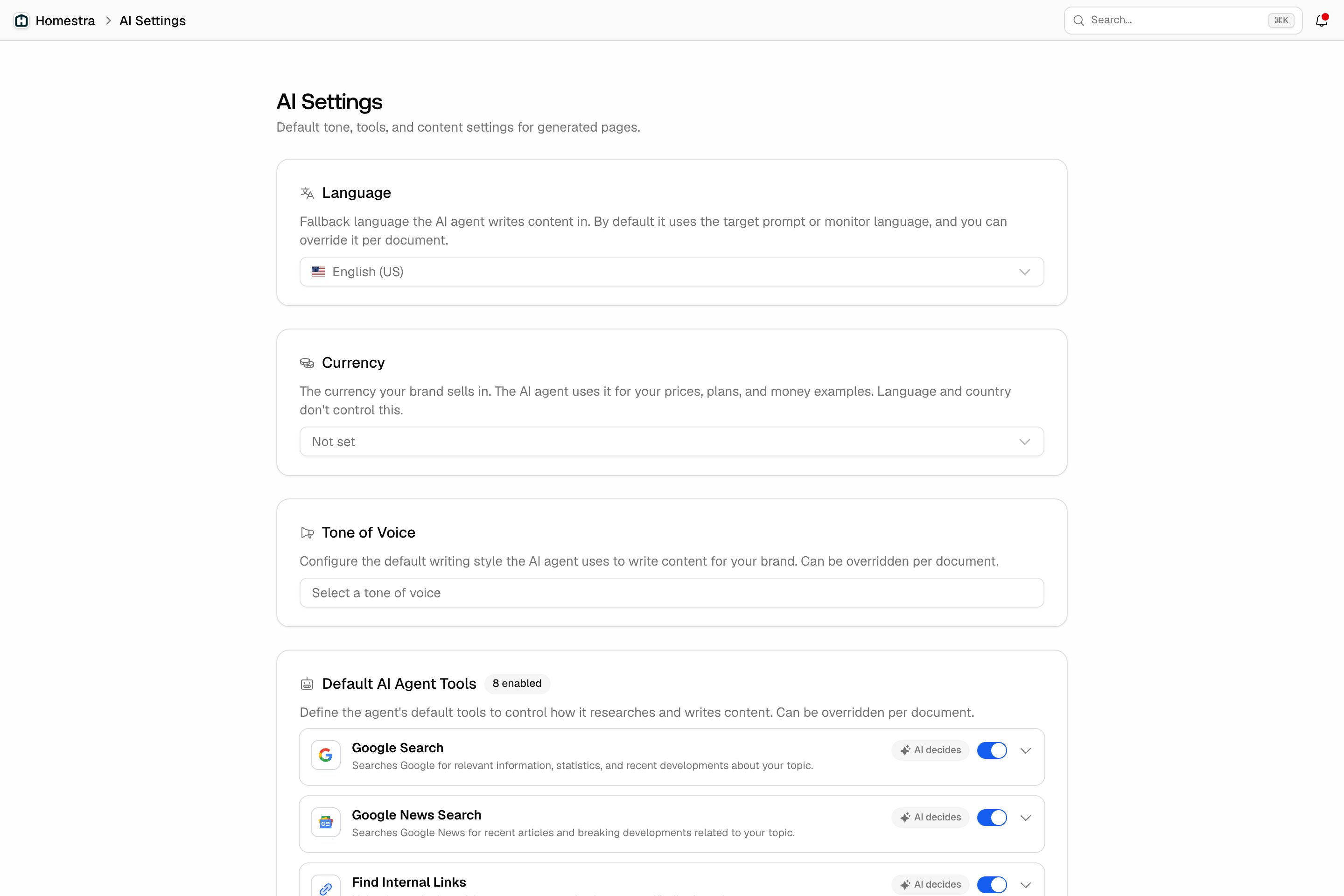
The AI Settings page holds the defaults the content agent starts from every time it researches or writes for your project. Each setting can be overridden per document, so this page is the baseline: set it once, and Content Creation runs, Content Refresh runs, automated Content Agent drafts, and content you ask Agent Chat or MCP to create all start from it. One thing it does not do: change how Agent Chat answers questions. It only shapes the content the agent generates. To open it, click the Brand tile in the rail, then choose AI Settings in the inner navigation. It sits next to Brand Book and Personas, not inside them. The page header reads “Default tone, tools, and content settings for generated pages.”The defaults you set once
Each card notes that it can be overridden per document.- Language: the fallback language the agent writes in. A document uses its own language first, then the target prompt’s, then the monitor’s; this default applies only when none of those is set.
- Currency: the currency your brand sells in, used for prices, plans, and money examples in generated content. Language and country settings do not control this.
- Tone of Voice: the default writing style. Ten presets (Professional, Casual, Technical, Conversational, Neutral, Authoritative, Friendly, Persuasive, Formal, Witty) plus Custom, which opens a Custom Tone Description field. A custom tone needs a description; saving without one fails.
- Default AI Agent Tools: the research and writing tools the agent may use, with a badge showing how many are enabled. The eight tools are Google Search, Google News Search, Find Internal Links, Crawl Website, Generate Featured Image, Take Screenshot, Analyze Reference Pages and Search Knowledge Base. Each has a switch, and an enabled tool carries a badge reading AI decides or Always use; expand a tool to choose Allow AI to decide or Always use, so you can leave a tool available for when it helps or make it part of every run. It is the same list Content Creation shows per run. Search Knowledge Base draws on your Knowledge Base.
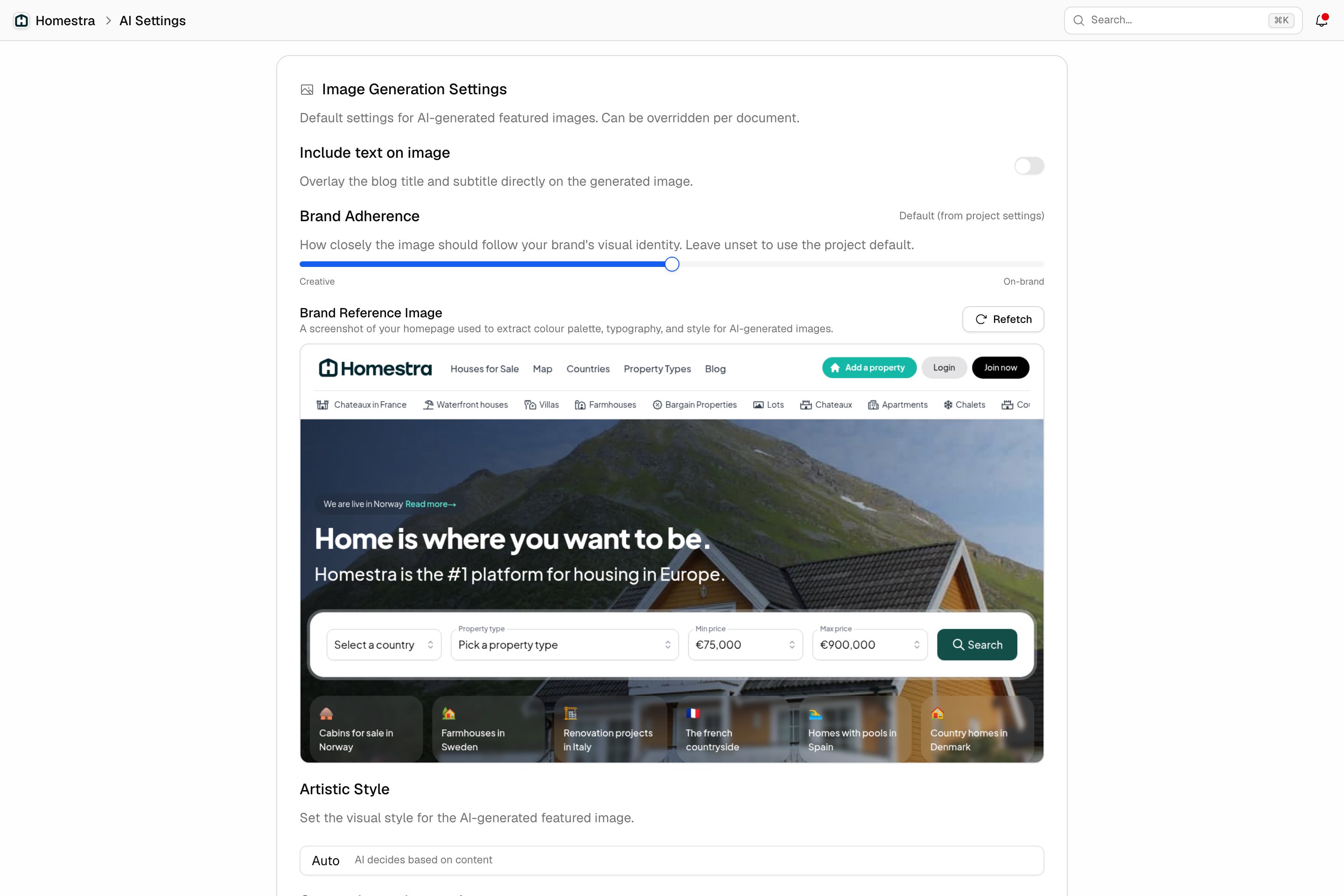
- Image Generation Settings: the defaults for AI-generated featured images. These apply only when the Generate Featured Image tool is enabled; otherwise the card shows a notice that AI images are disabled and the controls are greyed out. The settings are Include text on image (overlay the title and subtitle on the image), Brand Adherence (a slider from Creative to On-brand), Brand Reference Image (a screenshot of your homepage the agent uses for colour palette, typography and style; Refetch captures a new one), Artistic Style (Auto, where the AI decides based on content, or Photo Realistic, Flat Illustration, Watercolor, 3D Render, Minimalist, Isometric, Editorial Photography, Abstract) and Custom Image Instructions, a free-text field of up to 200 characters.
- Default Author: the name, title, and photo shown as the author when a document publishes to your CMS. A new document takes this author unless you change it on the document; changing the default later doesn’t update documents that already have an author.
- Restrictions: Blocked Words are pre-populated on each new document and passed to the writing agent as terms to avoid. Type a word and press Enter to add it. This is an instruction to the writer, not a guaranteed filter: a blocked word can still appear occasionally, especially a common one, so avoid blocking words that are central to your chosen tone of voice.