How to access YouTube citations
Click the Sources tile in the left rail, then select YouTube. YouTube is its own item next to Citations, Offsite Mentions, Reddit and LinkedIn.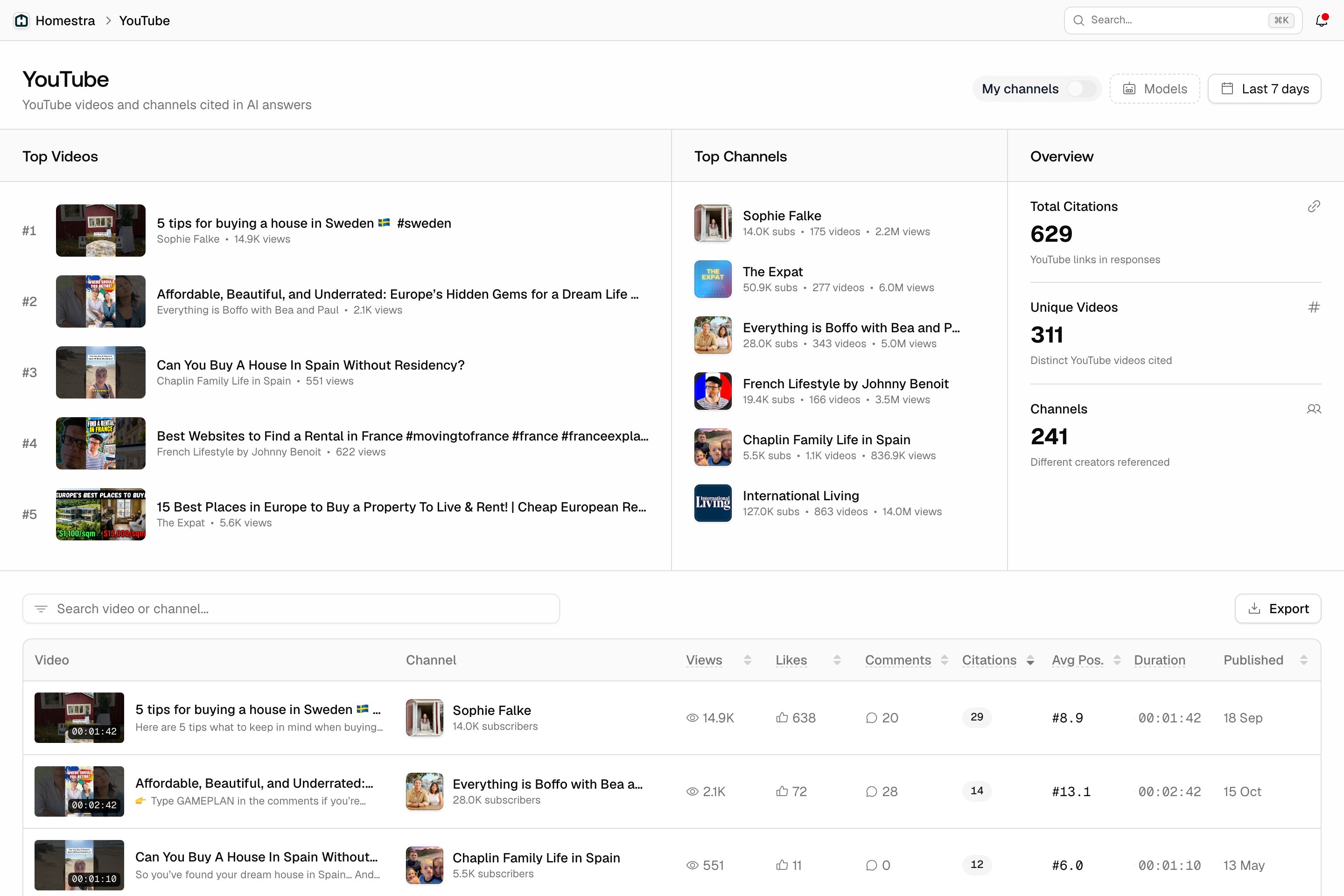
What the page shows
The header carries the My channels switch, the Models filter and the date range. Below it:- Top Videos: see which videos are cited the most and spot opportunities to collaborate with creators or learn which content types work.
- Top Channels: spot opportunities for channel sponsorships.
- Overview: Total Citations, Unique Videos and Channels.
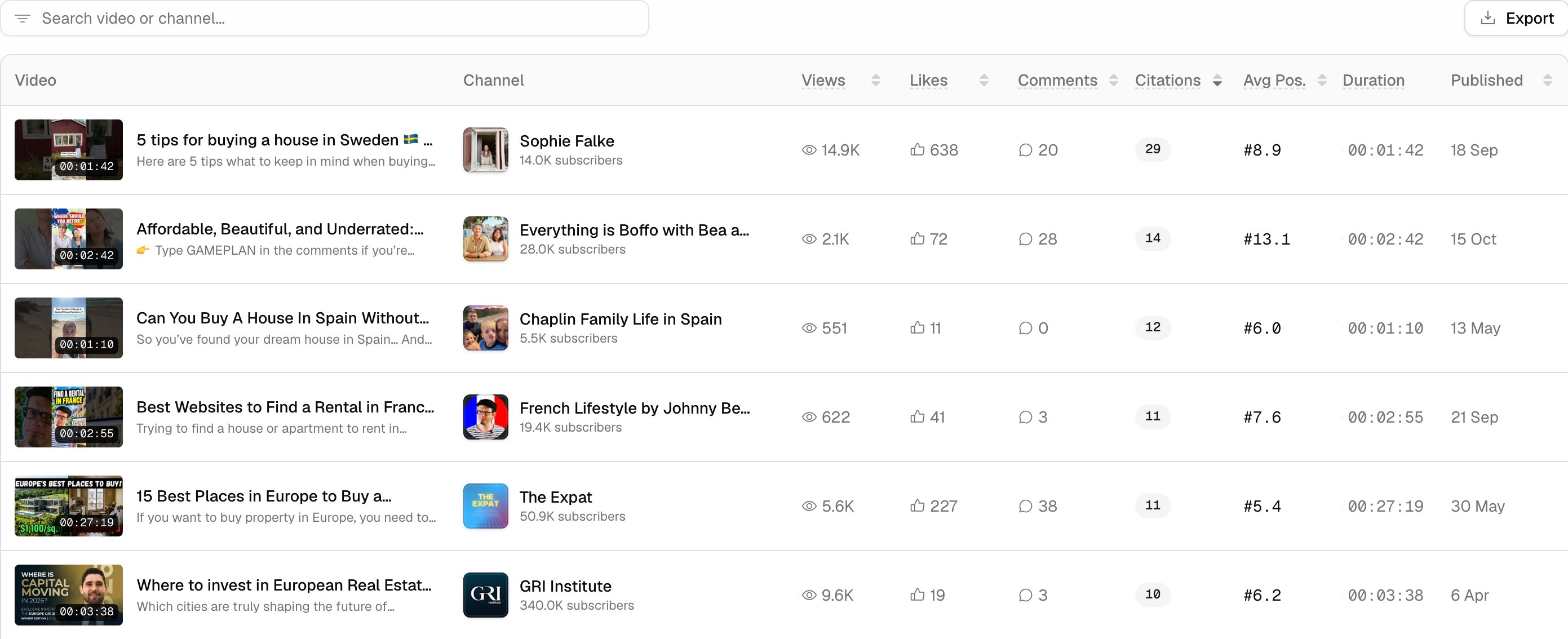
- All videos table: every cited video with its channel, views, likes, comments, citations, average position (Avg Pos.), duration and publish date. Use it to see which content types get cited, or Export it.