What is a query fanout?
A query fanout is a search query an AI model actually ran against the web while answering one of your tracked prompts. When someone asks ChatGPT “what’s the best CRM for a startup?”, the model doesn’t search for that sentence verbatim. It fans the question out into several smaller searches, something like “best crm startups”, “crm pricing comparison small business”, “crm reviews 2026”, reads the results, and synthesizes an answer. Promptwatch captures those fanout queries for every tracked response where the model exposes them. They are extracted from the response itself, not simulated or predicted: this is what the model really searched, on that day, for that prompt.Why fanouts matter
The fanout layer is where AI visibility is decided. The model never reads your website “for the prompt”, it reads whatever ranks for its fanout queries. The consequence: you can lose an AI answer for a prompt you would win in classic search, because the model searched three related queries and your content only covers one of them. That makes fanouts the closest thing GEO has to a keyword list:- They explain your citations: the pages an answer cites are the results of these searches. If a competitor gets cited, they ranked for a fanout query you didn’t.
- They reveal content gaps: a recurring fanout theme with no matching page on your site is a page waiting to be written. Pair this with content gap analysis to prioritize.
- They sharpen your prompt set: fanouts show how the model decomposes a topic, which often surfaces angles worth tracking as prompts in their own right.
Which models expose fanouts
Only models that perform live web search produce fanouts, and only some of those expose the queries they ran. Promptwatch currently extracts fanouts from ChatGPT, the GPT-5 Search API, Perplexity, Microsoft Copilot, Codex, and Claude Code responses. Models answering purely from training data have nothing to fan out, so a prompt with no fanouts on a given model is expected, not a bug. See how Promptwatch collects data for the collection pipeline behind this.Where to find them
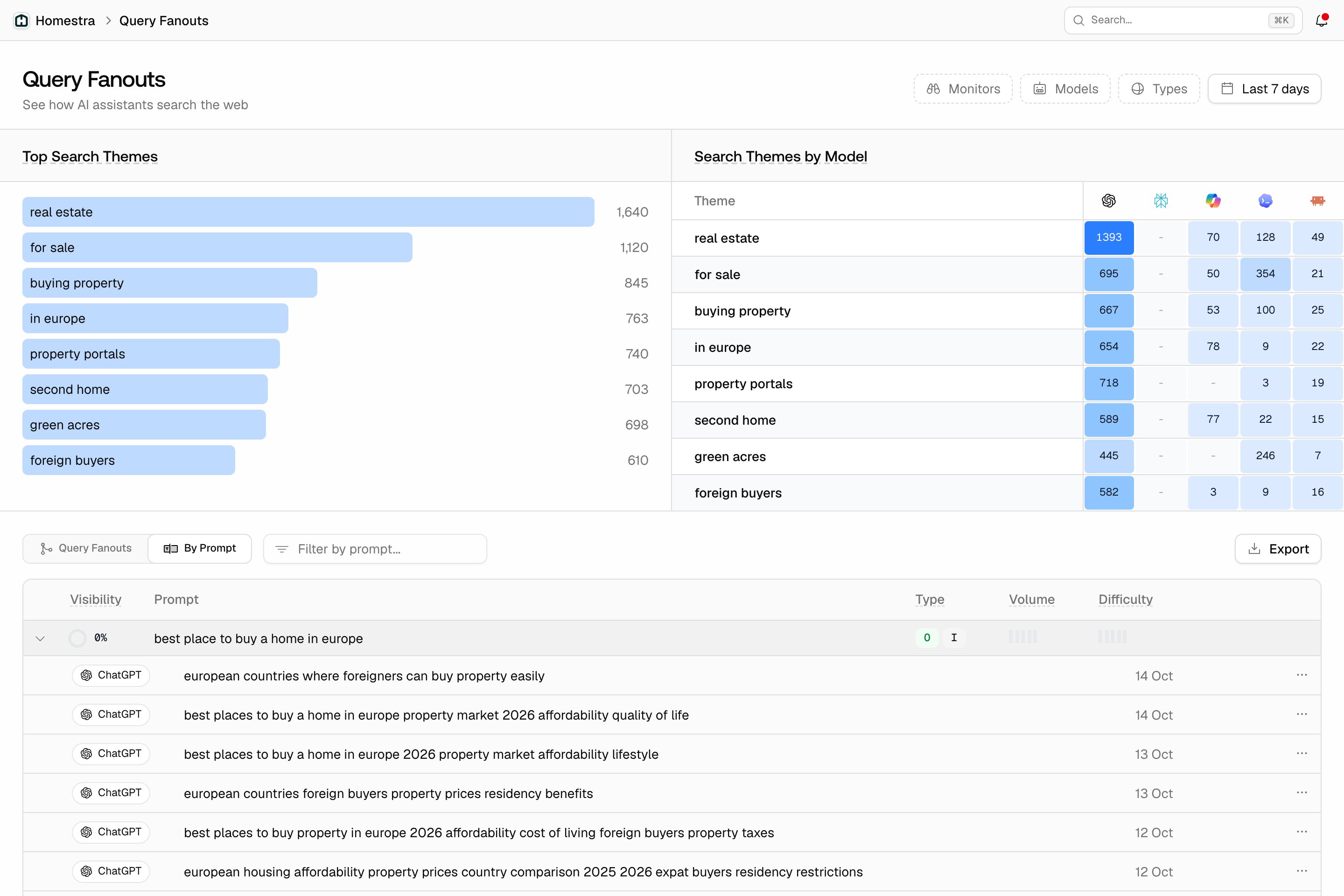
Open Prompts in the left rail, then Query Fanouts. The page has three layers, from overview to raw data:- Top Search Themes: the most frequent word pairs across all fanout queries, so you see what AI models actually search for in your category. Click a theme to filter the table below to it.
- Search Themes by Model: the same themes as rows, models as columns, with cell color showing how often each model searched that theme. Models fan out differently, and a theme one model searches heavily while another ignores it tells you where each platform gets its information. Click a theme to filter the table below to it.
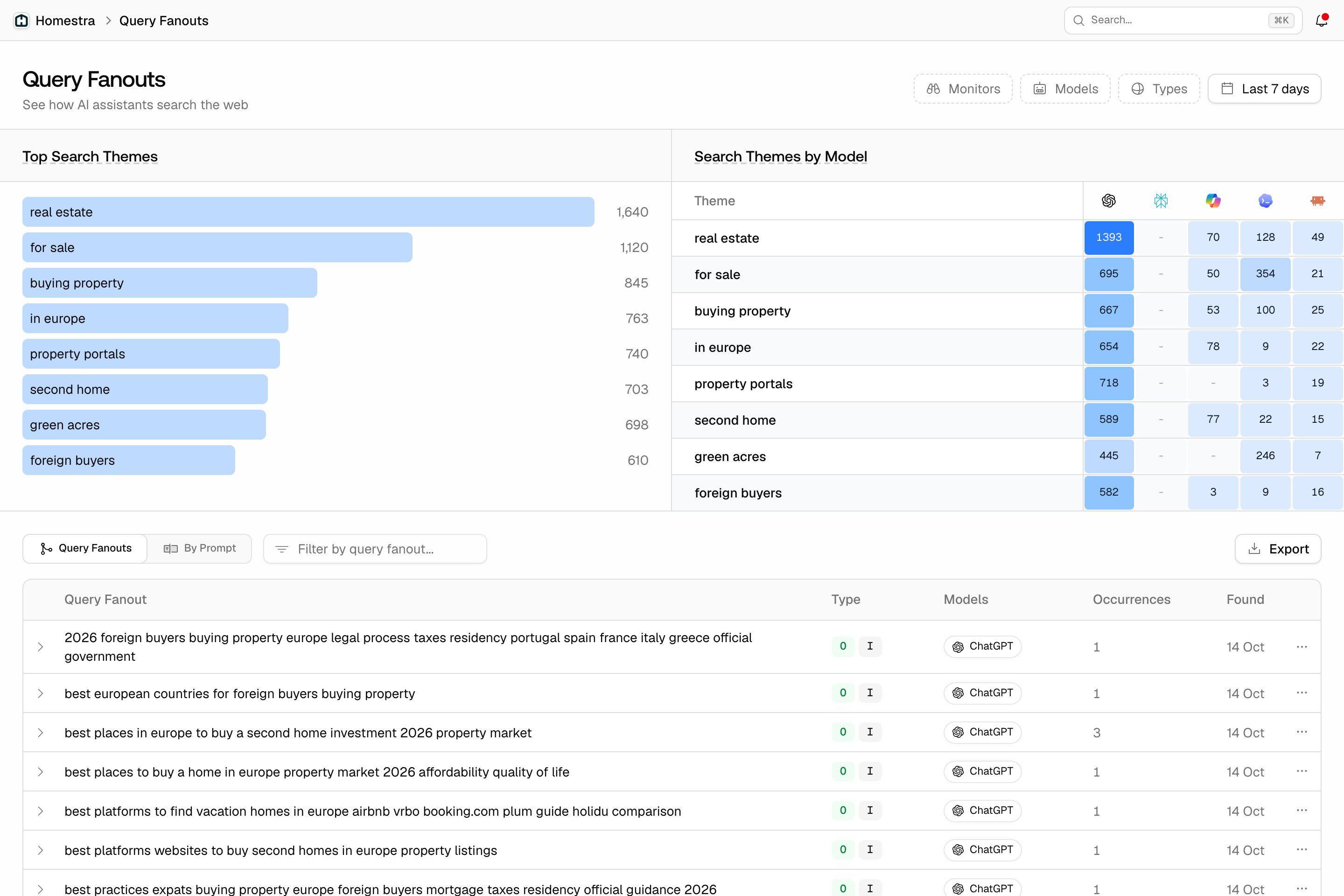
- Fanouts table: opens on the Query Fanouts tab, a flat list of every fanout query the models searched. The By Prompt tab groups them under your prompts instead, as expandable sub-rows alongside each prompt’s average visibility score. Each prompt row shows volume and difficulty from that prompt’s tracked keywords, where available, so you can judge demand for the prompt; expand the row to see the fanout queries the model actually searched. The export always gives the prompt-grouped table, as CSV or Excel.