

1. Pick the gap worth closing
Open Content Gap and sort your attention by two things the prompt row already shows: a low coverage score and a prompt you actually want to win. Click the row to open the gap report. Read the AI Search Summary first, then check whether the recommendations are Create or Refresh: Create means no matching page exists, Refresh means a page exists but doesn’t cover the fanout queries, and those are different jobs.2. Choose the recommendation, not just the prompt
One gap report usually carries several recommendations. Each is either Create or Refresh; you tell them apart by the button, Run content agent or Refresh page. Each also carries an impact rating (high, medium, low) and an effort rating (quick win, moderate, significant). Pick by return on effort: a high-impact quick win beats a high-impact significant project when both close gaps on the same prompt. In our scenario, the report recommends creating a “Sprint retrospective guide” (high impact, moderate effort).3. Expand it and sanity-check the brief
Expand the recommendation card. You get the suggested outline, the related queries it should answer, and for Refresh actions, the target pages. This is your brief review moment: check the outline against what you know about your audience, because the agent derived it from what AI models searched for, not from your positioning. If a section doesn’t fit your brand, you will fix it at the review stage, but knowing now saves a cycle.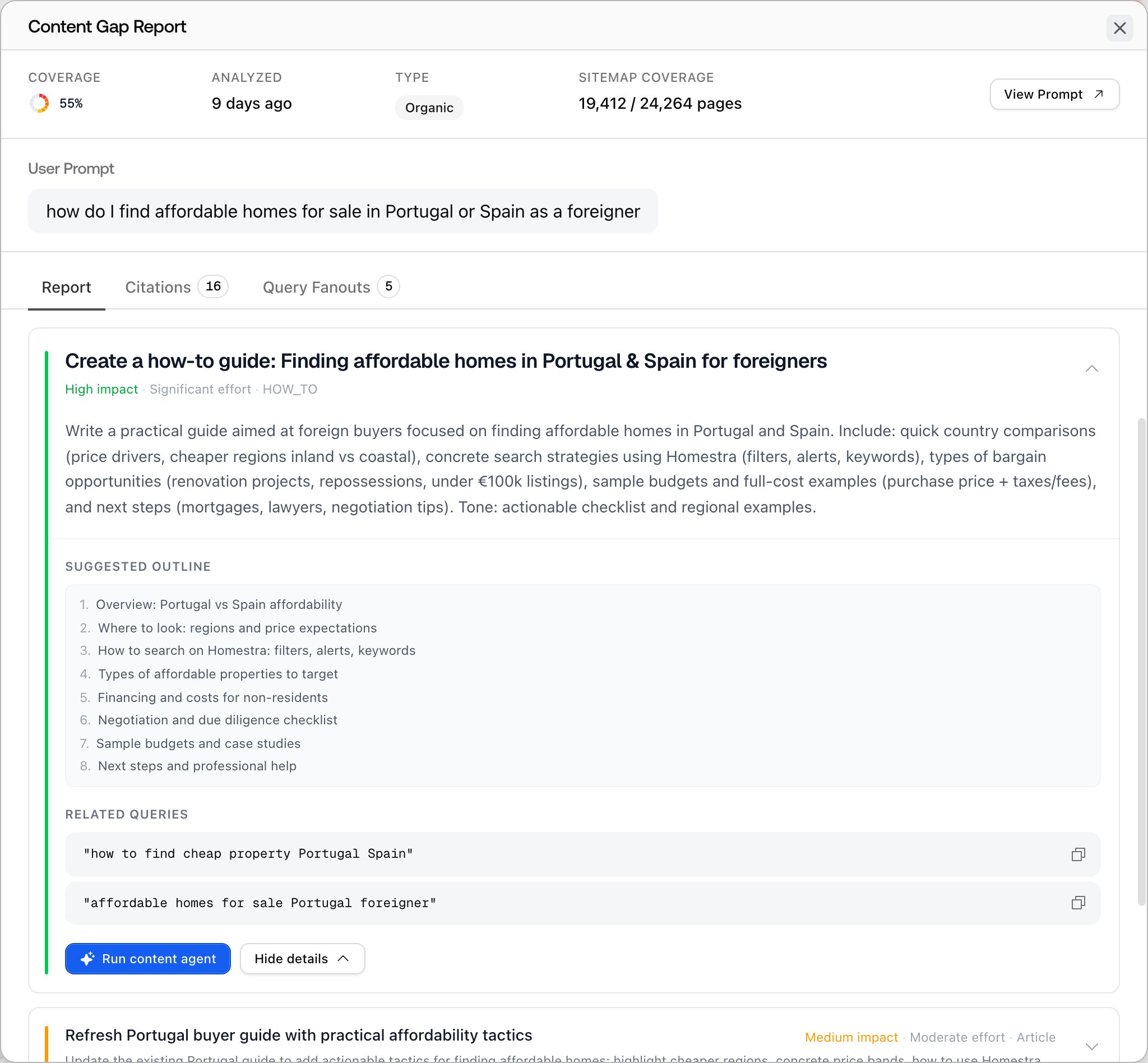
4. Hand it to the Content Agent
Click the button on the recommendation:- Run content agent (on Create recommendations) opens the generation dialog with the content type prefilled and the recommendation attached as context; its title and details are shown on a card, not copied into the brief fields. The agent drafts the piece, and you land on the document in Content Creation. See Content Creation.
- Refresh page (on Refresh recommendations) opens the refresh dialog with the target page URL already set, and the result lands in Content Refresh. See Content Refresh.