How to access LinkedIn citations
Click the Sources tile in the left rail, then select LinkedIn. LinkedIn is its own item next to Citations, Offsite Mentions, Reddit and YouTube.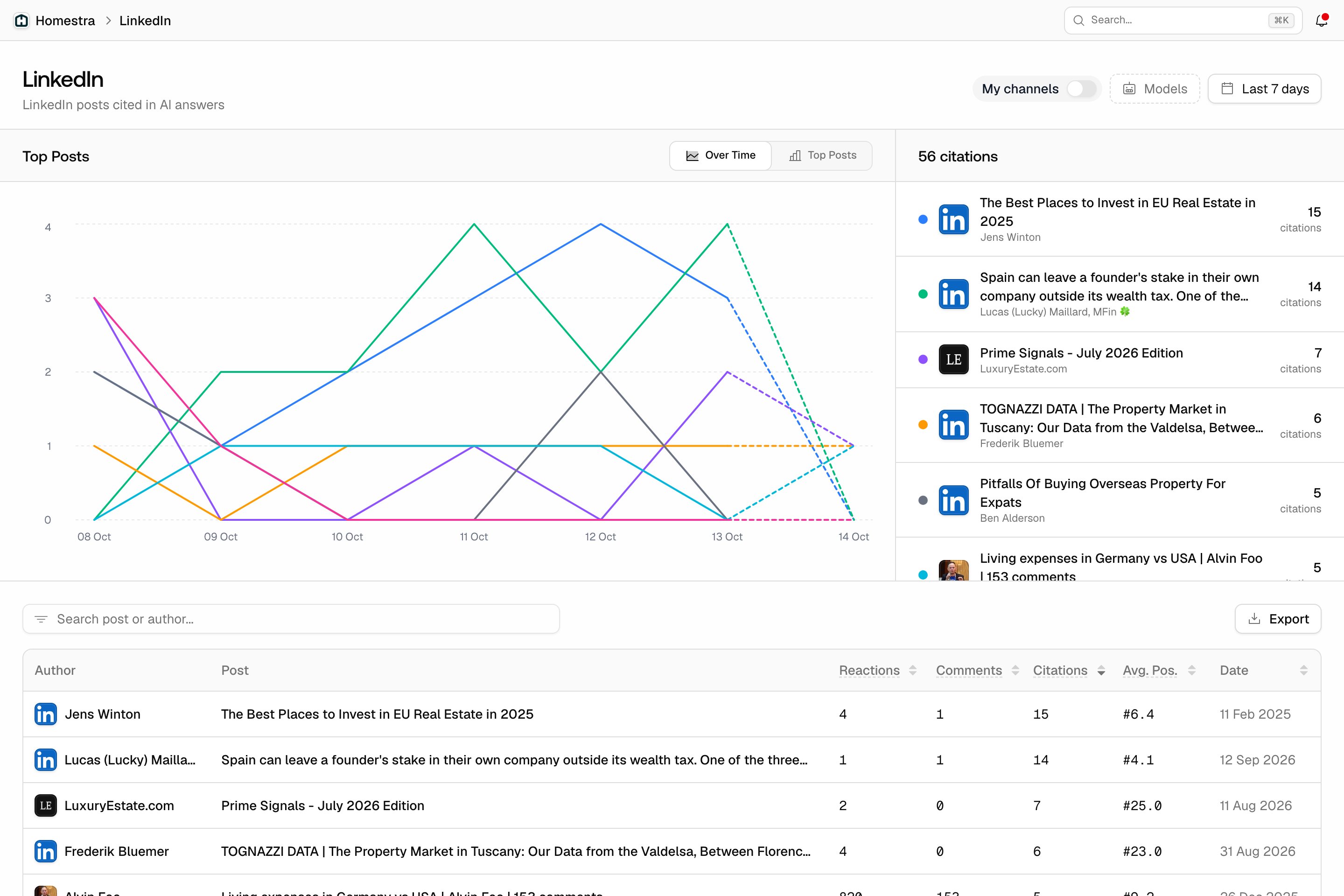
What the page shows
The header carries the My channels switch, the Models filter and the date range. Below it:- Top Posts: see which posts are cited the most and how their citations change over time. Switch between Over Time and Top Posts to compare them.
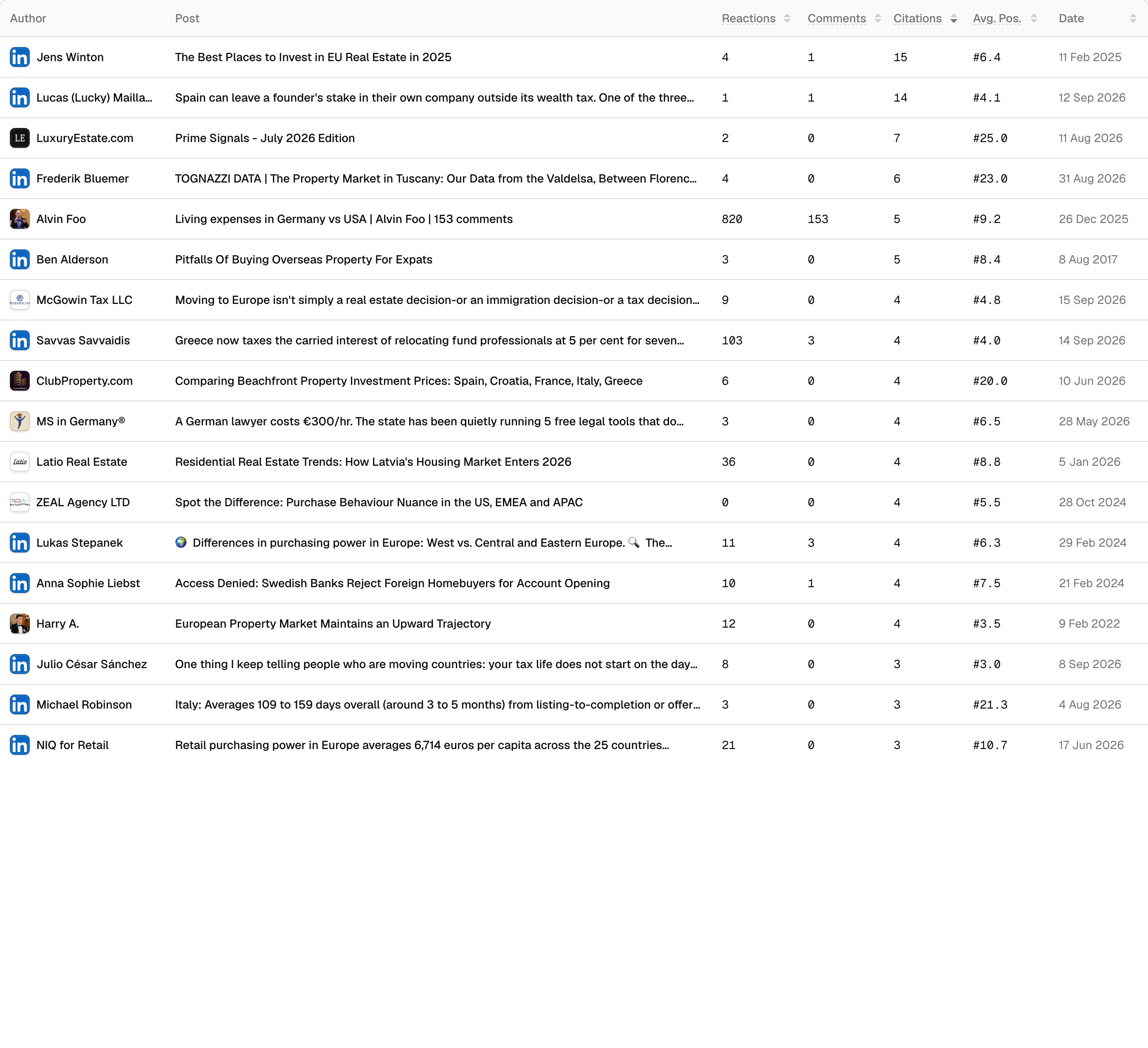
- All posts: see the authors, reactions, comments, citation counts, average citation position, and publish date for each post. Search by post or author, or export the table to work with the data outside Promptwatch.