Automation
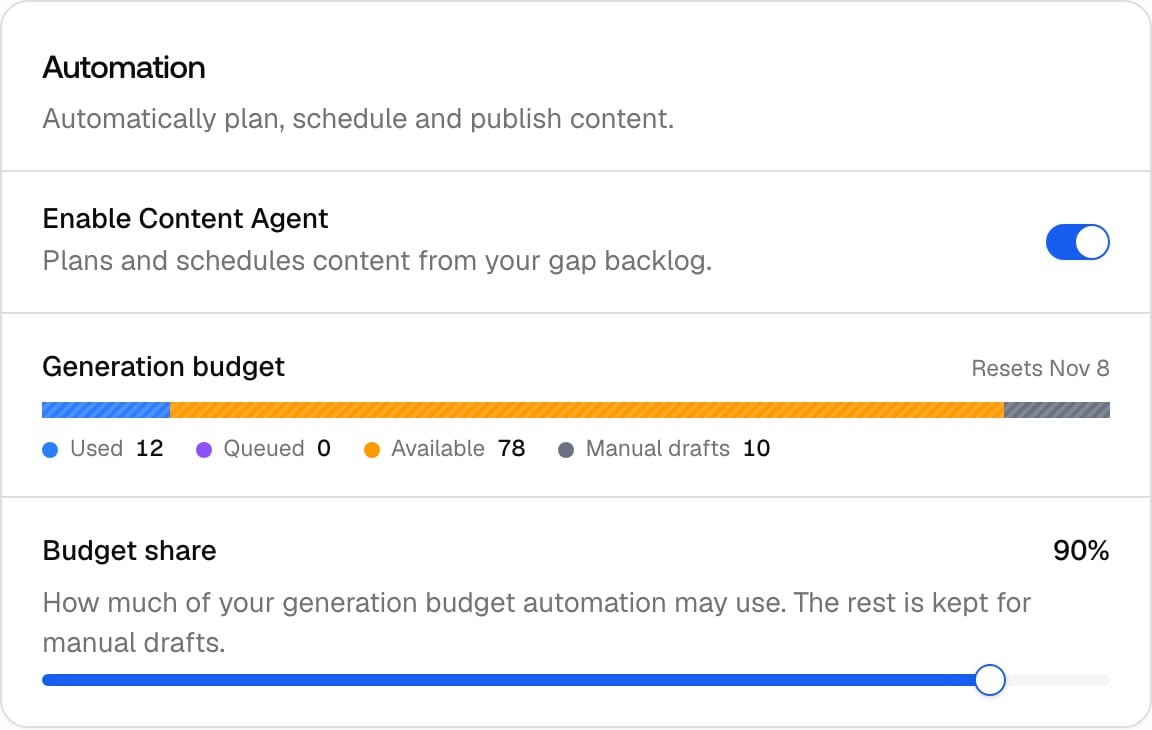
- Enable Content Agent: the master switch. Off pauses planning and generation without losing your configuration; drafts already in review stay reviewable. You can’t enable it until the setup wizard has been completed once.
- Budget share (default 90%): the slice of your organization’s content generation allowance the agent may spend this billing period; the rest stays reserved for manual drafts in Content Creation and Content Refresh. The meter above the slider shows four segments: Used (generated this period), Queued (planned pieces that will consume budget when they generate), Available, and Manual drafts (held back for you). You can’t lower the share below what’s already committed to queued work, so lowering it never strands scheduled pieces.
Choose when to publish
- Schedule timezone: the IANA timezone your publish days and hours are interpreted in. It defaults to your organization timezone and is independent of your browser timezone, so a team in three countries publishes on one clock.
- Publishing days & hours (default: every day, 09:00 to 18:00): a per-weekday grid of allowed publish windows. Days switched off never publish; at least one day must stay enabled. The agent picks a specific time inside the window for each piece; the reason for that time is on the Activity run for the piece.
Decide how it publishes
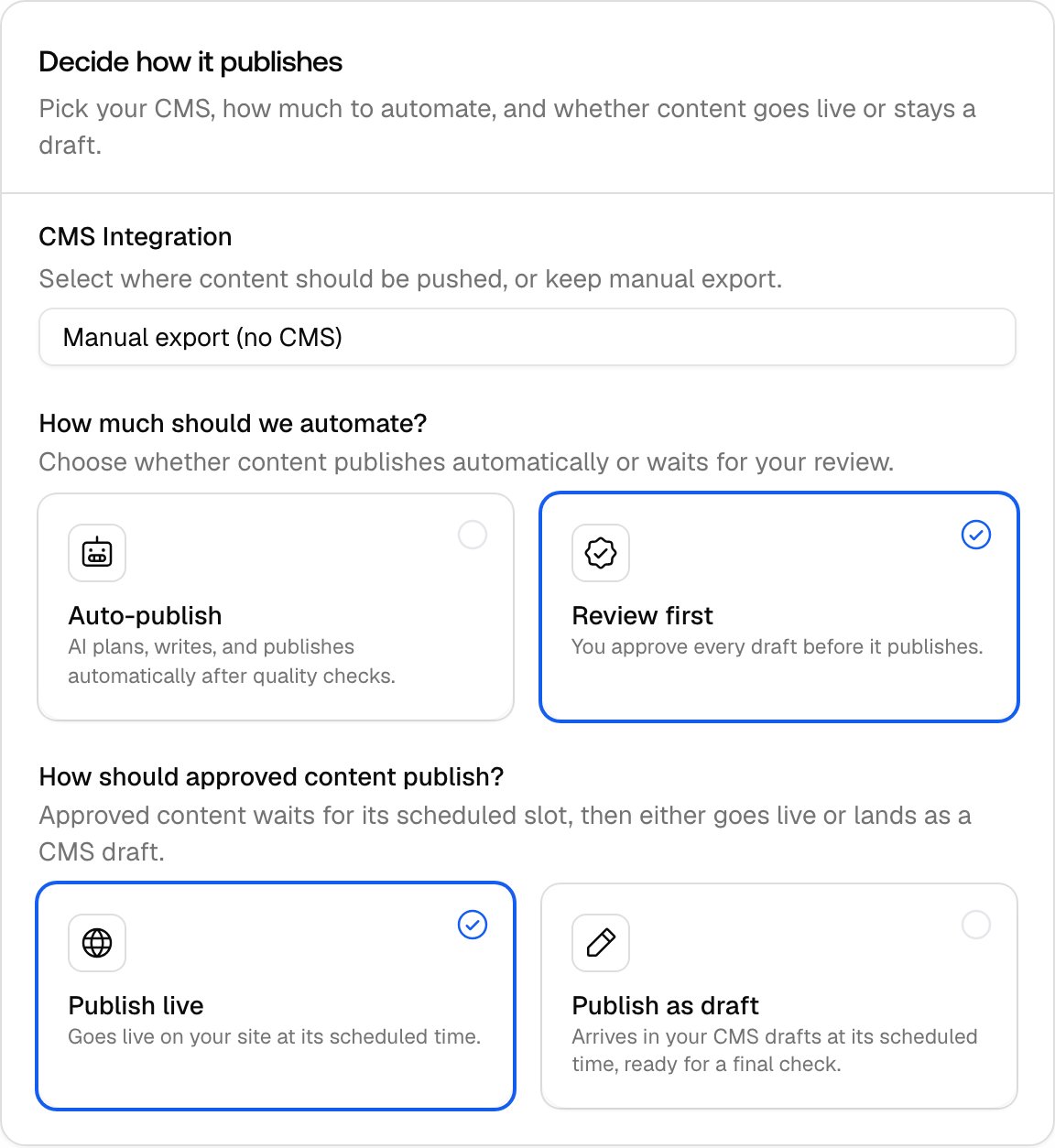
- Autonomy mode: Review first routes every draft through your review inbox, and nothing publishes without an accept. Auto-publish lets drafts that pass the quality checks skip the inbox and publish at their slot, labeled “Auto-approved”. On first run the setup wizard preselects Auto-publish. See Reviewing drafts.
- Publish state: whether approved content is pushed to your CMS as a draft (you press the final publish button in the CMS) or published live directly. The setup wizard preselects Publish live; a CMS draft still needs a final publish in the CMS, even in Auto-publish mode.
- CMS Integration (default: manual export): the connection content is pushed to. Webflow, Framer, and WordPress connections are supported; connections are created under rail Settings, CMS Integrations in Project settings, then selected here. Manual export means no push: you copy the content out and publish it yourself, then record the URL. See Publishing and tracking results.