

What is the Knowledge Base?
The Knowledge Base is the private context layer content agents can draw on. Upload files, add URLs, or paste notes, and each source is parsed into searchable context. When an agent generates or refreshes a page, its research step can retrieve relevant passages from your Knowledge Base and put them in the writing brief, turning generic AI writing into content rooted in your project’s facts. This matters because your competitive edge isn’t what the model already knows. AI models can write a competent generic article about your category; so can your competitors’ tools. What they can’t reproduce is your data, your opinions, and your proof points, and grounded content is also exactly what earns citations: AI models cite pages that say something specific. You’ll find it under Content in the left rail, as Knowledge Base.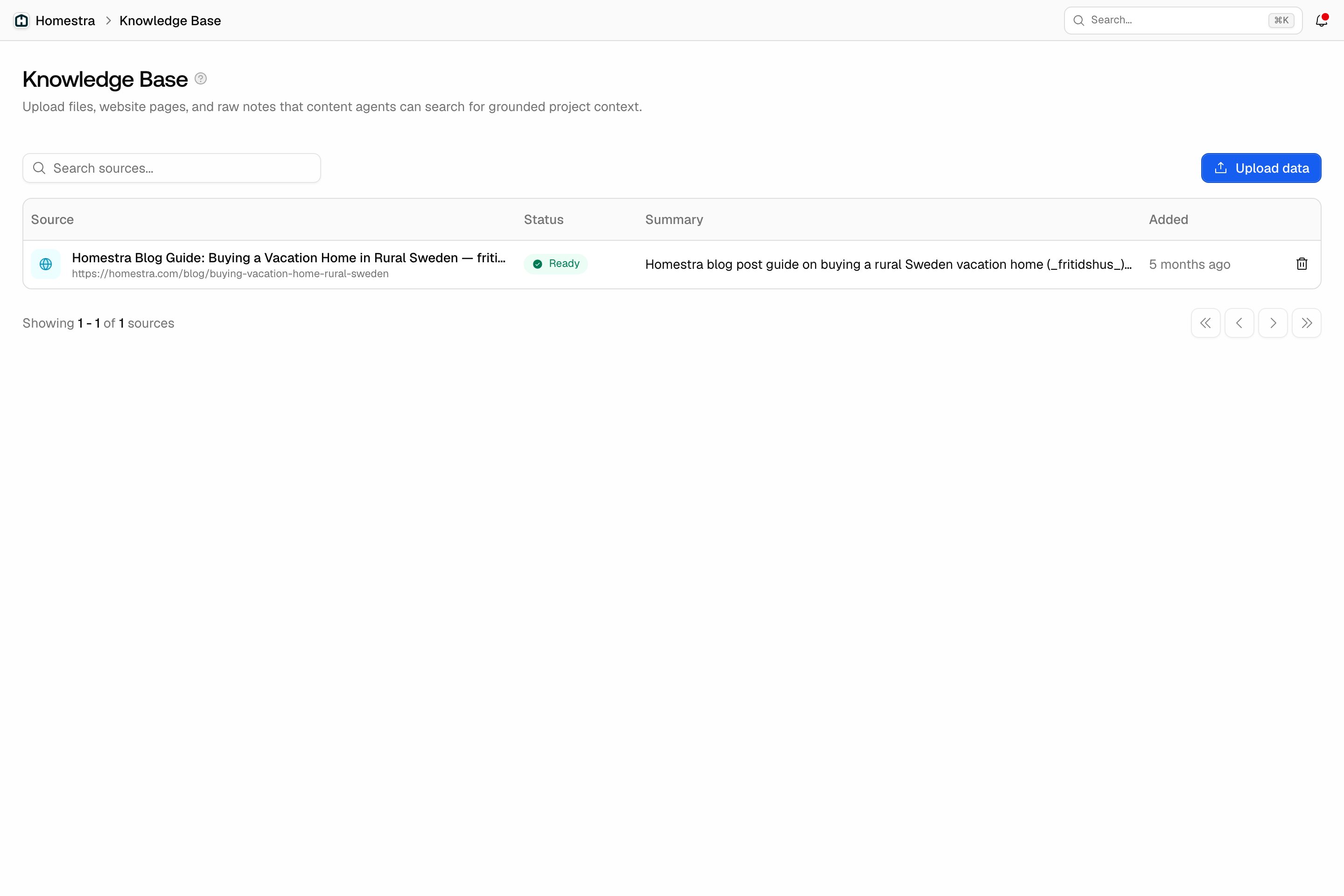
What to feed it
Prioritize the material only your team has:- Proprietary research and data: internal studies, benchmarks, customer surveys, and original numbers competitors don’t have.
- Expert voice and opinions: founder and specialist perspectives, point-of-view essays, and strong takes that make your content distinctive.
- Brand and product truth: approved messaging, product specs, pricing, positioning, and the claims your team has signed off on.
- Customer evidence: case studies, testimonials, interview transcripts, and real-world examples the agent can cite.
How to add sources
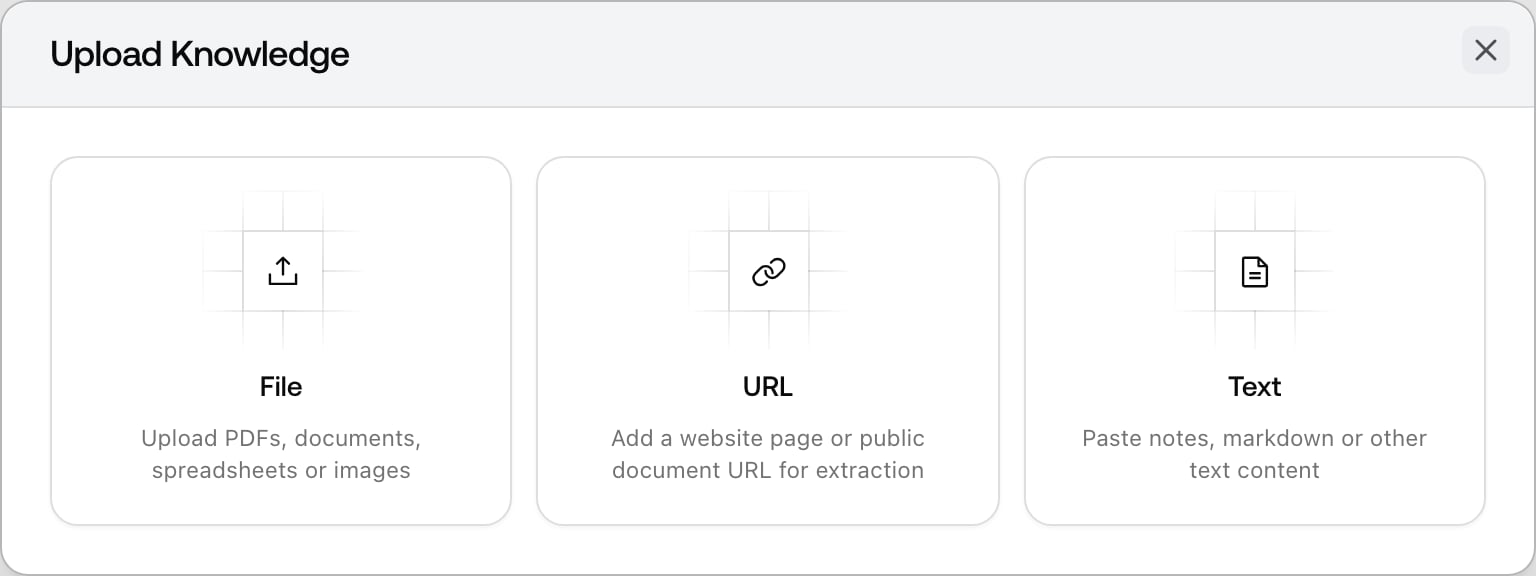
Click Upload data and pick one of three source types:- File: PDFs, Word documents, spreadsheets, presentations, CSV, markdown, plain text, and images. Up to 10 files at a time, 25 MB each. You can also drag files straight onto the page.
- URL: a website page, or a public document URL (a hosted PDF, for example). The page is fetched and its content extracted.
- Text: a title plus pasted content, the fastest path for meeting notes, positioning statements, or an approved claims list.
How agents use it
The research agent has a Knowledge Base search tool among its enabled tools (see AI Settings under Brand in the left rail for tool defaults). During research it searches your Ready sources and puts the relevant brand facts into the writing brief the writer drafts from. This applies to manual generation in Content Creation, rewrites in Content Refresh, and every automated piece from the Content Agent, where at least one Ready item is a recommended readiness check before turning automation on.Keeping it current
The agent can only repeat what’s in the library, so a stale Knowledge Base produces confidently outdated drafts. Treat it like documentation:- Update on change, not on schedule: new pricing, a repositioning, or a fresh case study should land here the week it ships.
- Delete what no longer holds: deleting a source removes it from the agent’s reach immediately. Note that original files aren’t retained after processing, so keep your own copy.
- Review after odd drafts: when a draft states something wrong in review, check whether the library taught it that, then fix the source rather than just the draft.