The slot lifecycle
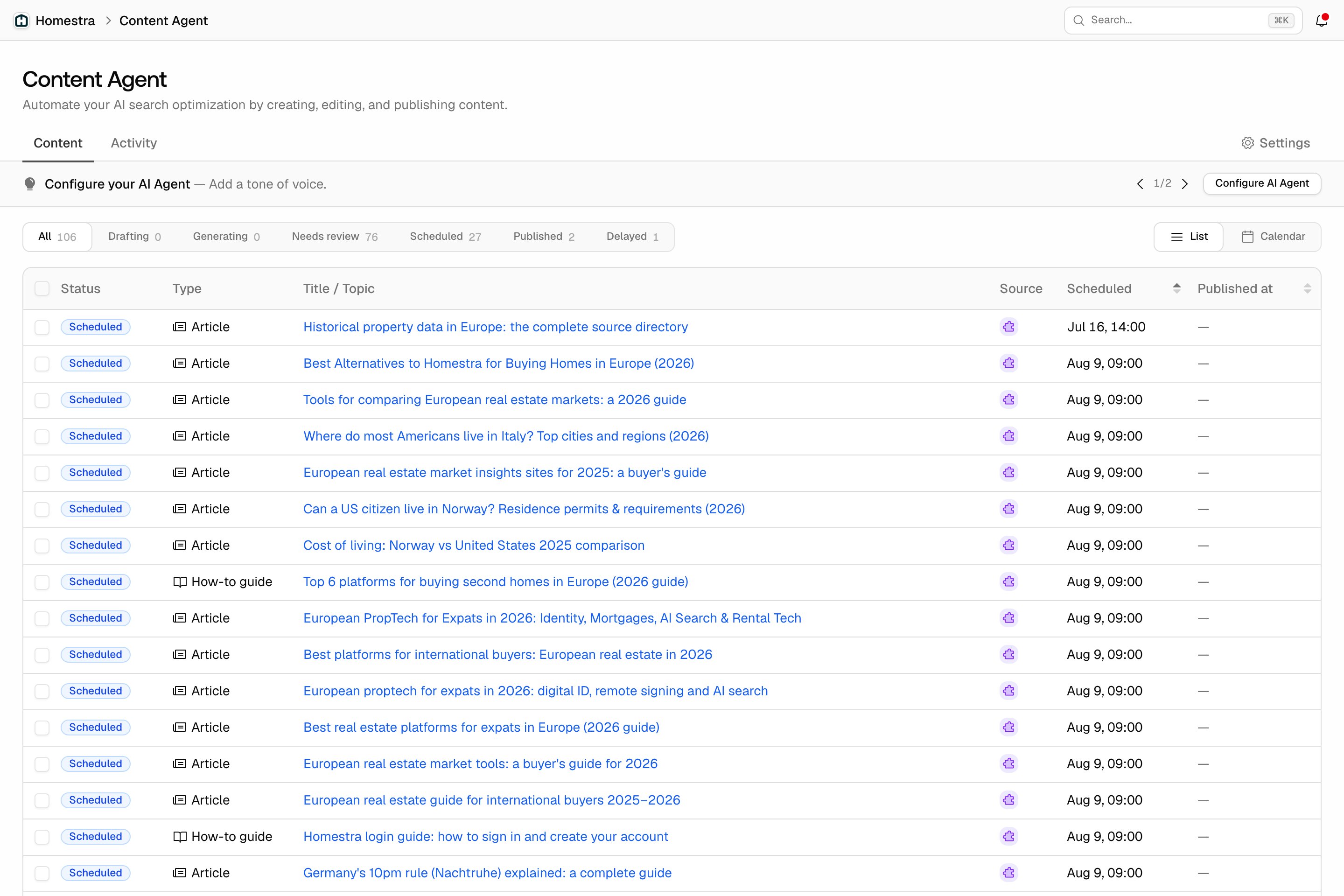
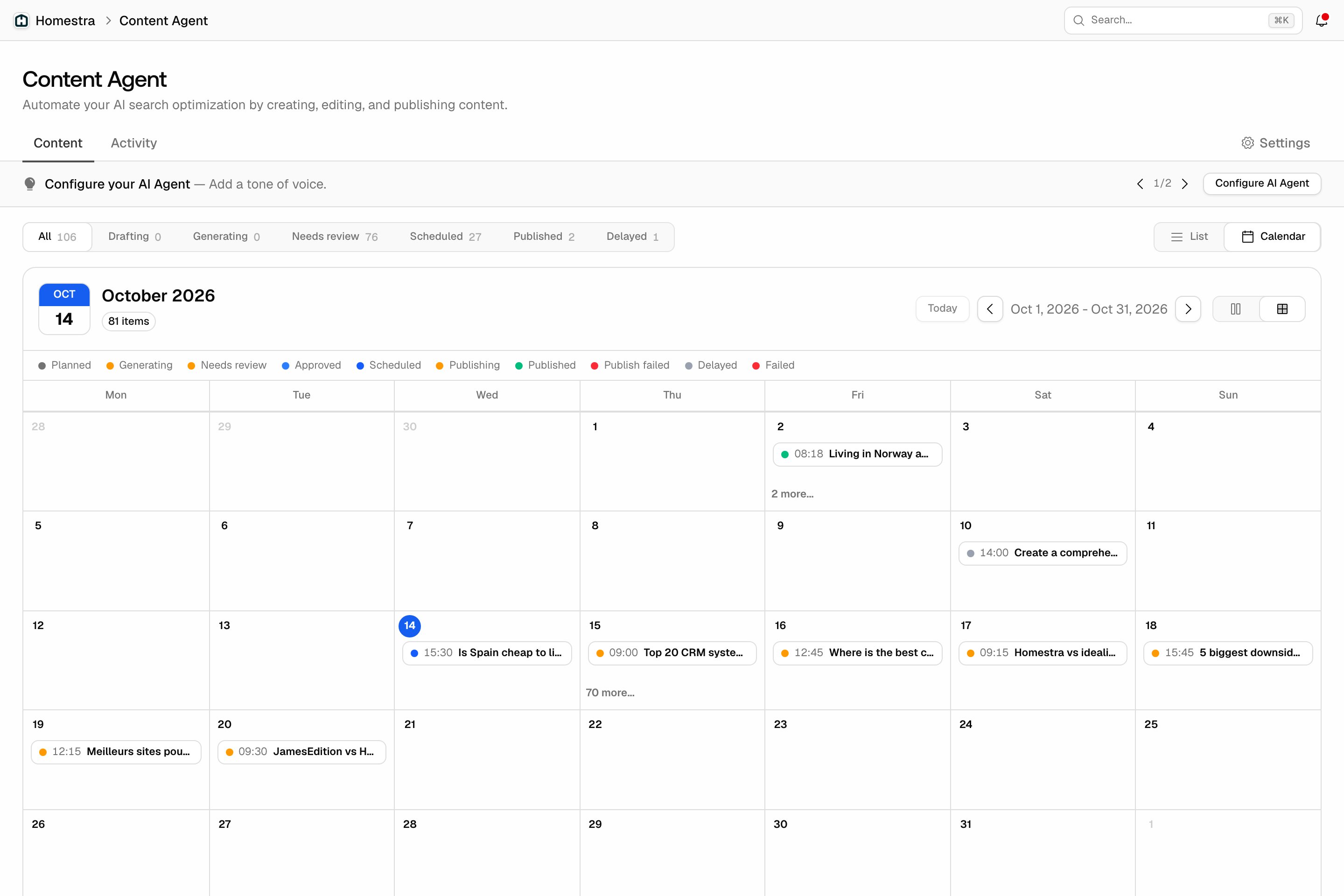
A piece moves through these statuses, shown as badges on the schedule:- Planned: scheduled by the planning agent, not yet written. The planner sets type, length, and tone when it books the slot, and a persona when it has one; persona is optional. Planned and Generating rows show dimmed with a dashed border in the list.
- Generating: the writer is producing the draft.
- Needs review: the draft is ready and waiting for your accept or decline. In Review first mode every piece stops here. In Auto-publish mode a piece stops here for one of two reasons: it failed a quality check, or it has required CMS fields the AI could not fill with confidence.
- Scheduled: cleared to publish at its slot time, by your accept or by Auto-publish after quality checks.
- Approved: used when a piece publishes immediately instead of waiting for its slot. This happens when the Publish timing setting is Immediately on approval rather than At scheduled slot.
- Publishing: a short lock while the CMS write is in flight. It is counted under the Scheduled tab.
- Published: live, or pushed to your CMS as a draft, depending on your Publish state setting (Publish live or Publish as draft). With no CMS connected, the piece is marked published for manual export instead.
- Delayed: generation failed after two attempts, or a planned piece was released for re-planning (its date fell outside the current usage period, a higher-priority idea displaced it when the budget was full, or it lost its linked prompt). The agent refunds the failed attempt and re-plans the topic; the piece shows a note such as “Postponed. It will be rescheduled automatically.” No action needed.
- Publish failed: the draft is ready, but the CMS write gave up. The piece shows the CMS error, the attempt count, and a hint. Deterministic CMS config errors fail immediately; transient errors retry with backoff, up to 5 attempts. The detail sheet offers the fix that matches the error, such as Set author or Fix CMS connection, plus Publish now, Decline and Delete. If the last write may already have landed, it tells you to check your CMS for a duplicate first.
- Suppressed: declined. It leaves the schedule, will not be generated or published, and the decline reason is stored on the piece. Declining is possible from Needs review, Scheduled, Approved and Publish failed, and always needs a reason.
Reading the schedule
The filter tabs above the schedule group statuses the way you triage them: All, Drafting (planned), Generating, Needs review, Scheduled (approved, scheduled and publishing), and Published, each with a live count. Two more tabs, Publish failed and Delayed, appear only while a piece is in that status, so an extra tab is itself a signal. Counts leave out suppressed and failed pieces. “Needs review” is the tab to check daily; the rest mostly run themselves.