

What is Content Gap Analysis?
Content Gap Analysis identifies what content is missing from your website to answer the prompts users ask AI models. It goes beyond tracking mentions and tells you exactly what to write. For each tracked prompt, it produces a content coverage score from 0 to 100 (100 means fully covered) and a set of recommendations for closing the gaps. The core idea: when an AI model answers a prompt, it fans out into several underlying search queries. Promptwatch searches your indexed sitemap pages with those queries (recent query fanouts when enough exist, otherwise generated search queries), scores overall coverage from 0 to 100, and returns Create or Refresh recommendations for the misses. This is why the feature depends on your sitemap: the analysis can only search pages it has indexed. It needs a minimal index before it runs at all, at least 3 crawled URLs covering 10% of your sitemap.Where to find it
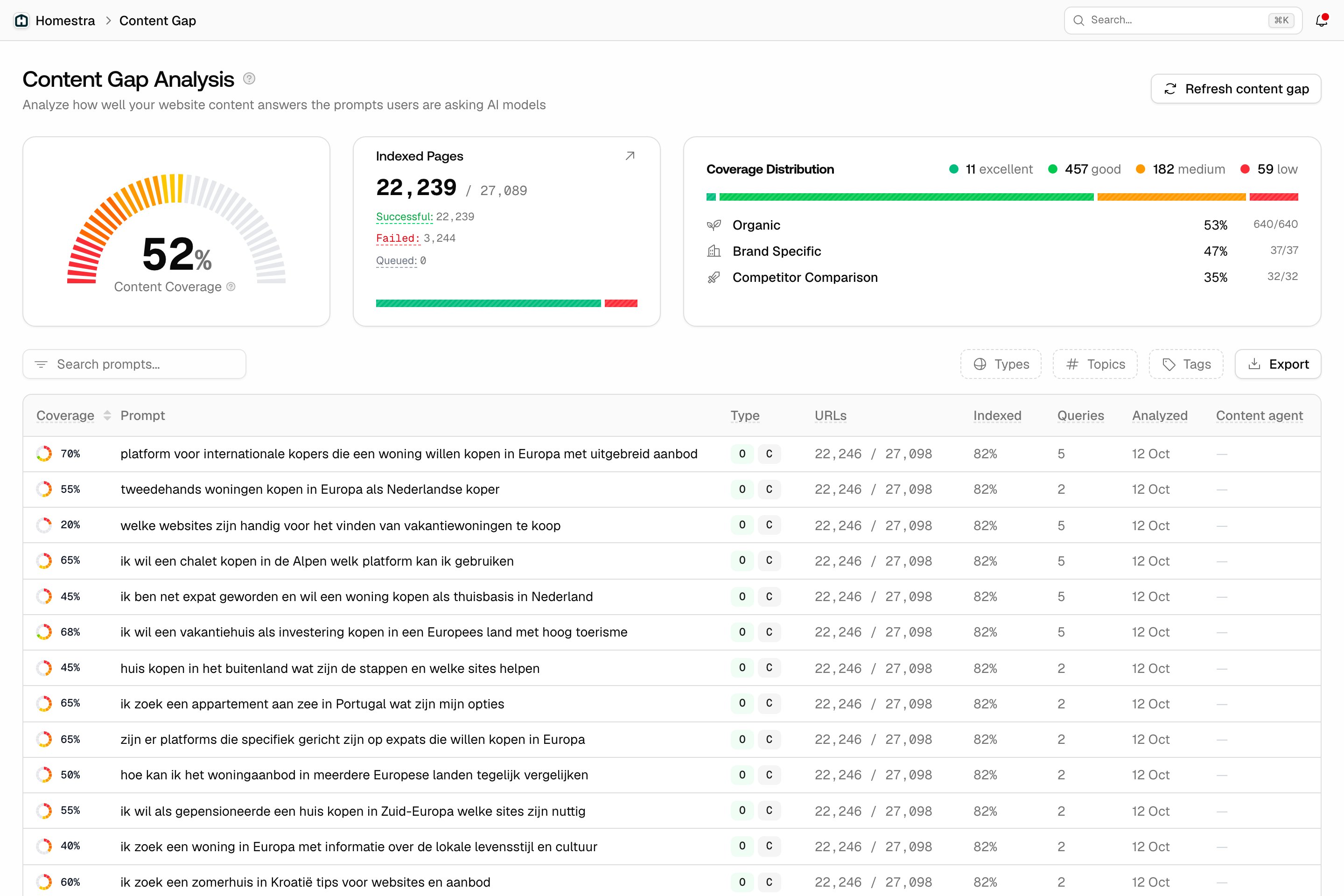
Open Content in the left rail, then Content Gap. The page shows:- Average coverage score: a gauge of your site’s coverage across all analyzed prompts.
- Score distribution: how many prompts fall in each bucket: Low (0-25%), Medium (25-50%), Good (50-75%), Excellent (75-100%).
- Coverage by prompt type: organic, brand-specific, and comparison prompts covered separately, because a weak comparison score needs different content than a weak organic score.
- Indexing progress: how much of your sitemap has been crawled, since uncrawled pages can’t count toward coverage.
- The prompts table: every analyzed prompt with its score. Click a row to open the full gap report.
Reading a gap report
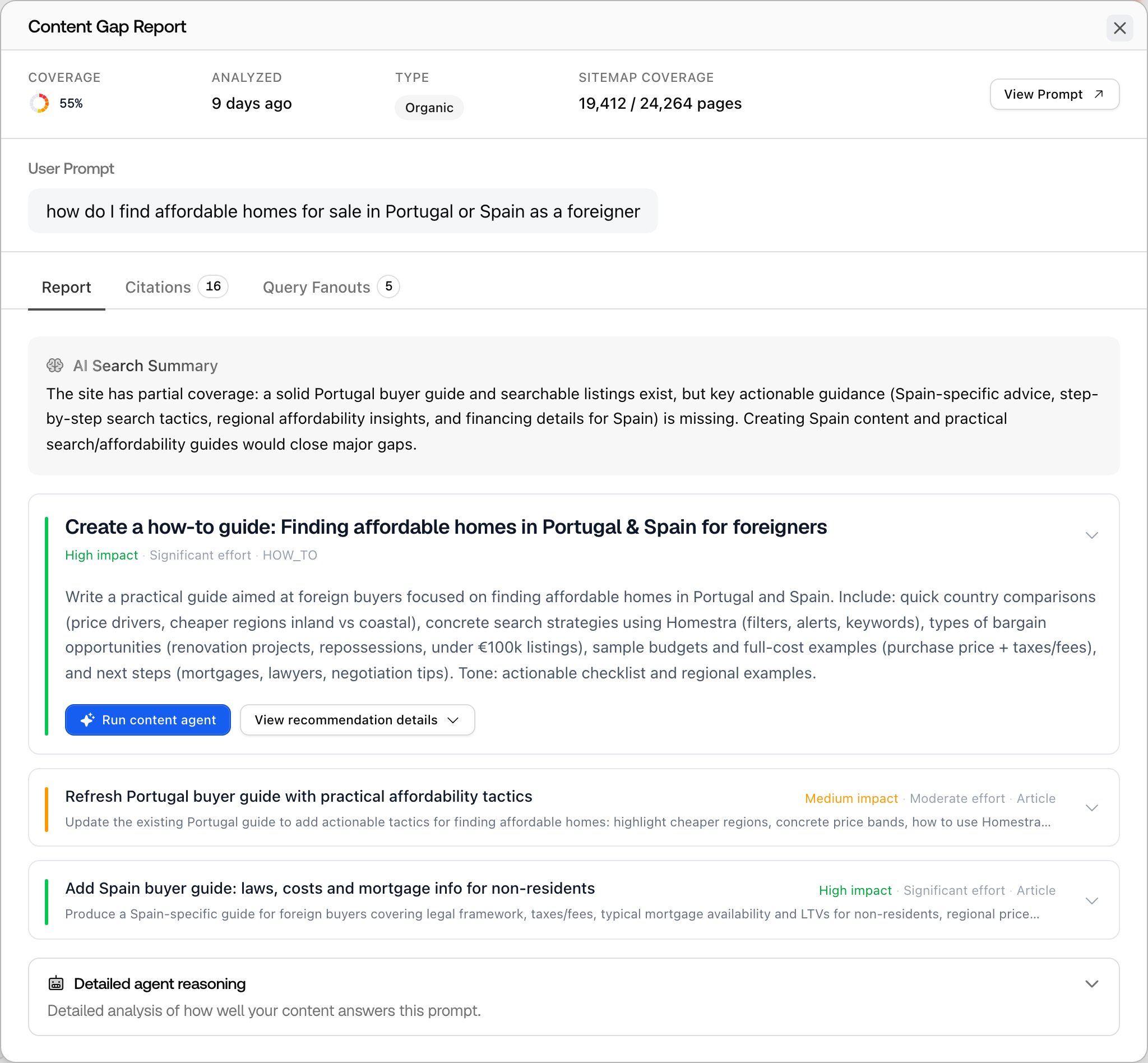
Each prompt’s report shows the coverage score with an explanation, the query fanouts that were tested, the pages that matched, and the recommendations. Every recommendation is one of two actions:- Create: your site has no page answering this. The recommendation includes a title, details, a suggested outline, and the related queries it should answer.
- Refresh: a page exists but doesn’t cover the topic well. The recommendation names the target pages to improve.
When the analysis refreshes
Each prompt with recommendations is automatically re-analyzed about every 30 days. That scheduled run does not wait for sitemap changes. You can also trigger a manual refresh with the Refresh content gap button. Three conditions gate it, and the dialog tells you which one is blocking:- New pages: new URLs must have appeared in your sitemap since the last analysis, because re-checking the same pages produces the same gaps.
- Enough crawled: at least 30% of your sitemap and at least 3 URLs must be crawled.
- Cooldown: one manual refresh every 7 days.