

What is the Content Agent?
The Content Agent is an autonomous content program: it decides what to write from your content gap backlog, schedules each piece on a calendar, generates the draft, routes it through review, publishes it to your CMS, and once the page is live adds its URL to the Page Tracker so you can see whether it earns citations. Everything else in Promptwatch measures your AI visibility; this is the part that acts on it. You’ll find it by opening Content in the left rail, then Content Agent. The page has three tabs: Content (the schedule, as a list or calendar), Activity (the agent’s planning rationale per run), and Settings.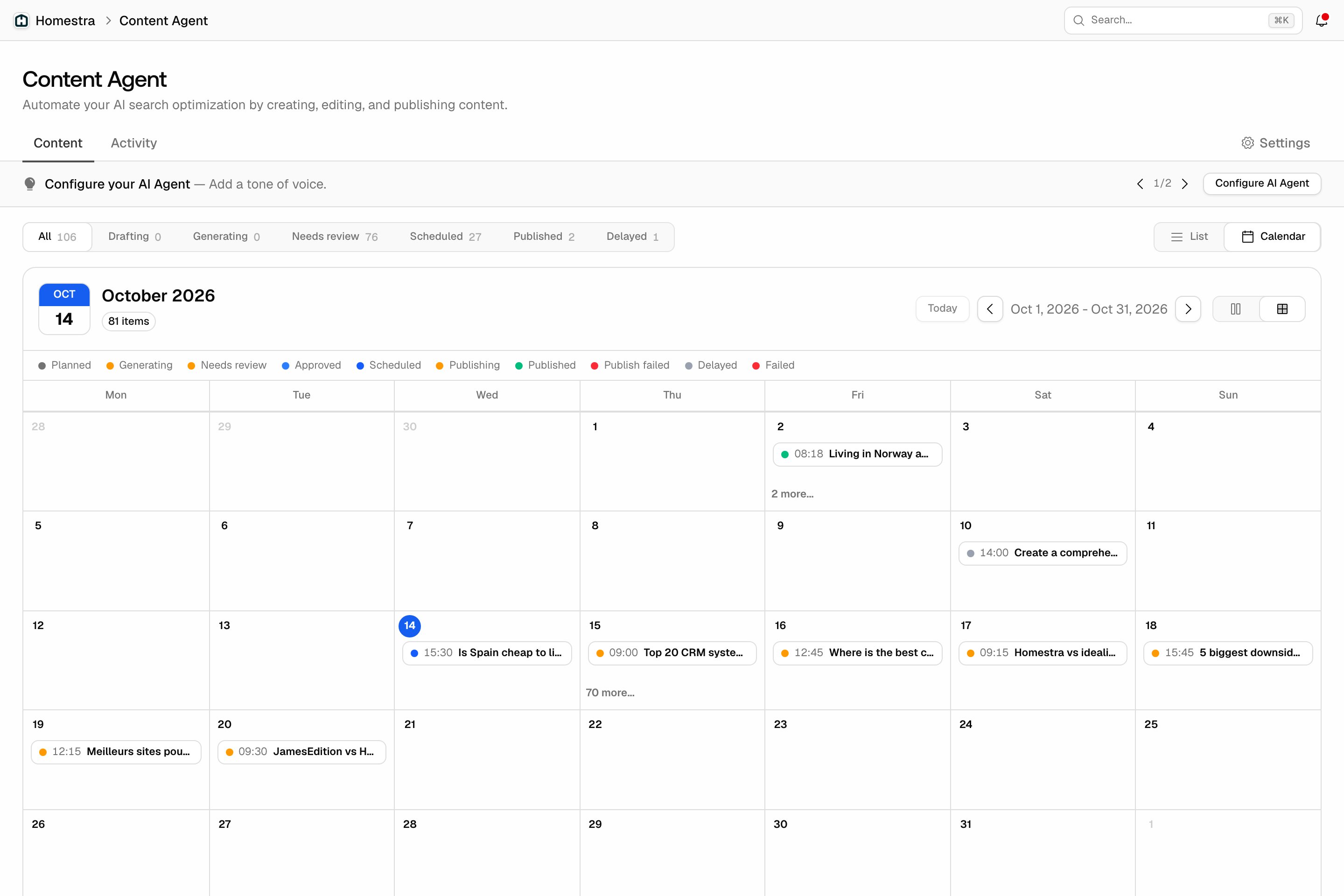
The loop, step by step
- Ideas in: content gap recommendations feed a ranked backlog. Each idea carries an impact score that blends visibility evidence (where you’re missing from AI answers) with business value (demand and commercial intent), so higher-value topics rank first.
- Planning: a planning agent reviews the backlog against your remaining budget and calendar, schedules the pieces worth writing, and records why each one was prioritized. It re-plans when new ideas arrive or capacity frees up, and you can read every run’s reasoning in the Activity tab.
- Drafting: when a scheduled piece’s generate-by date arrives, the writer produces the draft, grounded in your Brand Book, your Knowledge Base, and the persona and content type the planner chose. Generation starts once the piece is planned, ahead of its publish slot, so there is time to review.
- Review: in Review first mode, every draft lands in your review inbox and nothing publishes without your accept. See Reviewing drafts.
- Publish: approved pieces go out at their scheduled slot, to your connected CMS as a draft or live page, or marked for manual export. See Publishing and tracking results.
- Track: when a piece goes live (or you record its live URL), that URL is added to the Page Tracker, so the same prompts that exposed the gap now show whether the new page gets cited. CMS drafts and manual exports aren’t tracked until they have a live URL.
Who stays in control
Autonomy is a setting, chosen in setup and changeable later in Settings. Two modes:- Review first: every draft needs your explicit accept before it publishes.
- Auto-publish: pieces that clear the quality checks skip the inbox and publish at their slot, marked “Auto-approved” for the audit trail. The setup wizard starts on this mode, so switch to Review first before enabling if you want every draft in your inbox.