

The five statuses
- Suggested: freshly discovered by the agent, waiting for your call. Suggested is the leftmost column on the board.
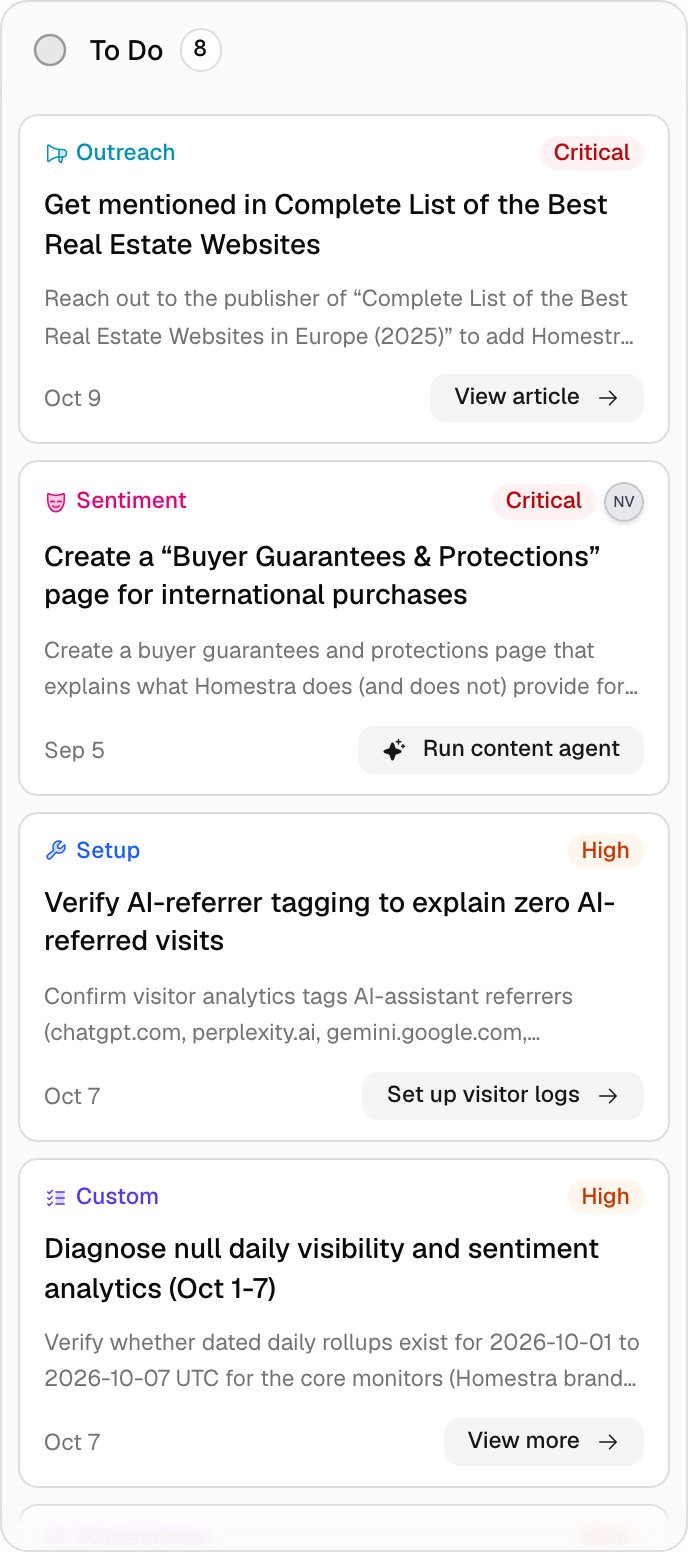
- To Do: accepted and queued. Setup actions, actions you add with Create action, and actions created through Agent Chat skip Suggested and land here directly, because none of them needs your triage.
- In Progress: someone is on it. The move is recorded in the card’s Activity timeline, and the agent leaves In Progress items alone: it will not re-suggest, re-grade, or dismiss them.
- Done: completed. This stamps a completion timestamp, and the agent will not remake the same action for 30 days. Done cards stay in the Done column for 14 days, then sit behind Show N older.
- Dismissed: not going to do it. This stamps a dismissal timestamp and moves the card to the Dismissed column, which is collapsed by default and keeps the last 14 days. The same 30-day cooldown applies, so the agent will not re-suggest the issue right away. Moving a card back out of Done or Dismissed clears the timestamp, which also resets that 30-day clock.
The click path
1. Triage the Suggested column
Click Actions in the left icon rail. New suggestions fill the Suggested column, sorted by severity and newest first within a level. On each card, Accept moves it to To Do and Dismiss moves it to Dismissed. Click the card body first if you want the full story: the AI Recommendation, the Agent Reasoning, and the type-specific Details (prompt, post, or page). Accept and Dismiss are not inside the detail dialog. There, the Status dropdown lists only To Do, In Progress, and Done, and picking one accepts the suggestion; the Dismiss action icon in the right column asks “Dismiss this action?” before it does anything.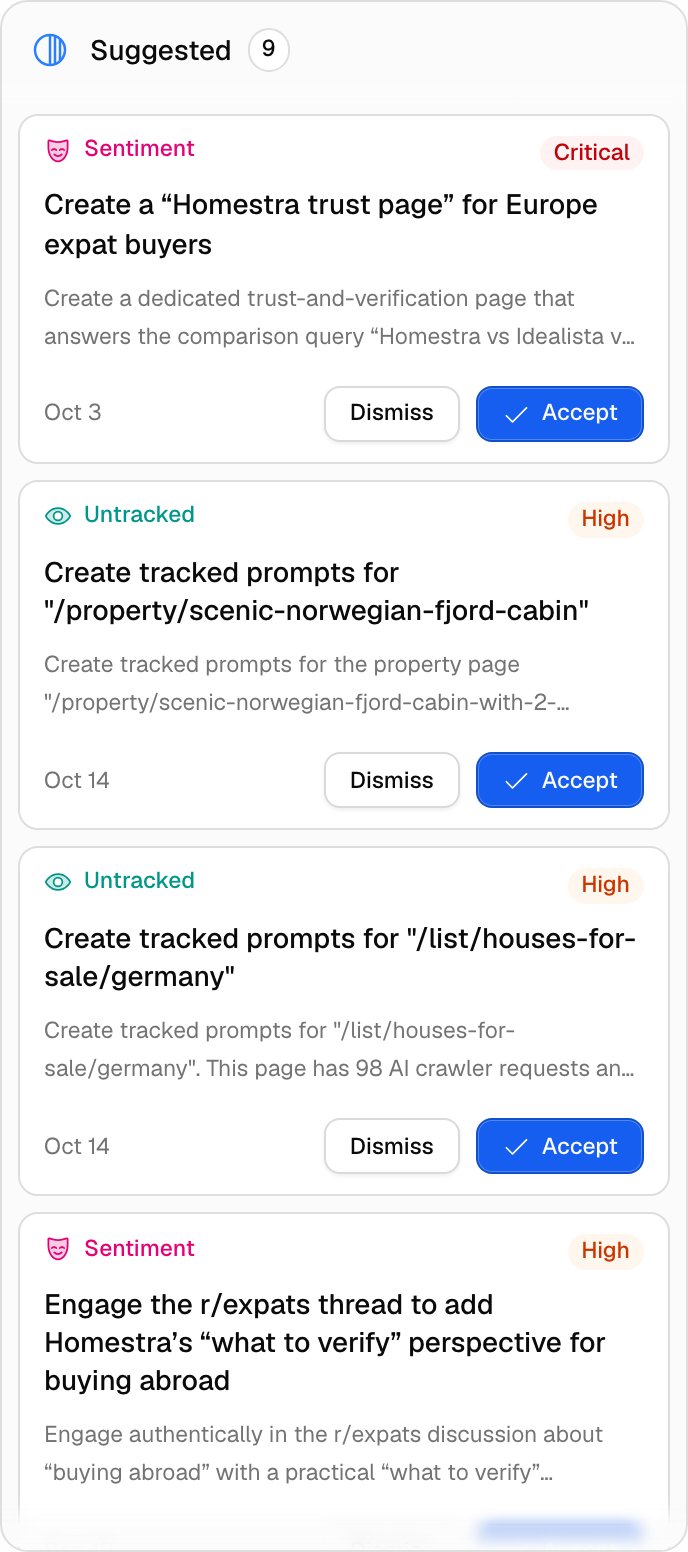
2. Open the card and assign it
Click any card to open the detail dialog. In the right column, Assignee opens a member picker (Change assignee, searchable with Search members…), or use the Assign to me link below it. Only non-viewer members can be assigned, and the assignee gets an in-app notification unless you assigned yourself; see Notifications. Leave context in the comment box under Activity (Leave a comment…, then Comment). Every status change, assignment, and comment lands in the timeline as “moved this from todo to in progress” or “assigned this to Jane”, so the history stays with the action. Severity changes are not logged. @-mention the agent in a comment (it is the first entry in the mention list, named Promptwatch Agent, or your white-label brand plus “Agent”) and it replies in the thread, which is the fastest way to ask for the evidence behind a card without leaving the board. The reply uses agent credits and needs an active subscription; when either is missing the thread shows “No agent credits left this billing period.” or “This organization does not have an active subscription.” instead of an answer. Viewers can read everything but cannot change status, assign, or comment; see Team and roles. The Copy share link icon gives you a link that opens straight to this action, handy for pasting into a ticket.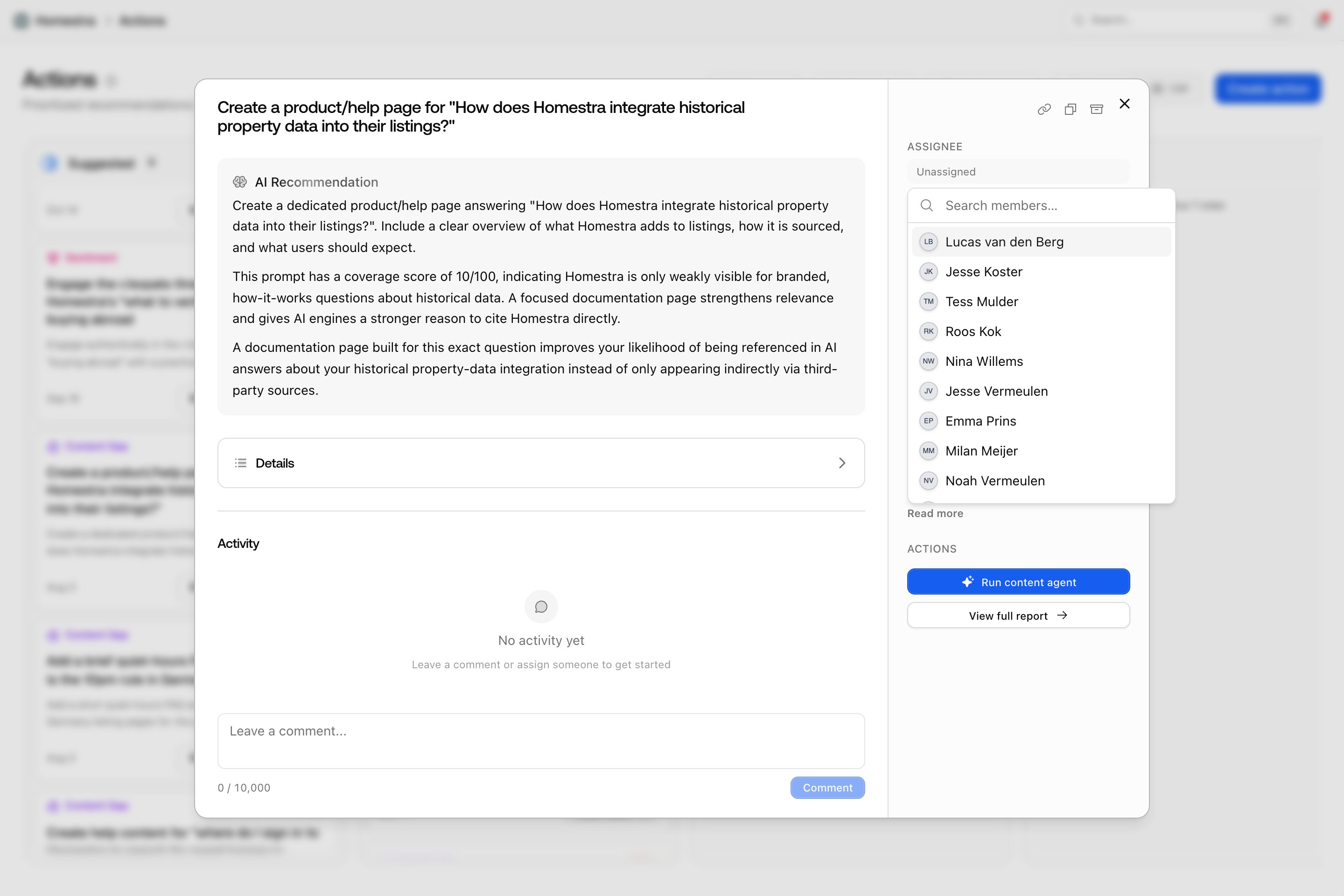
3. Do the work via the call to action
Cards in To Do, In Progress, and Done carry a call-to-action button in their footer, and the detail dialog repeats it under Actions. The label depends on the type:- Content Gap: Run content agent opens the generate or optimize content dialog; the detail view also offers View full report. See Content Agent overview.
- Reddit: View Reddit post opens the post in a sheet.
- Sentiment: Run content agent, View Reddit post, or View article, depending on where the framing was found.
- Outreach: View article; the detail view also offers View offsite mentions.
- Untracked: Generate prompts opens the create-prompts-from-page dialog.
- Untapped: Refresh Content opens the optimize-content dialog.
- Performance and Site Health: View site health goes to Site Health.
- Setup: Add sitemap (goes to project settings), Set up crawler logs, Set up visitor logs, or Connect GSC.
- Custom: View more, which opens the detail dialog. Custom actions have no deep link because they weren’t tied to a feature.
4. Move it across the board
Drag the card between columns as the work moves. Drag works in any direction except into Suggested, which stays reserved for the agent. Dragging is not the only mechanic:- The detail dialog: the Status dropdown (To Do, In Progress, Done) and the Dismiss action icon.
- List view: hover buttons on Suggested and Dismissed rows; there is no drag in the list.
- Agent Chat: it can move statuses for you (“mark the sitemap action as done”), which is useful when you finish several things in one sitting. See Asking Agent Chat.