

How access works
Access in Promptwatch is layered: an organization role that controls account-wide permissions, and optional per-project access that narrows what a Member can see and do. This split exists because the two questions are different. “Can this person touch billing?” is an account question. “Can this person edit the monitors for client X?” is a project question.- Organization role: every team member is either an Owner or a Member. Owners manage billing, team members, and organization settings. Members have standard access without billing or team management permissions.
- Project access: a Member can either have full access to all projects (the default), or be restricted to specific projects. For each assigned project, they get one of two levels: Full access (create and manage monitors, prompts, and project settings) or View only (view data and reports without making changes).
What Owners can do
Owners hold every permission Members have, plus the account-level ones:- Billing: view and manage the subscription, invoices, and plan changes. The Billing page is Owner-only, so Members see a restricted message instead.
- Team management: invite new members, resend or revoke pending invitations, change a member’s role, edit a member’s project access, and remove members.
- Usage alerts: Owners can opt into emails when the organization approaches its plan limits, see Notifications and alerts.
- Audit log: see who changed what across the organization, on plans that include it. See Audit log.
Single sign-on (SSO)
Enterprise organizations can route sign-in through their own identity provider, so account access follows your company’s central login and offboarding. Those users sign in with Continue with SSO on the sign-in page. SSO is not self-serve. Promptwatch enables it for your organization and works with your team to connect your identity provider, and it can be enforced so everyone signs in that way. To set it up, contact Promptwatch.Audit log
The audit log is a record of changes made in your organization, so an owner can answer “who changed this, and when?”. Only Owners can open it: click Settings at the bottom of the left rail and choose Audit log under Organization settings. Viewing data is not logged, and billing changes are left out. Every change is recorded, including attempts that failed, with its source: Dashboard (a team member), API v1 or API v2 (an API key), MCP, or Agent chat. Each row shows When, Who, Action, Source, Project and Outcome (Succeeded or Failed). Click a row for the status code, error, IP address and the request payload.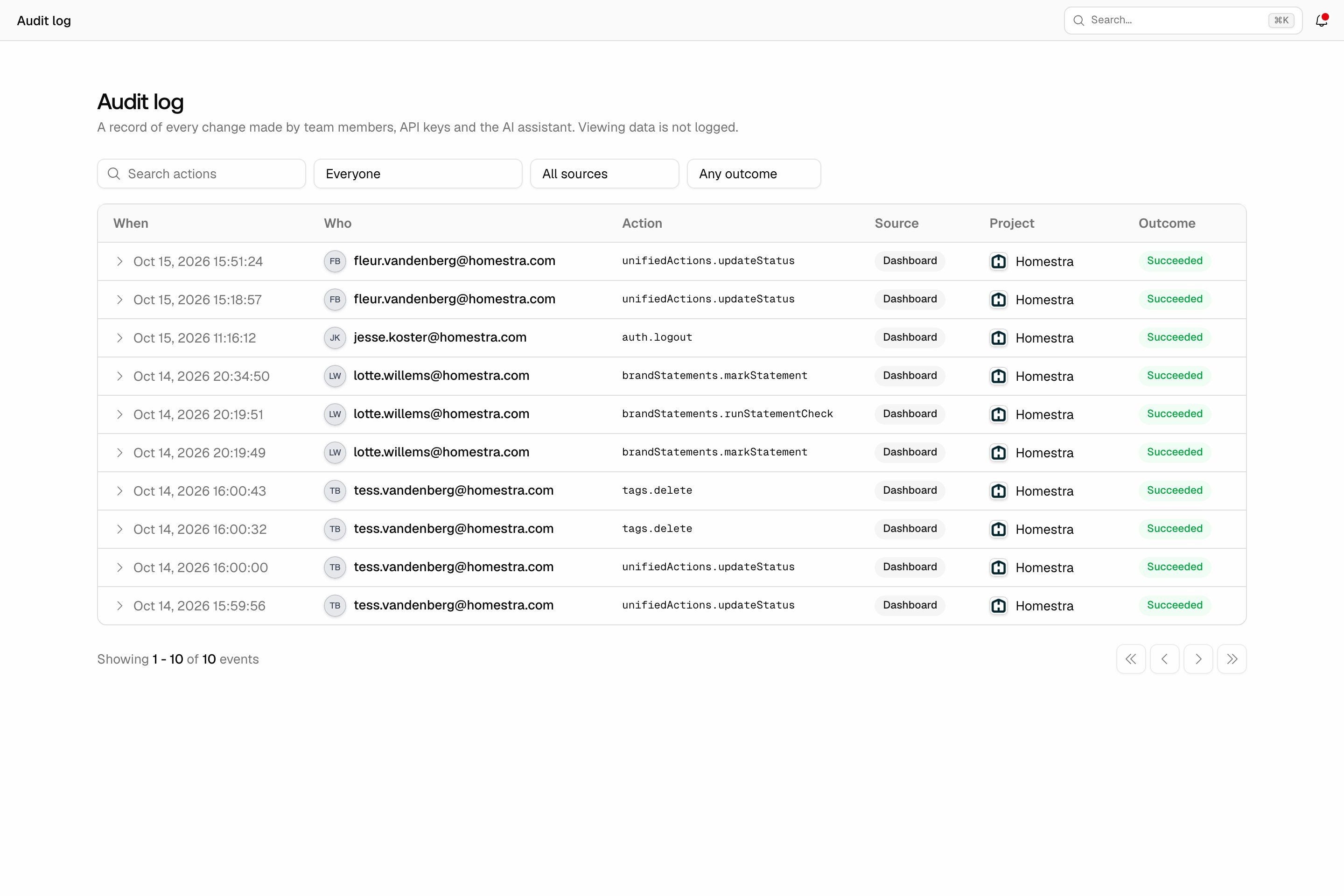
What Members can do
A Member without project restrictions can work in every project: create monitors, add prompts, edit the brand profile, and use all features their plan includes. What they cannot do is manage billing or access the organization-wide Team directory. A Member with project restrictions only sees their assigned projects. Like every Member, account-wide settings pages such as Team are closed to them. Within each assigned project, their level decides what they can do:- Full access: create and manage monitors, prompts, and project settings for that project.
- View only: read everything, change nothing. One deliberate exception: view-only users can still create exports, so a client with read access can pull their own CSVs. See exporting responses.
How invitations work
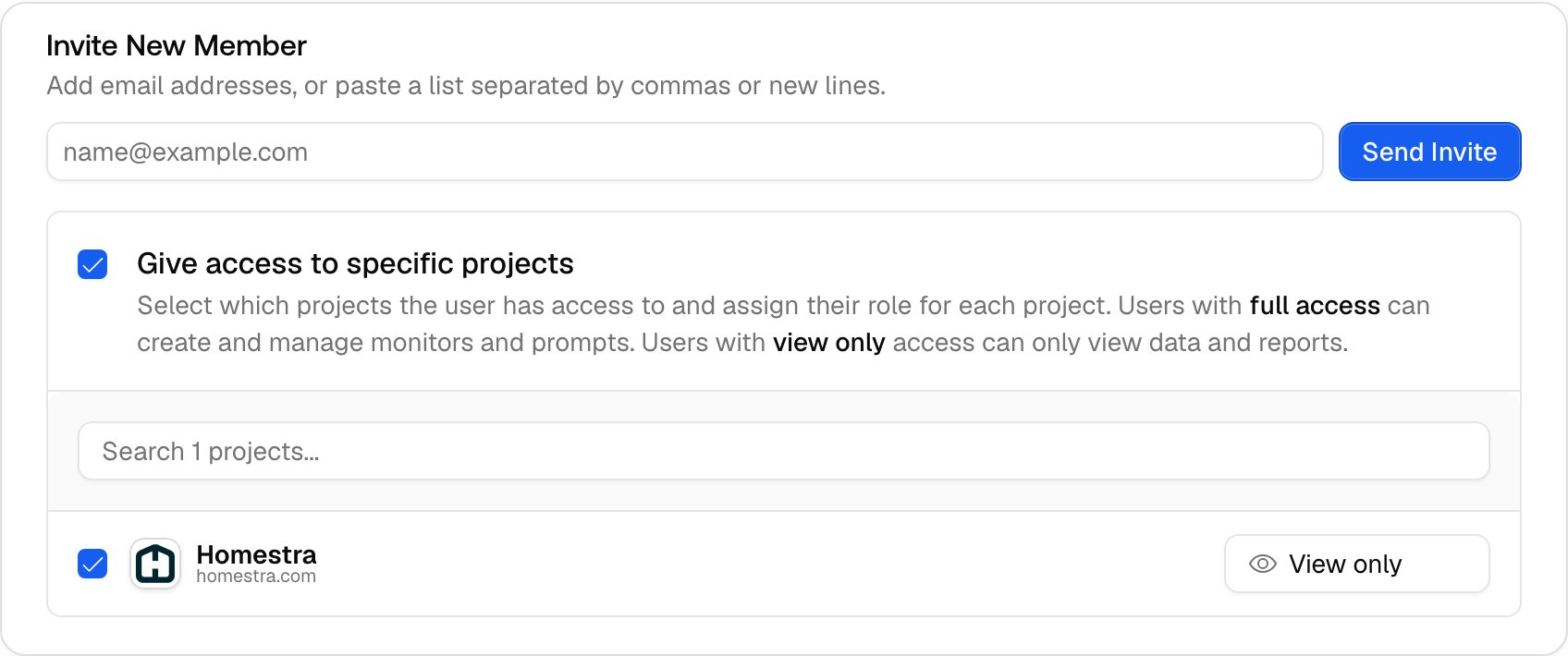
Only Owners can invite. The flow is short, the click path is in How to invite a team member:- Click Settings at the bottom of the left rail, open Team under Organization settings (the page is titled Team Members), and enter the email address under “Invite New Member”.
- Optionally check “Give access to specific projects” and pick a level per project. Skipping this gives the invitee full access to all projects.
- Send. The invitee gets an email with an accept link.