Three tools, three jobs
As your prompt set grows past the first dozen, you need structure, and Promptwatch gives you three tools that are easy to mix up:- Monitors define where and how prompts run: the market, language, persona, schedule, and models.
- Tags are free-form labels for slicing results across monitors: campaigns, funnel stages, owners.
- Topics are subject labels on prompts: what the prompt is about.
Monitors: when the context changes
A monitor carries the settings its prompts run with: country and language, an optional state (United States only) and city, an optional persona, a Tracking Frequency, and the AI models to query. State and city targeting and a custom tracking frequency depend on your plan; without custom frequency, the plan’s default cadence applies. One context per monitor is a deliberate design: it keeps your time series clean, because every response in a monitor was collected the same way and the numbers stay comparable over time. So create a new monitor when any of those change: a new market (“US - English” and “DE - German” as separate monitors), a different audience via a persona, or a different model set or schedule. Don’t create monitors as a labeling device: “pricing prompts” and “comparison prompts” running in the same market and language belong in one monitor with topics telling them apart. Monitor settings can be edited later from the monitor’s Settings, so a wrong frequency or model set is a quick fix. If a prompt landed in the wrong monitor, there is no move: you copy it to the right monitor and delete the original, and the original’s history goes with it. Three monitors to set up covers a solid starting structure, and creating a monitor walks through the fields.Tags: reusable filters that cross monitors
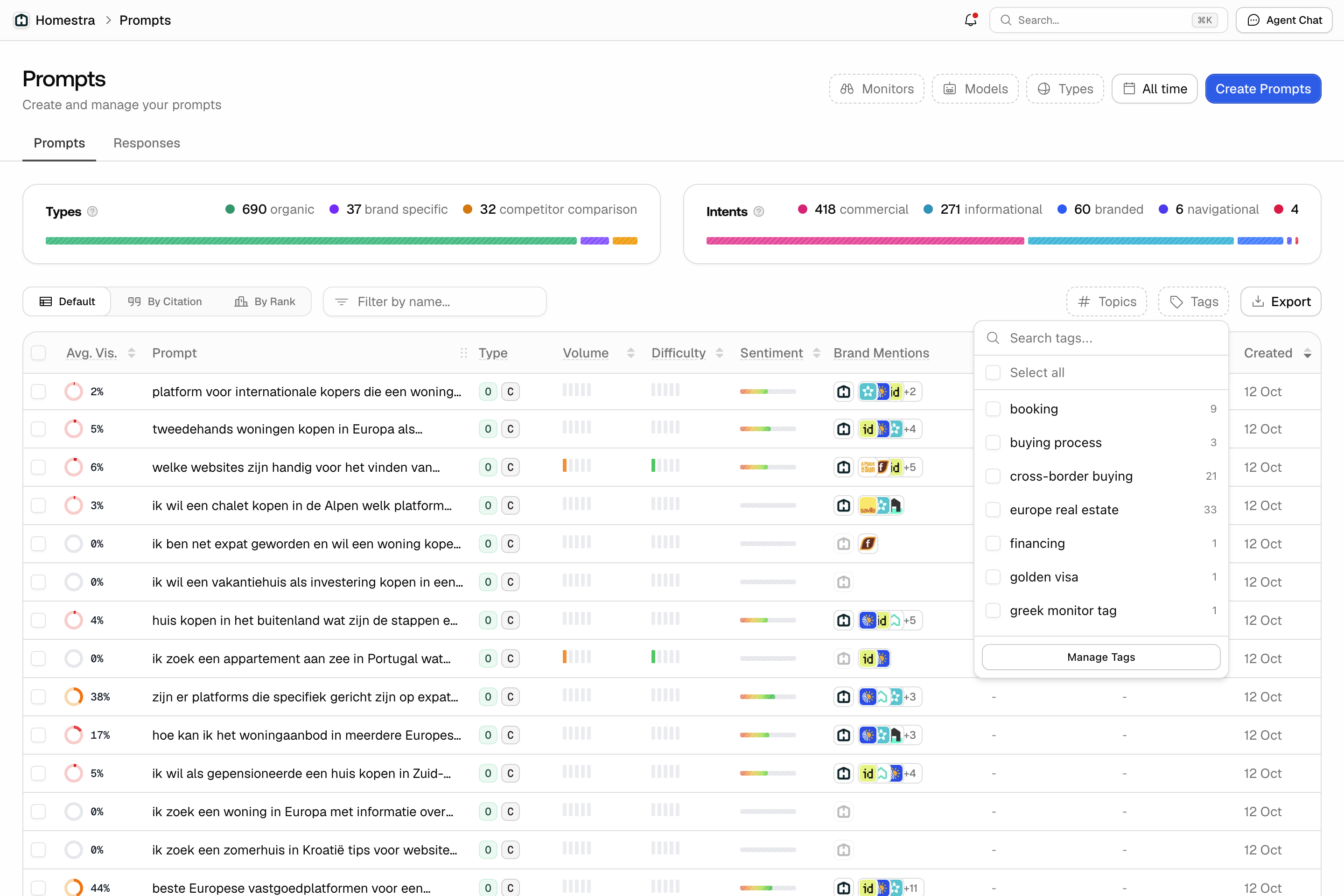
Tags are project-level labels, and they attach to two things: prompts and competitor brands. That reach is what makes them the workflow tool. A “Q3 campaign” tag can group prompts from three different monitors, and an “enterprise” tag can group the competitors in that segment. Use tags for groupings that are yours rather than the market’s: campaigns, content initiatives, funnel stage, team ownership, “watchlist”. They’re free-form and cheap to create: type a name in any tag selector and pick Create “<name>”. One thing to know: tag names are case-sensitive, so “Q3” and “q3” are two separate tags, and the Manage tags dialog and the tag chips in the prompts table display names capitalized, which can hide the difference. Pick one spelling convention early. Tags are safe to prune: deleting a tag removes it from prompts, and the prompts stay. If the tag is still on a competitor brand, detach it there first or the delete will fail.Topics: what the prompt is about
Topics are project-level subject labels that attach only to prompts. Names are trimmed and stored lowercase, so “Pricing” and “pricing” are one topic, unlike tags. Use them as a stable subject taxonomy: “pricing”, “integrations”, “alternatives”. Where a tag answers “which of my initiatives does this belong to”, a topic answers “what is this prompt about”, and because the taxonomy is stable it makes long-lived comparisons possible: visibility on pricing questions vs. integration questions, across every monitor and market at once. Topics get their own analysis page. Click Prompts in the left rail, then Topics in the inner navigation. Its Default view is a table with one row per topic (your brand’s visibility, citation share, average position, share of voice and sentiment over the selected dates, plus active prompt and response counts) that expands to show the prompts behind it. By Competitor shows a heatmap of the selected metric per topic for your brand and direct competitors, and By Rank ranks those brands per topic by the selected metric. The page filters by monitor, model and prompt type, and searches topics or prompts. Until you assign topics, the page reads “No topics yet” and points you back to the Prompts page to select prompts and choose Manage topics.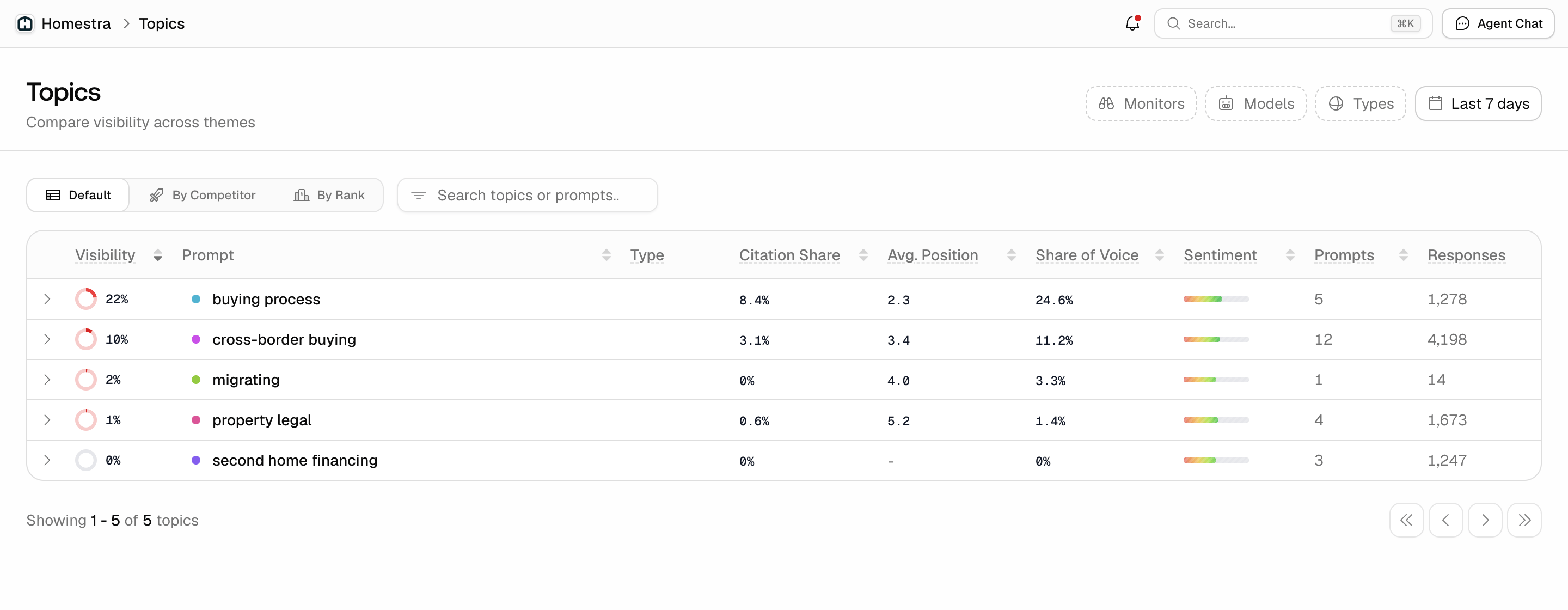
Assigning, renaming and deleting labels
Assign both from the Prompts table. Open Prompts from the left rail, stay on the Prompts tab in the Default view, and tick the prompts. Two label buttons appear above the table, each with a count badge. The topics button reads Add Topics when none of the selected prompts carry a topic and Manage Topics when some already do; the tags button works the same way, Add Tags or Manage Tags. Clicking either opens a picker: choose existing labels, or type a new name and pick Create “<name>”, then confirm. A mixed selection, where only some prompts carry a label, is shown as a partial state and can be updated in one go. Each row also has Topics and Tags columns for adding a label to a single prompt inline.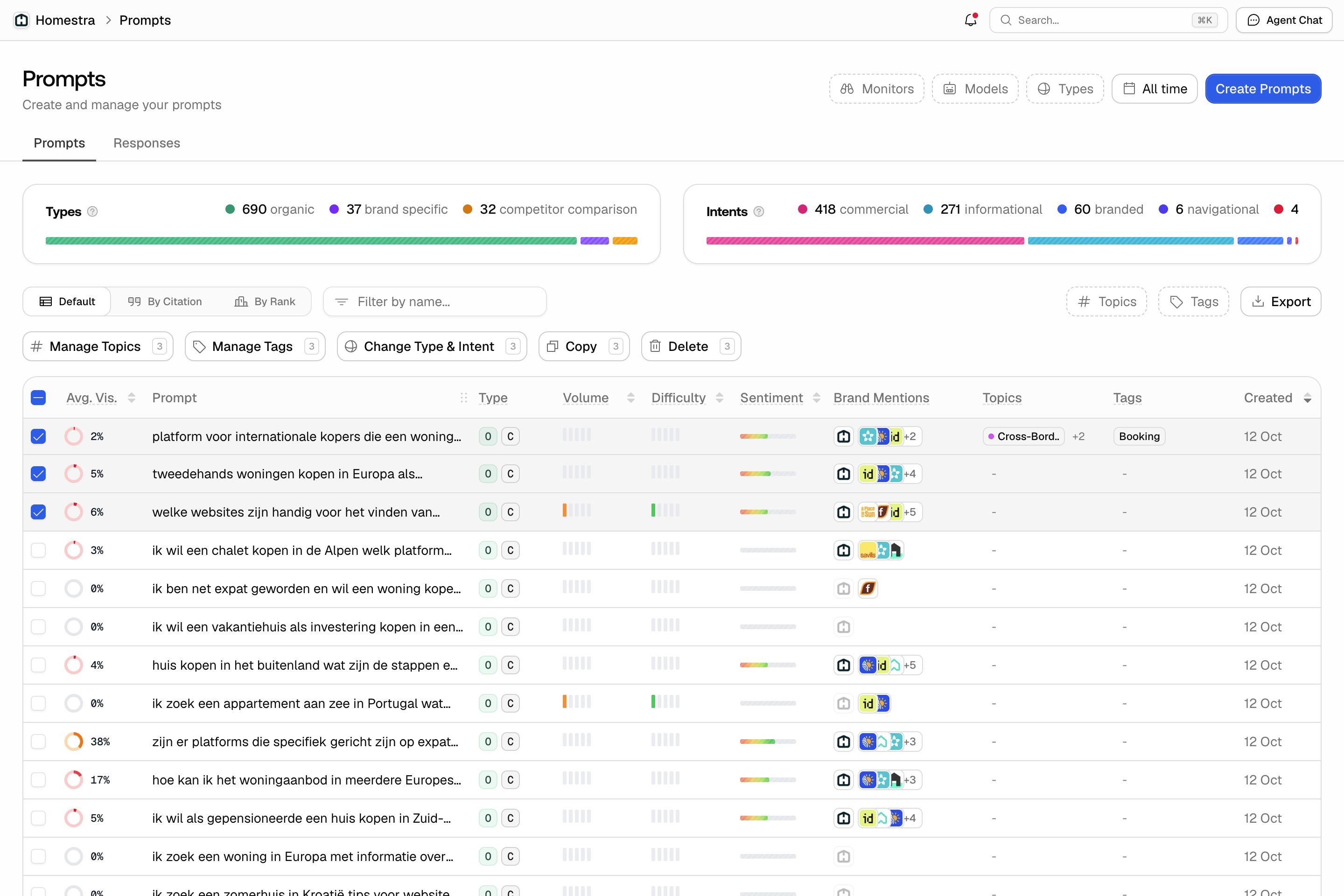
Where the filters show up
Once the structure is in place, it pays off in the filters, and they do not all take both labels:- Prompts page (rail Prompts, Default view): Topics and Tags.
- Monitor pages: Topics and Tags in the header.
- Topics page: neither. Its search field finds topics by name, and in the Default view also by prompt text, next to the Monitors, Models and Types filters.
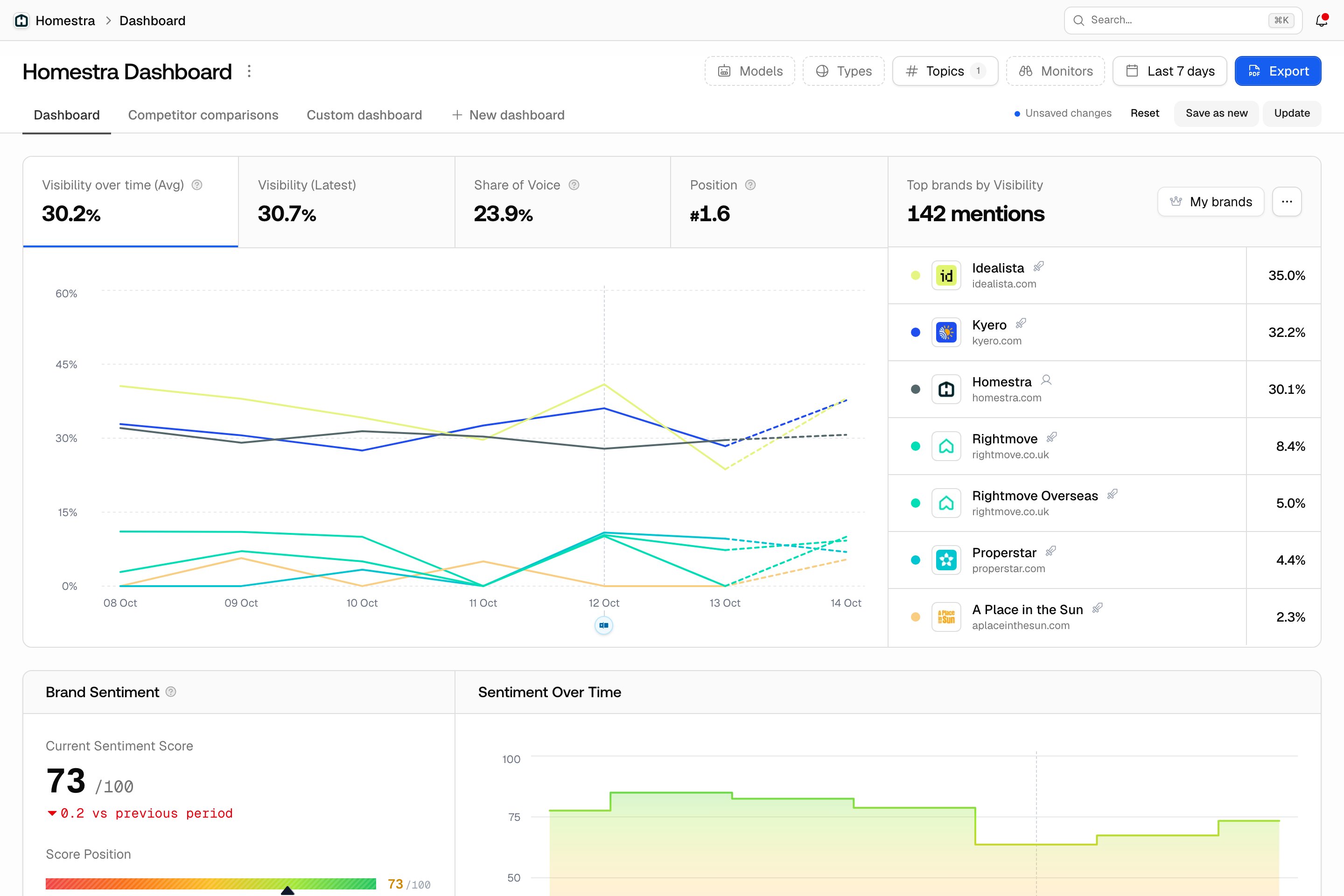
- Dashboard: Topics, next to Models, Types, Monitors and the date range. No Tags, so a campaign cut lives on the Prompts page, not the dashboard. See reading your dashboard.
- Citations (rail Sources) and Content Gap: both. See understanding sources.
- Sentiment and PDF report configuration: Topics only.
- Competitors: Tags, applied to brand tags.
- Exports: both, for the export types that offer these filters. See exporting your data.