

Connect your Framer project
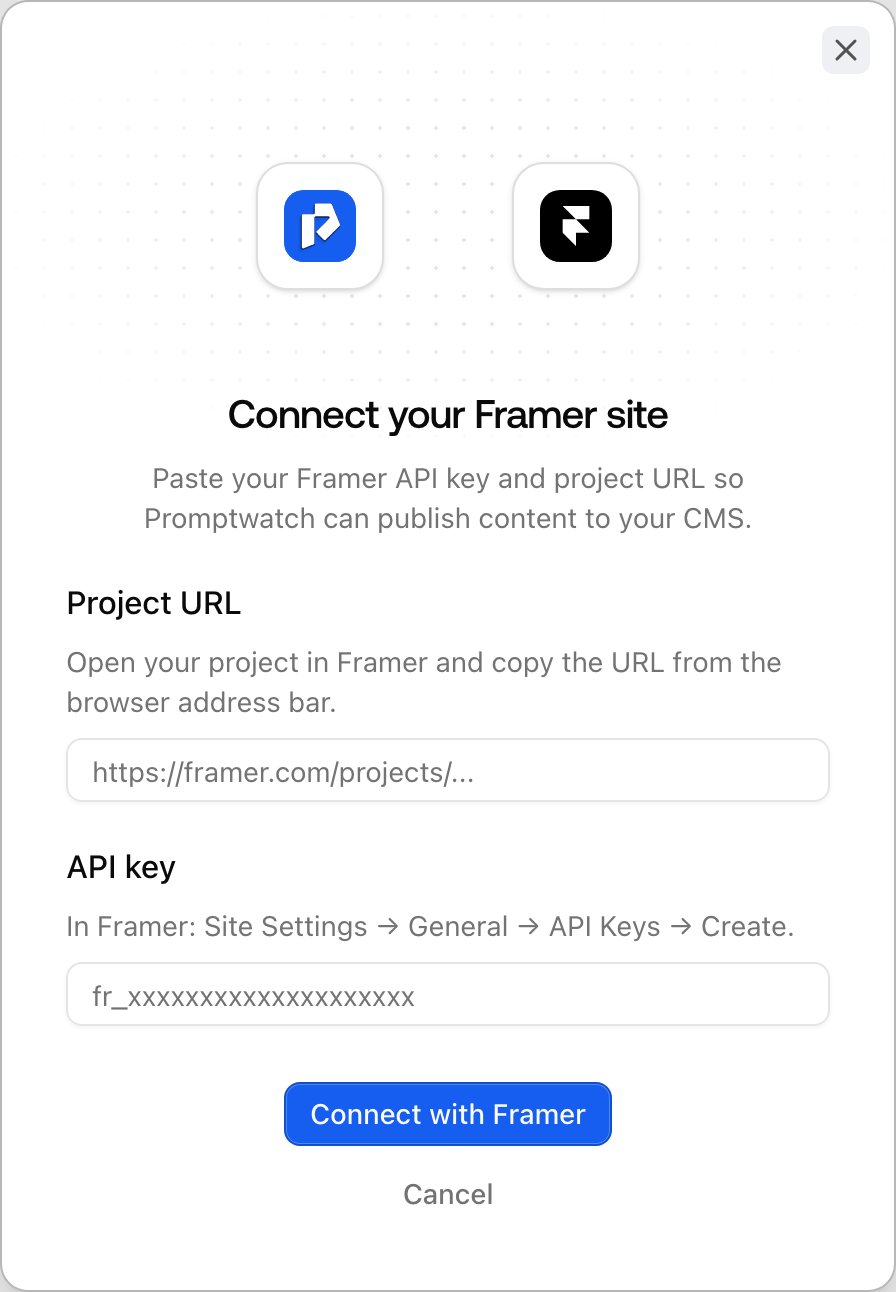
Framer connections use an API key instead of OAuth, and each connection is bound to a single Framer project:- Open Settings in the left rail, then CMS Integrations under Project settings.
- On the Framer card, click connect.
- Paste your project URL: open the project in Framer and copy the URL from the address bar (it looks like
https://framer.com/projects/your-site--abc123...). - Paste an API key from that project’s settings in Framer. Once the project URL is filled in, the form shows a direct link to the settings page where API keys live.
- Click Connect with Framer. Promptwatch validates the key against Framer before saving, so a typo fails immediately instead of at publish time.
Configure the connection
Because the connection is already bound to one Framer project, there is no site-picker step. The wizard goes straight to:- Collection: pick the CMS collection where documents should land, usually your blog. Create it in Framer first if it doesn’t exist, then refresh the list.
- Field mapping: Promptwatch suggests a source for every collection field, matched by name or as an AI suggestion with reasoning and confidence. A source is a document field (title (H1), meta title, description, content, featured image, publish date, author fields), AI: generate per document, a Fixed value, or Leave empty. Title and Content are required, and a required field can’t be left empty. Map Meta title to your SEO title field; it falls back to the H1 when empty. With AI-generated fields, you review their values before each CMS draft goes out. The Webflow guide describes the same mapping step in more detail.
Push a draft
From a draft’s publication card in the content editor, Publish as CMS draft creates the item in your Framer collection as a CMS draft, and Update CMS draft overwrites it after edits. It is staged, not live, so you can review it in Framer first. Updating the CMS draft never rebuilds your site, so you can push revisions freely.Publish live: read this part
Here is the real difference from Webflow: Framer has no per-item publish. Making a CMS item live requires rebuilding and deploying the entire site, the same as pressing Publish inside Framer. Two consequences:- Other unpublished changes go live too. If someone on your team has unpublished edits sitting in the Framer editor, publishing a document from Promptwatch deploys those as well.
- Promptwatch asks for confirmation. Before publishing live, a dialog spells out that the whole site will rebuild and deploy, so nobody triggers a site-wide deploy thinking it’s a single-page action.