IndexNow lets you notify participating search engines when you publish or update a page. Submit pages from Site → IndexNow or a document’s publication card, then track their submission status. Submissions are manual: publishing an article or syncing your sitemap does not send it to IndexNow automatically. A Google Search Console or Bing Webmaster connection is not required.

Set up your key

The key proves that you control the project’s website. Ask whoever manages the site to help upload its text file if needed.
  1. Open Settings at the bottom of the left rail, then IndexNow under Project settings.
  2. Click Generate key.
  3. Upload a plain text file containing only that key to the exact address shown under The file must be reachable at, for example https://example.com/your-key.txt.
  4. Click Verify key file. Once the badge reads Verified, you can submit pages.
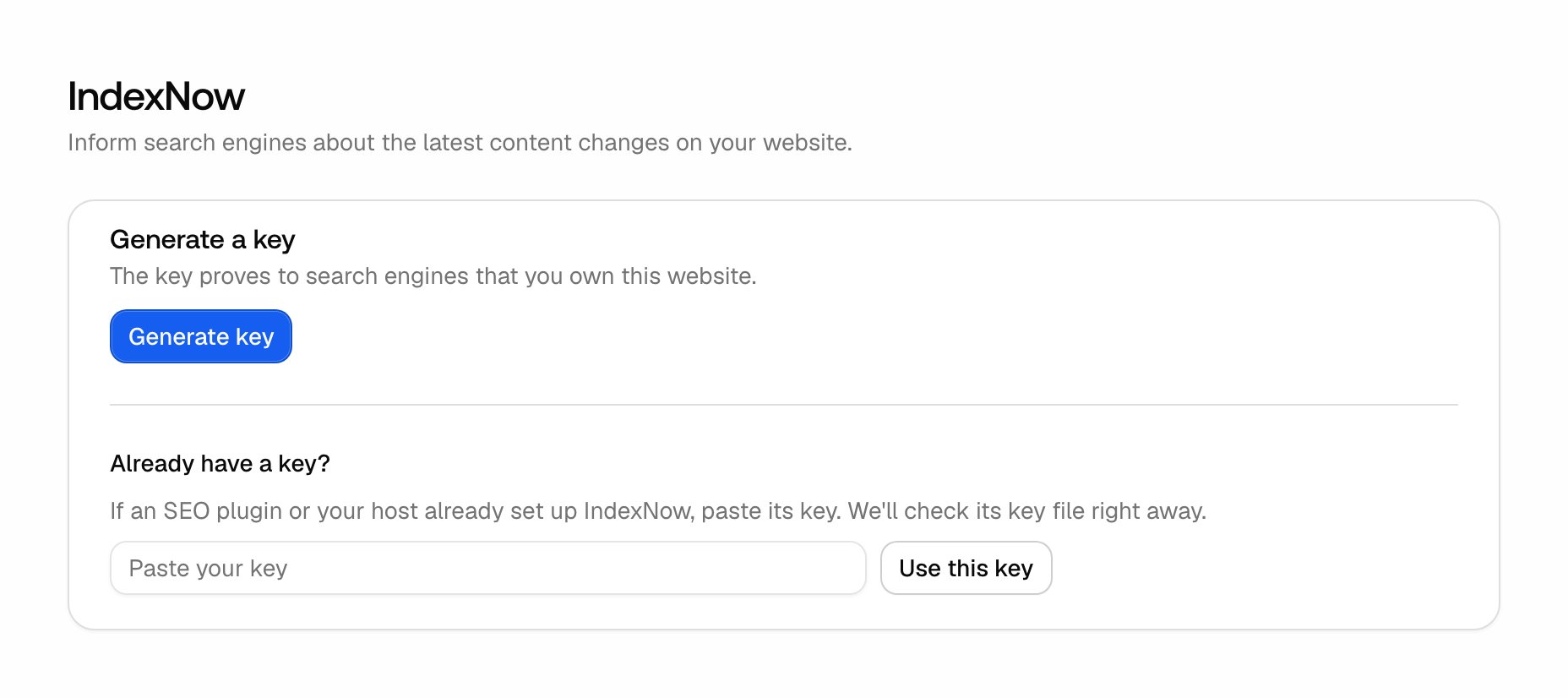
The IndexNow project settings where you generate or reuse a key and verify its file on your website. If your SEO plugin or host already provides a key, paste it under Already have a key? and click Use this key instead. Its file is checked immediately; if it is not available yet, upload it and verify afterwards. If verification fails, check that the displayed address serves the text file publicly, with the same key inside. It should return the file directly rather than redirecting or showing an HTML page. Project viewers can read submission statuses but cannot change the setup or submit pages.

Submit new or changed pages

  1. Open Site → IndexNow in the left navigation.
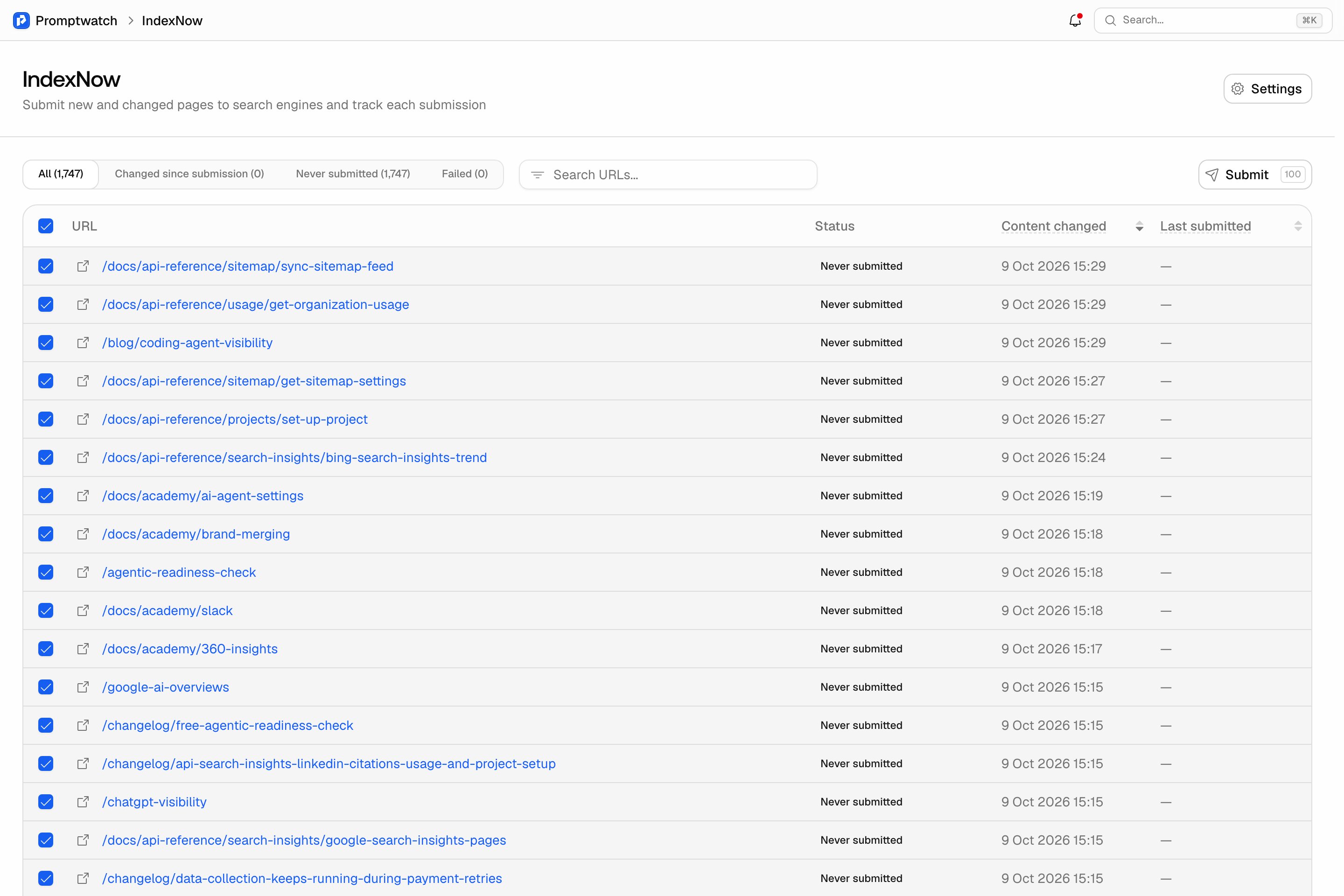
  2. Choose Never submitted for new pages, or Changed since submission for pages worth sending again. You can also search for a URL.
  3. Select the pages you want to submit. The checkbox in the table header selects the rows on the current page.
  4. Click Submit.
IndexNow configured with pages selected and the Submit button enabled. Pages appear after your sitemap has synced or you publish an article on the project’s website. Other subdomains, such as blog.example.com, are not covered by the same setup. For a single article, use Submit in the publication card’s IndexNow row once it has a live URL. The button becomes Resubmit after an attempt. The same action is available beside the IndexNow status in a page’s detail view.

Read the status

The All tab shows the full list. Other tabs filter by status: Content changed is when our crawler last detected a content change. Last submitted is the most recent successful submission; a later failed attempt does not clear that date. For a failed attempt, fix the issue shown in the tooltip, then select the page and click Submit again. If IndexNow is throttling requests, wait before retrying.

What happens after submission

Submitted confirms that the notification was accepted. Search engines decide when to crawl the page and whether to index it. Submission also does not guarantee a citation in an AI answer. Keep your sitemap up to date and use the Page Tracker to follow citations, crawler visits and clicks after publishing.