

Step 1: Tell Promptwatch who you are
Sign up and the wizard opens. The first screen asks for your company name and website, and whether you’re setting up a brand or an agency (agencies add the client’s brand separately). It also asks for your Target Country and Tracking Language. Take the country and language seriously: they define the market your prompts run from, and AI answers genuinely differ by market. Promptwatch defaults them from your browser, so if your customers are elsewhere, change them now. You can add more markets later with additional monitors.Step 2: Review your brand profile
The wizard’s Brand Hub step shows what Promptwatch found. While you fill in your details, it scrapes your website and prefills your brand profile: descriptions, industry, brand aliases, key features, and tone of voice. Review rather than rewrite, but do fix what’s wrong. This profile steers how responses are analyzed, so an incorrect alias or industry shows up later as missed mentions.Step 3: Confirm your competitors
Promptwatch suggests competitors based on your website. Keep the ones you actually compete with and remove the rest; you need at least one. Competitors are set once at the project level and apply to every monitor you create, and they define the comparison set for Share of Voice, so a padded list dilutes your numbers.Step 4: Pick your prompts
The wizard generates suggested prompts from your website: the questions your customers would plausibly ask an AI. Select at least three, edit freely, or write your own. Good starter prompts are category questions without your brand name in them (“best [your category] for [your audience]”), because those test whether AI models recommend you unprompted. Don’t overthink this step. Prompts are easy to add, retire, and reorganize later, and there are several richer ways to create them once you’re set up.Step 5: Finish, and pick a plan
On submit, Promptwatch creates your organization, project, and your first monitor in one go. The monitor starts with ChatGPT, Perplexity, and AI Overview, and its first collection run starts immediately, not on the next daily cycle. You’ll be asked to choose a plan; paid plans include a trial.While responses come in: connect your data
First responses take a little while to arrive, since prompts run against real AI platforms. Use the gap to work through the setup checklist behind the Setup tile at the bottom of the left rail:- Link your sitemap. This is the one to do first: it gives Promptwatch your site structure, which powers content recommendations. See sitemap or Search Console.
- Connect Google Search Console (optional) to compare AI visibility against your Google rankings. If Bing traffic matters too, connect Bing Webmaster as well; it feeds the same Search Insights comparison.
- Crawler logs and visitor analytics can wait for a technical teammate; each has a step-by-step guide.
Reading your first results
Start on Home in the left rail, which opens the Dashboard: the Brand Visibility chart and its brand list show where you stand against competitors at a glance. Expect the first day’s numbers to be noisy; trends need a few days of data.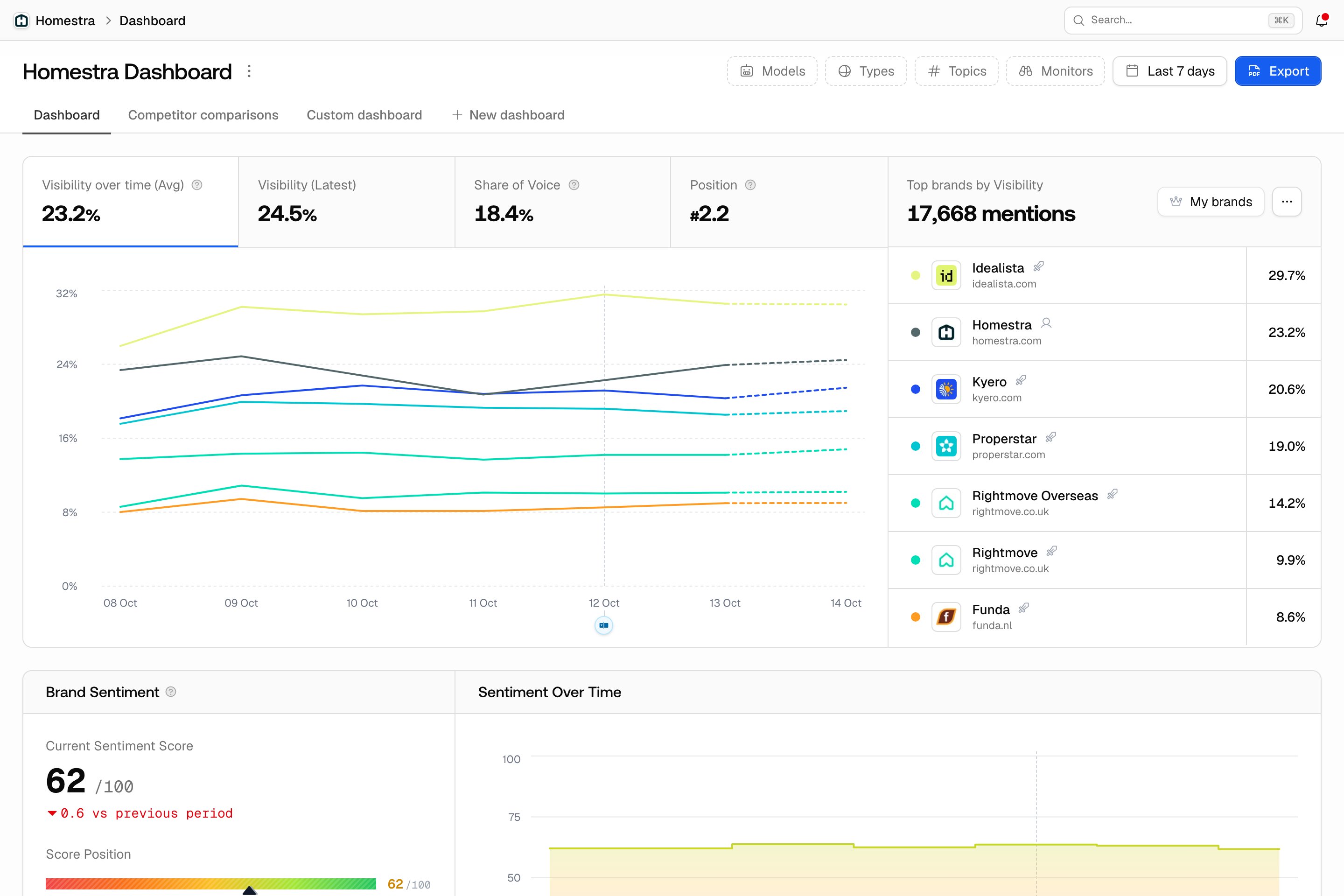
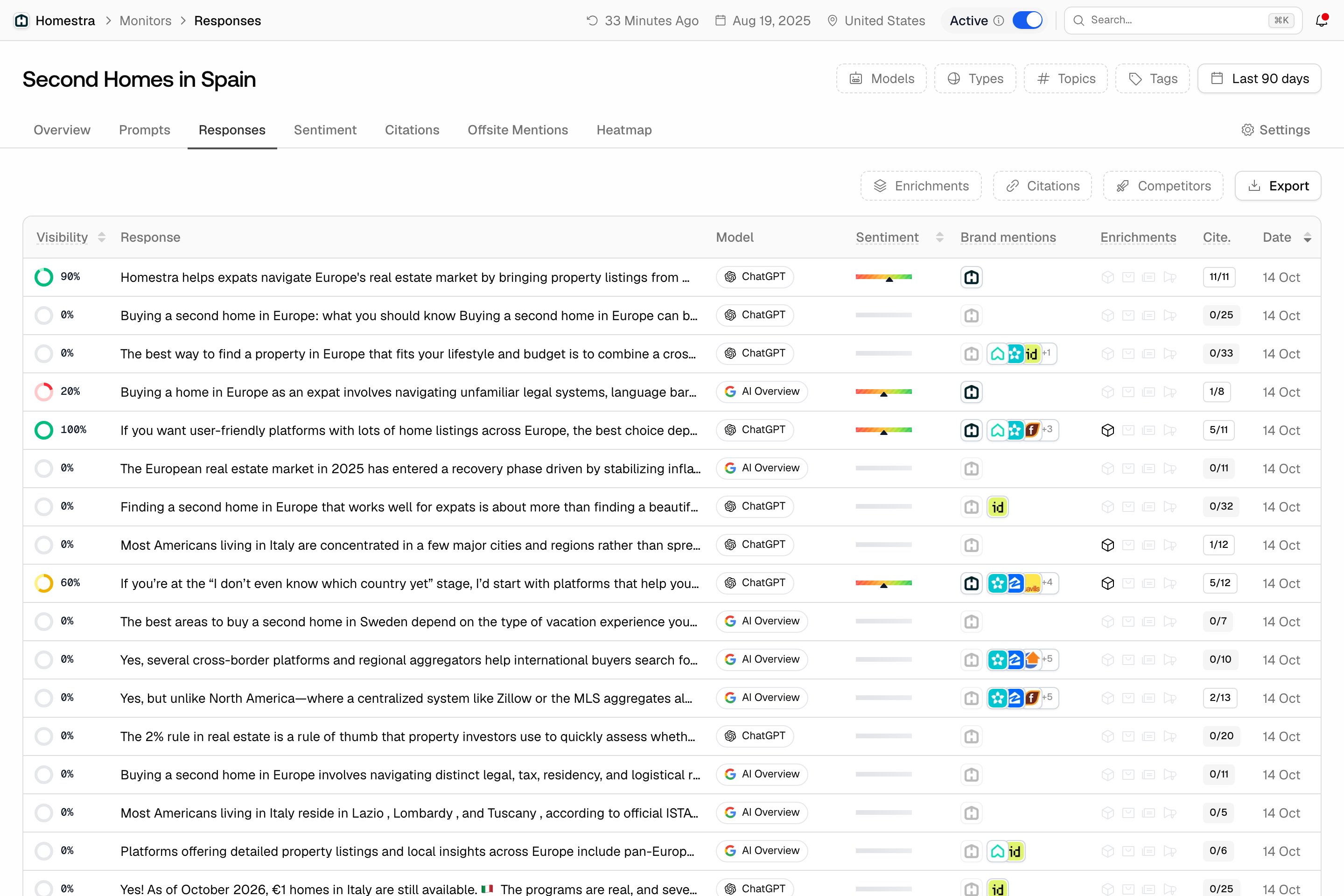
What happens next
Your monitor now refreshes on your plan’s cadence, building the time series everything else hangs on. From here:- Learn what the numbers mean: Citations vs. mentions and the Visibility Score.
- Expand coverage: more prompts, more models on your monitor, or a second monitor for another market.
- Skim the Glossary so the rest of the academy reads fast.