

What is the Prompt Explorer?
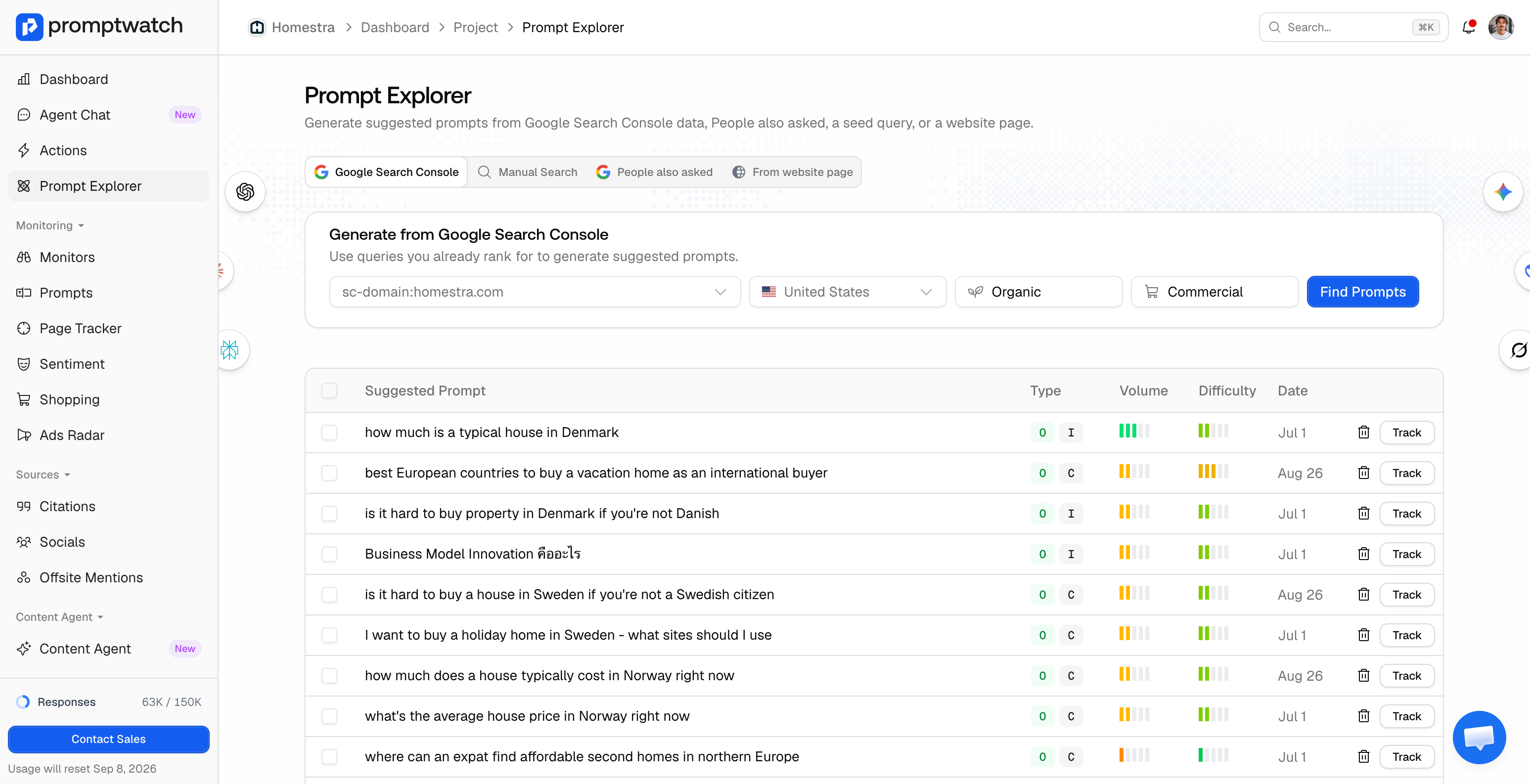
The Prompt Explorer is a workbench for finding new prompts to track, built on real search data instead of brainstorming. You pick a source, Promptwatch generates a batch of suggested prompts from it, and each suggestion lands in a review table with search volume and difficulty attached. From there you decide: track it in a monitor, or dismiss it. This matters because your metrics are only as good as the prompts behind them. A monitor full of prompts nobody asks produces clean charts about questions that don’t exist. The Explorer anchors every suggestion to something observable: a query you rank for, a question Google surfaces, or a page you published. See choosing the right prompts to track for the strategy side. You’ll find it in the sidebar as Prompt Explorer.The four sources
Each source is a tab at the top of the page:- Google Search Console: generates prompts from queries your site already ranks for, so you extend proven search demand into AI answers. Requires a Search Console connection, and the project must be linked to a property.
- Manual Search: you enter a seed query, like “best crm software”, and Promptwatch expands it into natural-language prompts around that topic.
- People also asked: you enter a Google query and Promptwatch turns the “People also asked” questions for it into prompts, including follow-up questions one level deeper. These are questions real users ask, phrased the way they ask them.
- From website page: you paste one of your URLs, Promptwatch crawls its title, description, and content, then generates the prompts that page could be the answer to. Useful right after publishing something new.
Reading the suggestions table
Suggestions from all sources collect in one table below the tabs, sorted by search volume so the biggest opportunities sit on top. Each row shows:- Suggested Prompt: the generated prompt text.
- Type: the prompt type and intent badges the suggestion will carry into tracking.
- Volume: the search volume of the suggestion’s primary keyword, so you can judge how much demand sits behind it.
- Difficulty: how competitive that keyword is in search.
How to turn a suggestion into a tracked prompt
- Click Track on a single row, or select several rows with the checkboxes and click Add to Monitor.
- In the dialog, pick the monitor that should own the prompts. Review the list and remove any you don’t want.
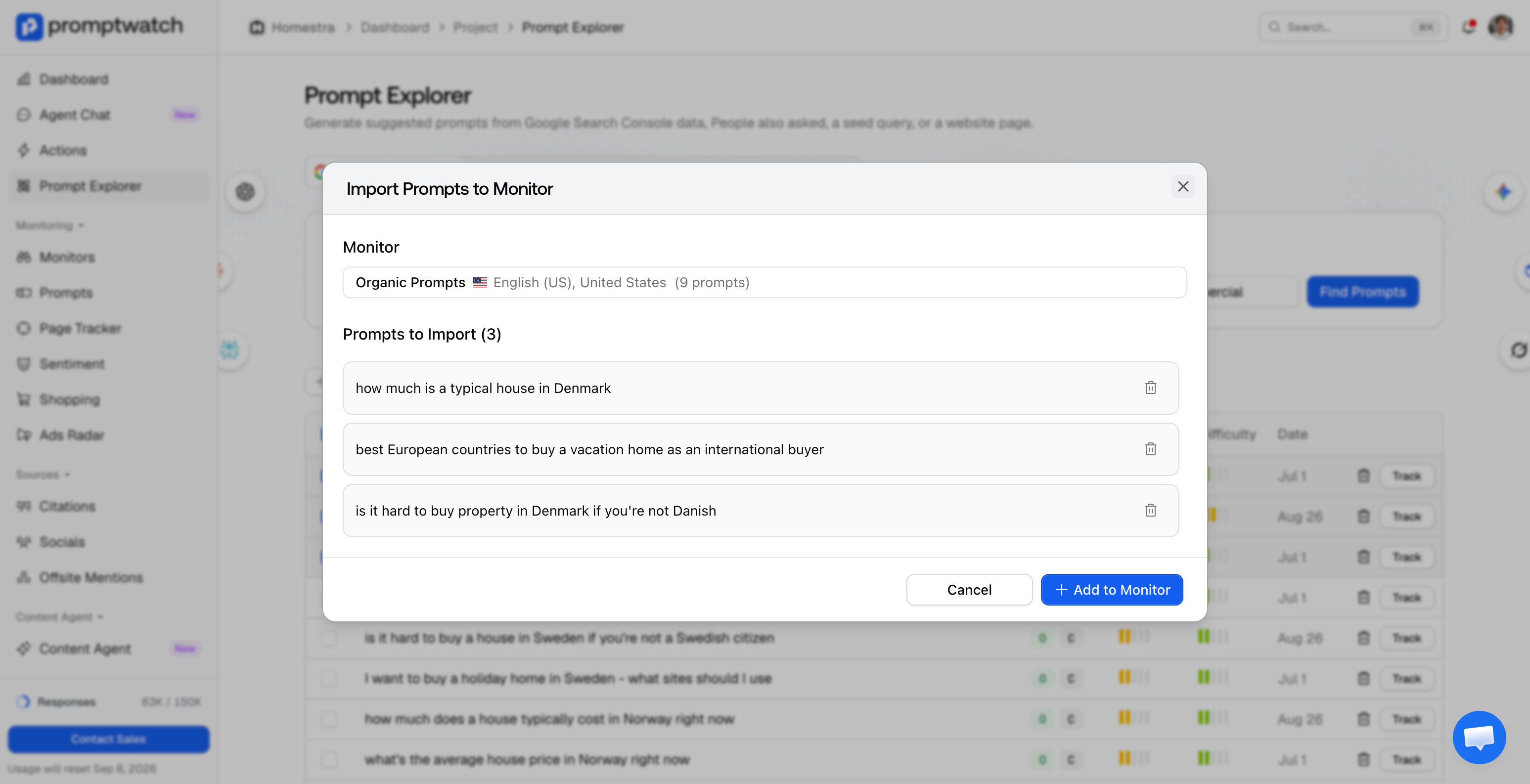
- Click Add to Monitor.